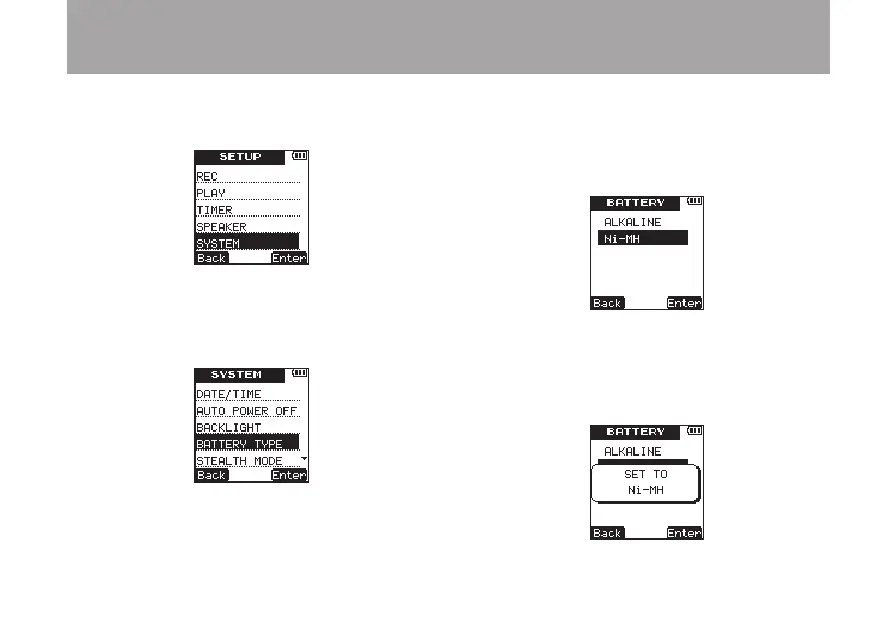
2 Use the +/– keys to select the
SYSTEM
menu
item.
3 Press the ¯ (
Enter
) key to open the
SYS-
TEM
menu screen.
4 Use the +/– keys to select
BATTERY
TYPE
.
5 Press the ¯ (
Enter
) key to open the
BAT-
TERY
setting screen.
6 Use the +/– keys to set the battery type.
Options:
ALKALINE
(alkaline batteries—
default value),
NiMH
(nickel metal hydride
batteries)
7 Press the ¯ (
Enter
) key to confirm the
setting and show a pop-up with the setting
briefly, and then return to the
BATTERY
setting screen.
8 – Various Settings and Information Display



 To Next Page