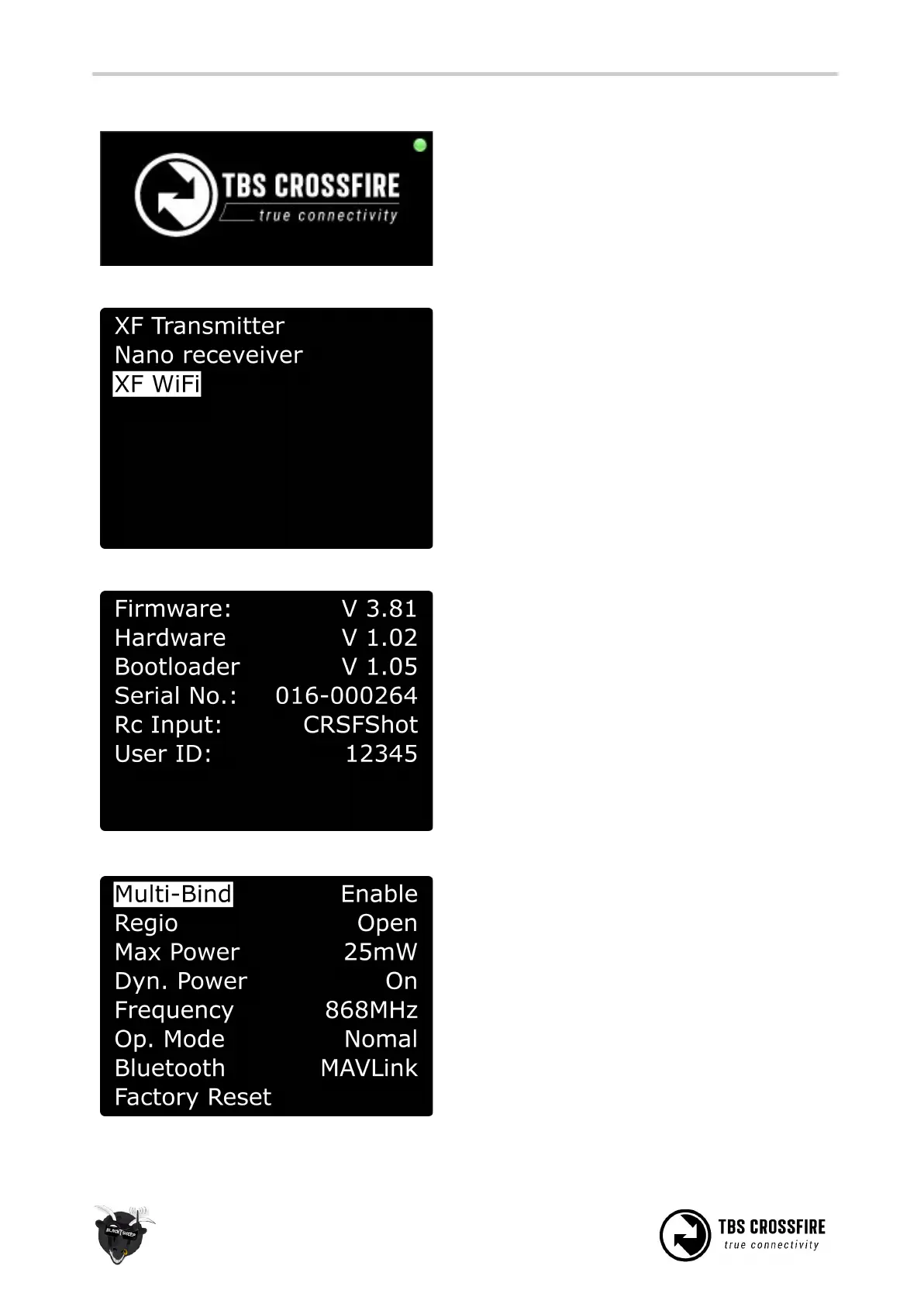
After the update wait for Agent X to synchronize
the device with your TBS account. This is done
when the dot on the top of the devices turned
green
Connect your CROSSFIRE to the internet via the
built-in WiFi module. You can provide access point
information from your nearest wifi hotspot, or
create a temporary one on your phone. Wait for it
to switch to “Online” under
XF WIFI/ About
After a few seconds you can navigate back to
XF
Transmitter/ About
. Now you should see your user
id. This user ID will be the unique binding ID. Each
transmitter with this user ID can now bind to your
receivers on the same firmware version.
Enable the multi bind option under
XF Transmitter/ General
Repeat this step for every Crossfire transmitter
that you own (e.g. TX module, Tango 2, etc)



 To Next Page