Special functions - Standard/ Lite TX only
External power
Your Standard/ LIte Tx can go up to 2W transmission power. If your Radio can not handle the current for
this or you don’t want to drain your radio battery as fast you need to attach an external battery to the XT30
connector. You can use any 2(1) - 3S LiPo for this. To make sure the Crossfire uses the external battery, the
voltage needs to be higher than the voltage in the JR bay. Mostly the supply voltage in the bay is the same
as your radio battery.
The Crossfire uses the source with the higher voltage.
Status display
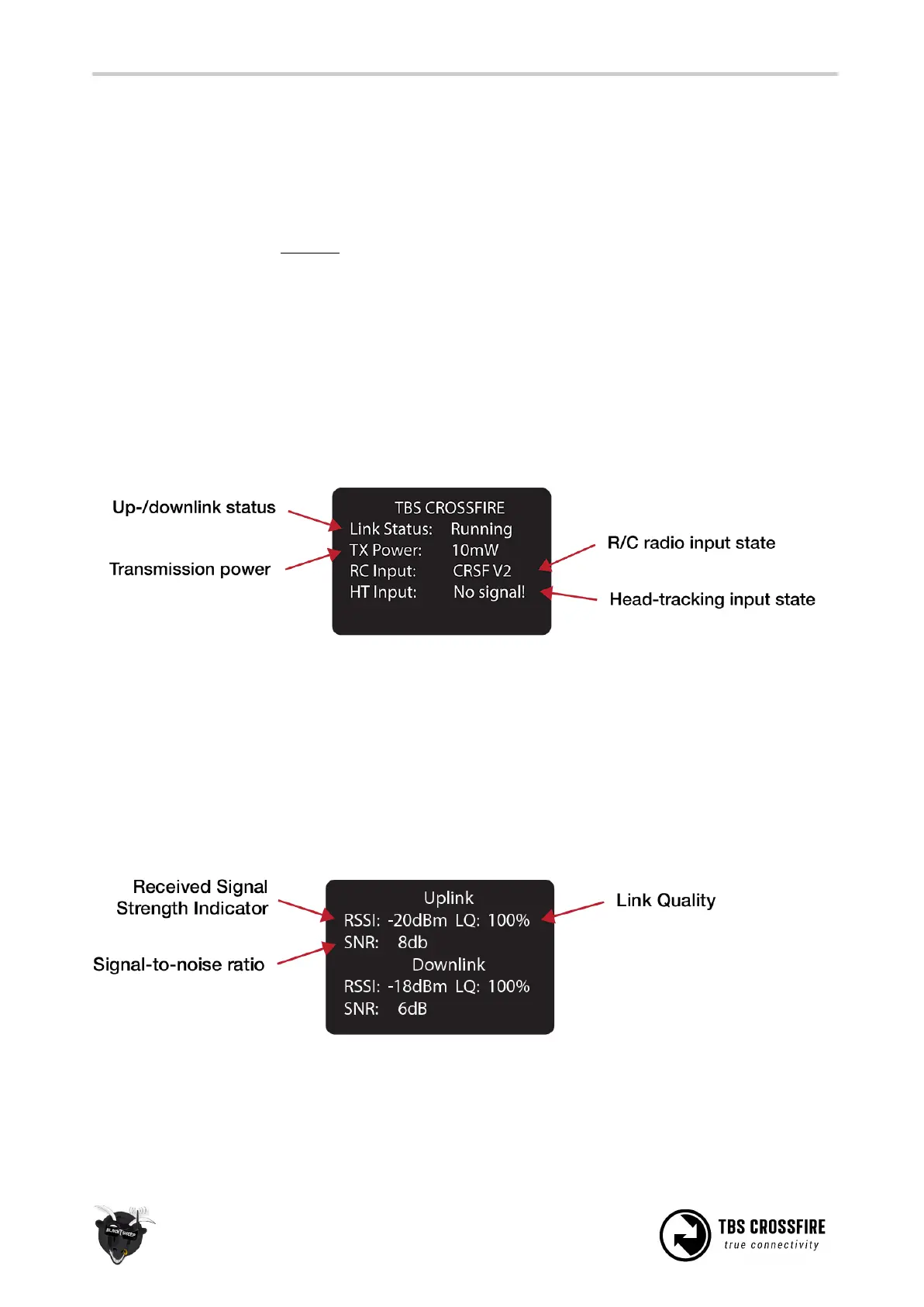
After power-on, the main screen shows the current state of the transmitter, i.e. link status, transmission
power, R/C- and head-tracking input signal state.
● Link Status - State of the wireless link [Connecting, Running]
● TX Power - Output transmission power [10mW, 25mW, 100mW, 500mW, 1W, 2W]
● RC Input - Radio R/C PPM signal input status [No signal, PPM, CRSF V1/V2]
● HT Input - Head-tracking PPM signal input status[No signal, Signal OK]
Up- and downlink status
Toggle the joystick to the right to show the status of the up- and downlink.
● RSSI - Received signal strength indicator, measurement of the power present in a received radio
signal [typ. -1dBm (good) to -130dBm (bad), logarithmic scale]
● LQ - Link Quality, based on the percentage of signal data received at the end-point [0 to 300%]



 To Next Page