OTA update of the WiFi Module
When your WiFi module is on FW 1.25 (not yet available), you can use the self-update feature:
● Connect your WiFi module to a hotspot with internet access
● Open the Crossfire WiFI device by Agent X, Lua script or CRSF menu
● Under
General
you find
Update
● Hit Update and follow the instructions on the screen
● When the message disappears, the module is successfully updated
At the moment the self-update check will result in your
module is up to date
message no matter which
version you use!
Opentx setup for crossfire
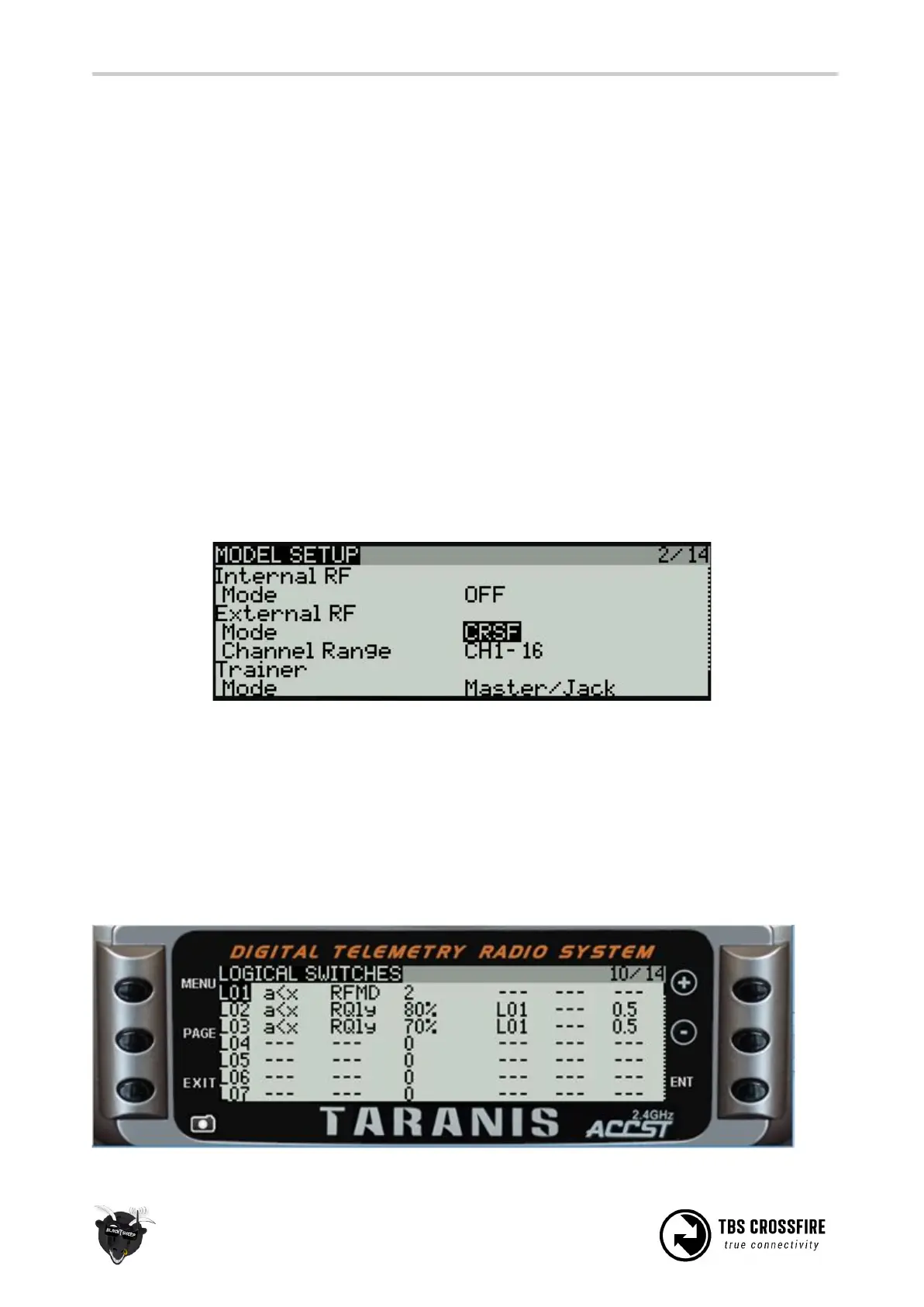
If you own a OpenTX radio, you need to set up your model like this:
Internal RF: off and External RF: CRSF
Note: those settings need to be done or all models where you use your Crossfire.
Using CRSF will give you the lowest possible latency from your stick to the drone and full telemetry back to
your radio.
LQ warning in OpenTX
The setup for the radio is relay simple:



 To Next Page