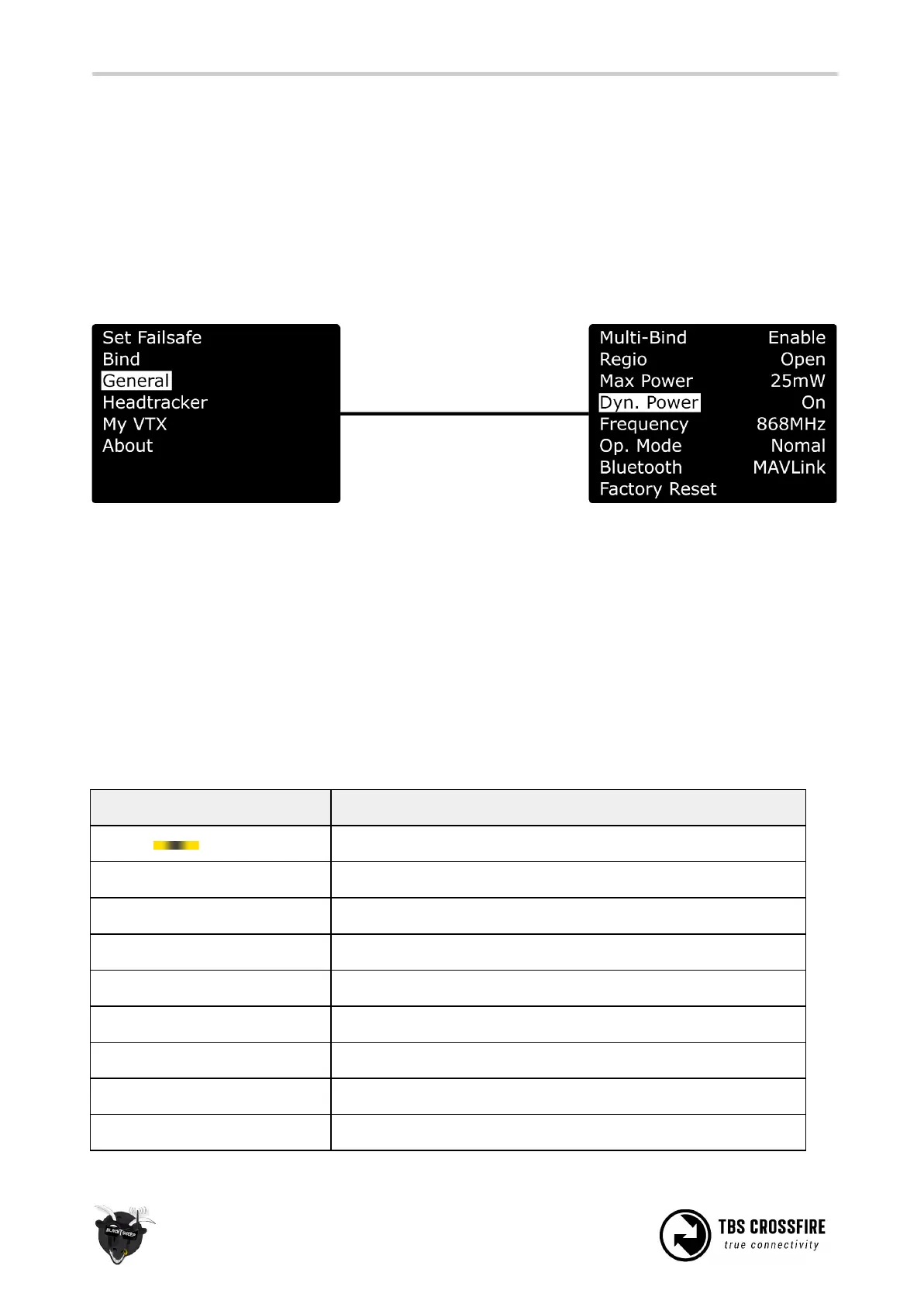
Dynamic transmission power
The system can automatically choose the power level most suitable for the situation at hand. For instance,
if you fly close to the transmitter you normally only require minimal TX power and the system will
therefore switch to the lowest possible TX power level required to maintain a good up-link.
The maximum TX power level the system is allowed to use, can be defined by changing “Max Power” in the
configuration menu.
Operating modes
Operation mode is where you can set the crossfire in an ultra-low update rate, high range mode. Normally
the Crossfire switches from 150Hz to 50Hz, depending on the link quality. With
Forced Telemetry
enabled,
it will now only switch between 50Hz and 4Hz mode. Only enable it if you know what you are doing.
Note: Forced Telemetry is not meant to be used in normal conditions. The best practise is to not use it.
Transmitter LED status indicator
The RGB LED on the transmitter gives you at any moment an indication of your link status.
Transmitter LED sequence
Ready, trying to connect to receiver or no down-link established
Solid link, 150Hz or 50Hz link mode active
OTA Update of the receiver is running
Slow blue blinking ■ ■ ■ ■
Update confirmation required
Fast green flashing ■ ■ ■ ■
Transmitter bootloader active
Fast red flashing ■ ■ ■ ■
Warning, a message is shown on the OLED display/ LUA Script
Find-mode engaged (Standard/ Lite Tx only)
Race mode active (150Hz locked, 25mw)
Race mode active (150Hz locked, 100mw), if no update is running!



 To Next Page