UART protocol, running over the (Audio)-wire. All versions of Smart Audio are supported.
Channel map
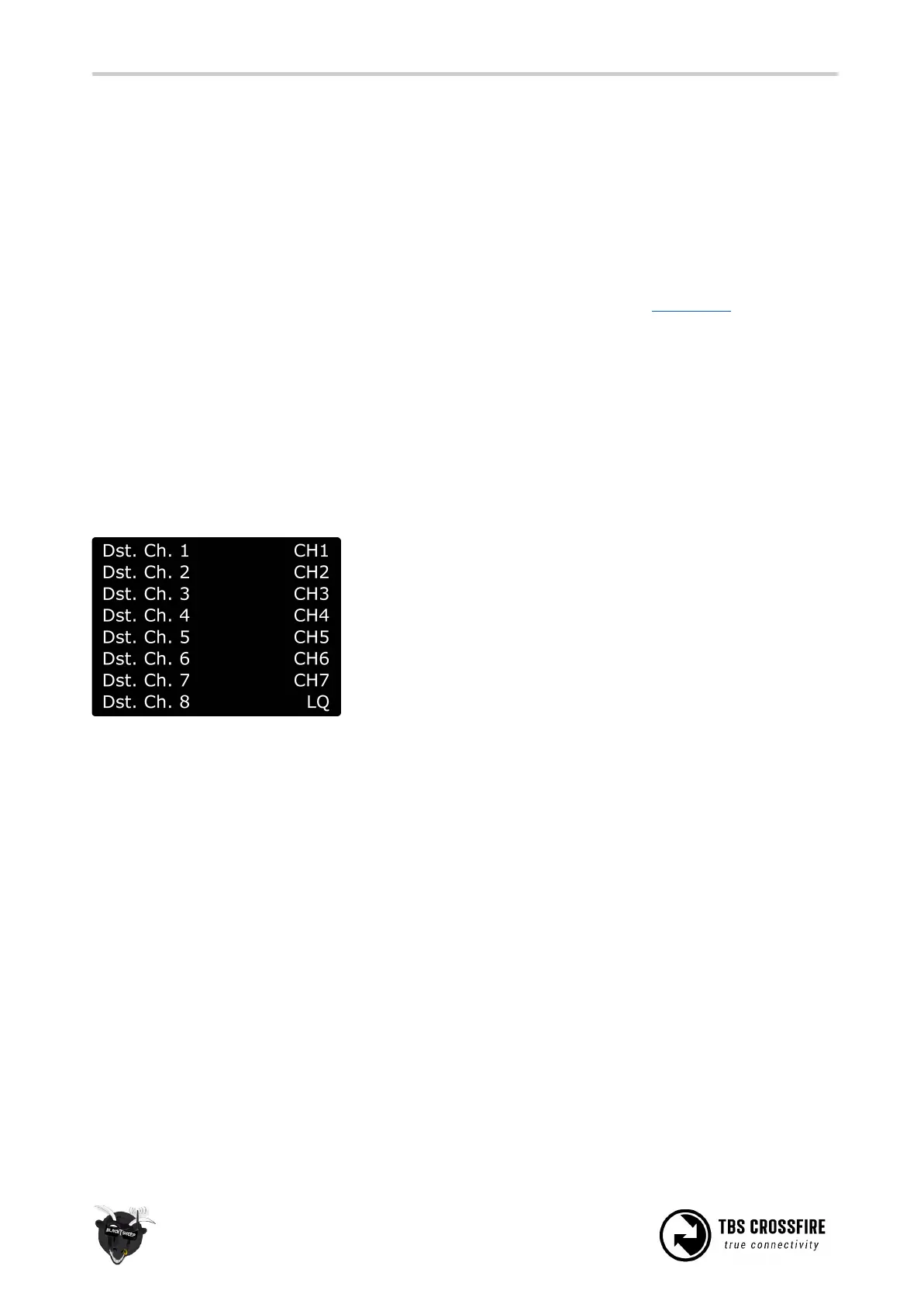
The channel map menu is almost like the output map, except that you can change the channel order which
also affects the channel order for any serial protocol. If you own a radio without flexible channel mapping,
you can do it here.
This is also used to inject the LQ sensor for your FC. An example can be found in this section.
The possible settings:
● Channel 1-12: Any channel coming from the remote
● LQ: same as the output map setting
● RSSI: same as the output map setting
● RSSI/LQ: same as the output map setting
Excample:
Channel number
The transmitted number of channels. Can be set to 8 or 12 channels.
Use the 8 channels setting whenever you can. This ensures the best performance for your rc link.
RF Profile
Lock the Crossfire to a fixed frequency or let it select it by the quality of the link.
● Dynamic: The Crossfire selects the RF profile due the internal algorithm based on the quality of
the link. It will switch between 150Hz on ideal conditions and 50Hz when the link is no longer
perfect. This happens many times per second. This is the best setting for most cases. When you
disable the telemetry or the telemetry breaks up, the crossfire will switch to 50Hz mode.
● 50Hz: Locks the Crossfire to 50Hz mode. Use this setting if you encounter issues with your link
● 150Hz: Locks the Crossfire in 150Hz mode. This is useful if you are on a race and want the
low-latency during the whole flight. In this mode the range is limited so only use it on a race or a



 To Next Page