Receiver LED status indicator
There are three (Standard Diversity RX) or two (any other receiver) LEDs on the receiver giving you an
indication of link- and backup-battery status.
Link is up and running OK
No packages received from the transmitter and receiver is in
failsafe mode
Fast red blinking ■ ■ ■ ■
Receiver needs a update, confirmation on the tx is required
Slow green blinking ▀ ▀ ▀
Receiver is in binding mode
Fast green blinking ■ ■ ■ ■
Receiver bootloader active or firmware upgrade running
Green is flashing █ █ █
Diversity RX is in Find-mode (up to 1 min. delay between flashing)
Double green blinking ■ ■
■ ■
Authentication error. Rebind your receiver - more details
Find mode is only available with the diversity receivers.
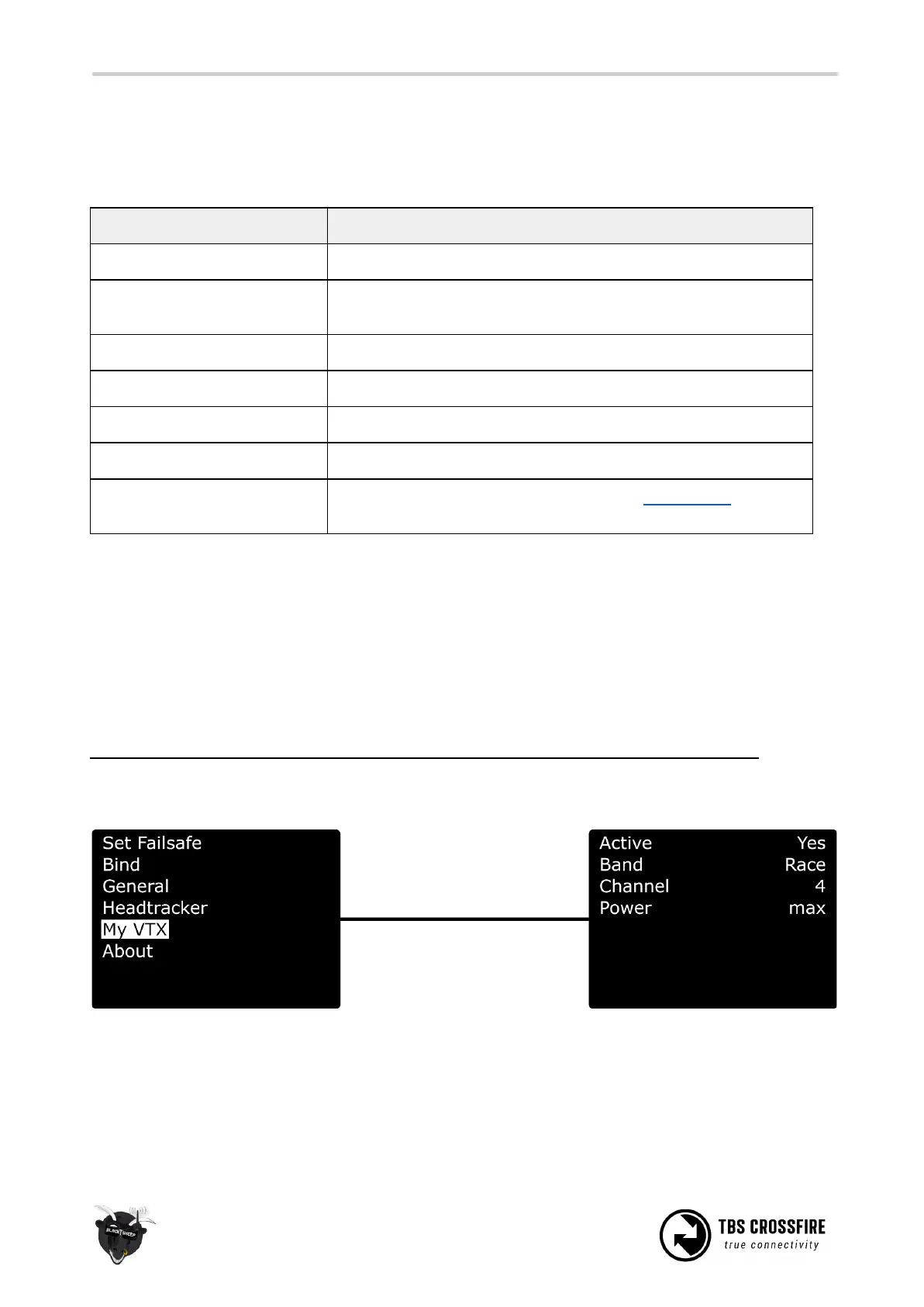
MyVTX
With the new MyVTX menu you can set all your VTx’s to the same channel, band and output power without
accessing all of them. This is useful if you are on a race with multiple drones and have to set them all to
the same channel.
If you enable MyVtx, all other vtx settings will be overridden temporarily, till you disable it again.
Connect your vtx to the Crossfire Rx by CRSF or Smart Audio, activate MyVtx and set the it up*



 To Next Page