Binding
● If you’ve got a bound receiver, just bind/ update it with multi-bind turned off and while it’s
connected turn multi-bind on. Wait for a few seconds, then the link will come back again.
● On a new receiver you can just bind it by the button as usual.
● On the other CROSSFIRE Tx, just enable “Multi-Bind”. When the first tx is shut down, you can power
up the second transmitter. It should bind to this receiver within a few seconds.
Disable Multi-Bind
● To disable the multi bind option you just need to set the “
Multi-Bind
” option to “disable”. If the link
is running, just switch it off and wait a moment till the link regains.
● Otherwise rebind the receiver by the button.
Wrong ID/new ID
● It may occur that you need a “new” id. To get a new ID, simply connect your Crossfire to the Agent
X with the new/correct user account and let it synchronice with the TBS Cloud.
● The next time the WiFi module connects to the internet it will get the new id after a few seconds.
General note:
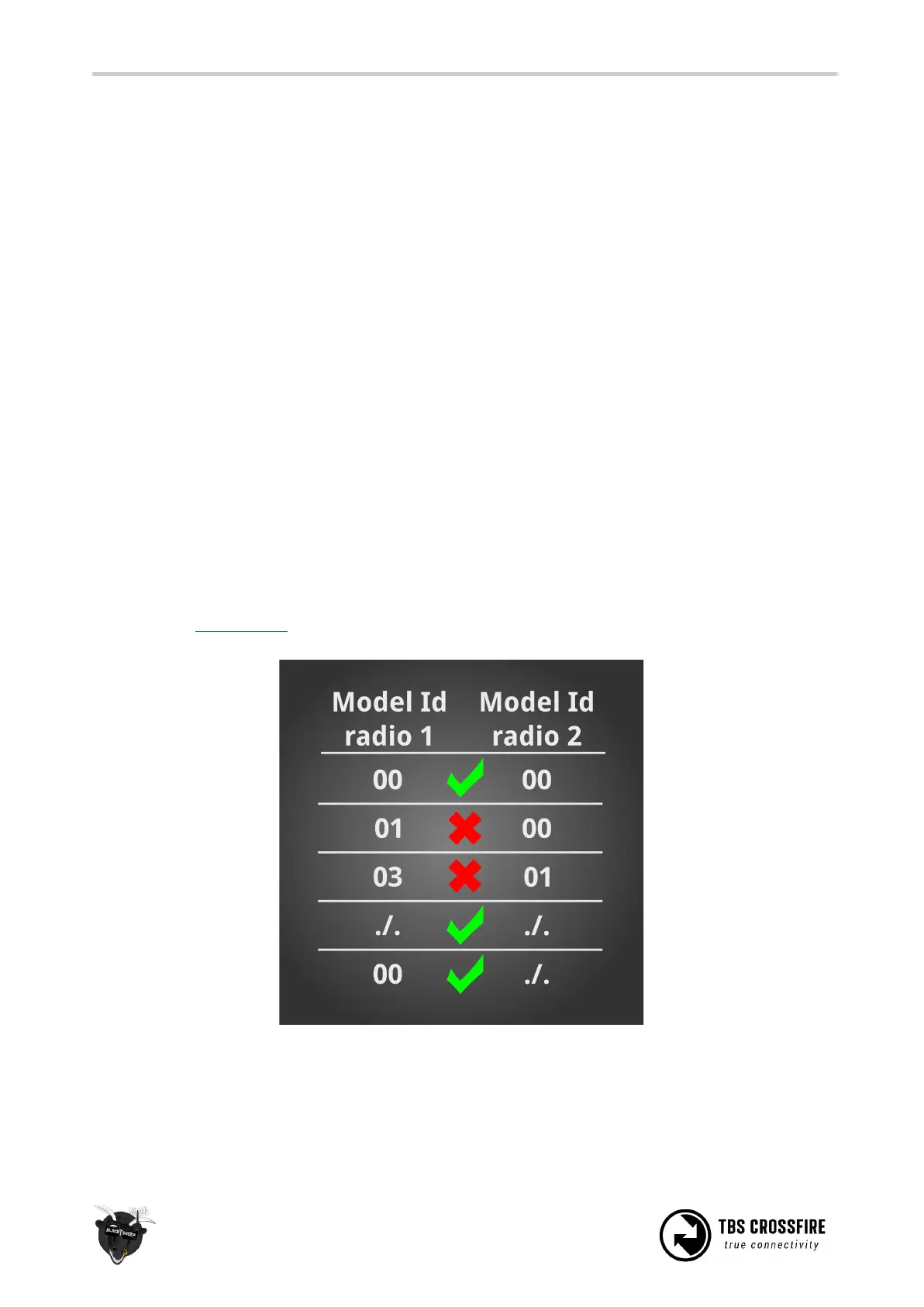
Multi bind and model match does not work together, when the model id is not the same in both radios:



 To Next Page