● SNR - Signal-to-noise ratio, compares the level of a desired signal to the level of background noise
Oled Menu
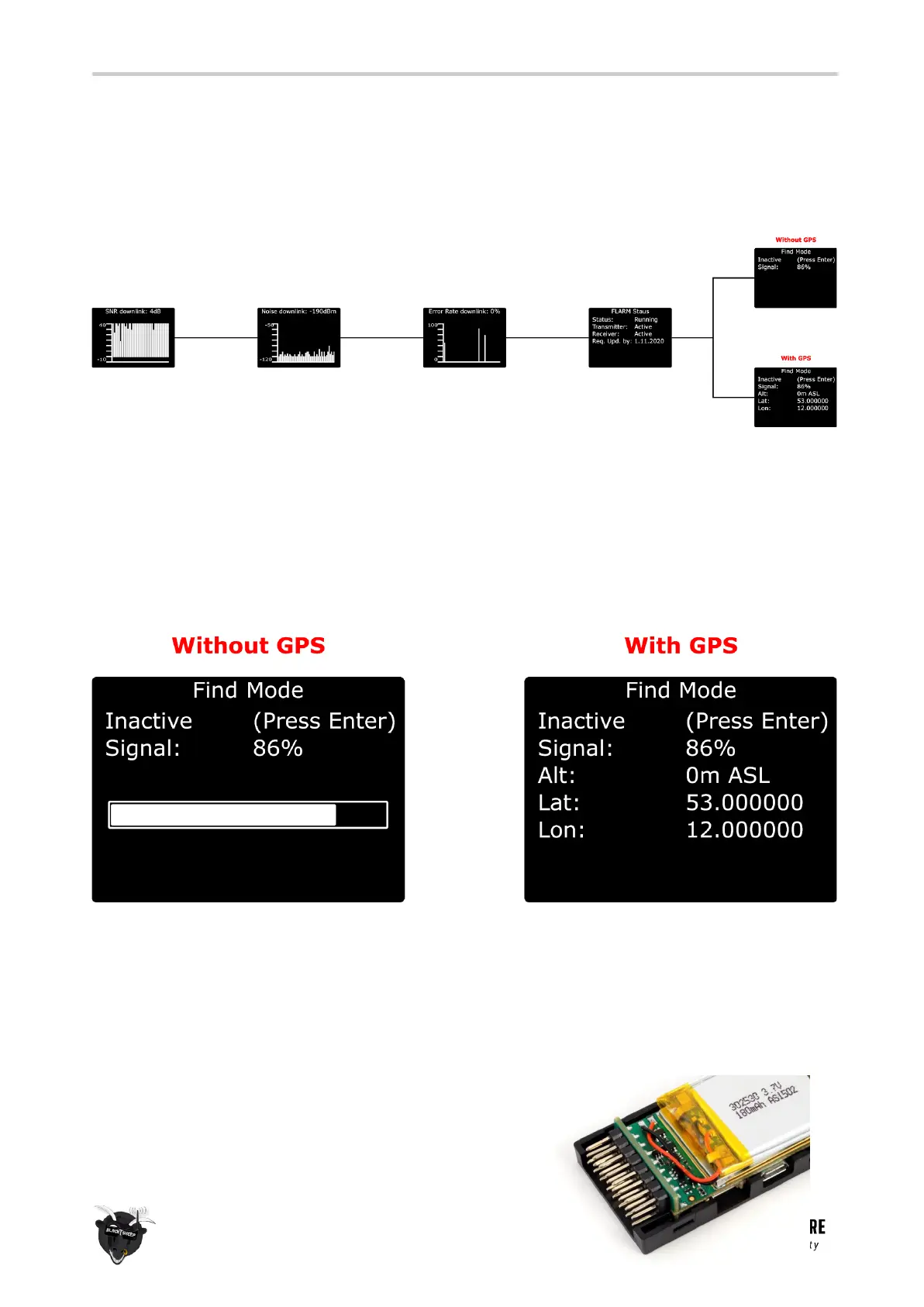
When you scroll to the left/ right, you can see the other diagnostic screens, showing you informations of
you link etc:
Find Mode
The Find-mode provides you with a way to locate a downed aircraft. A GPS signal is currently required to
use this mode. Install our TBS GPS module by BST or any other GPS, connected to a flight controller.
In normal use the GPS coordinates are continuously updated and the latest data is displayed on the “Find
Mode” screen. If the model loses power you can review the last known coordinates to locate your model.
● Inactive (Press Enter) / Active - Enable/disable the Find-mode, shows on-board LiPo voltage
Do NOT enable during flight!
● Signal - Receiver signal strength, makes it possible to triangulate the location [0 to 100%]
● Alt - Altitude above Sea Level, GPS required
● Lat - Latitude, GPS required
● Lat - Longitude, GPS required
The standard div. receiver has an on-board LiPo battery to
operate in beacon-mode, on the nano div. receiver you got



 To Next Page