Racing environment
When using TBS CROSSFIRE control link, it is a requirement that all pilots use exactly the same power
output. Use of CROSSFIRE has the same requirement as management of video transmission power output
when it comes to racing.
Recommended settings:
● Max output power: 100mW/ 25mW (depending on your local laws)
● Dynamic power: off
● RF profile: dynamic or forced 150Hz
● Telemetry: off (saves bandwidth for other pilotes)
● Frequency: 868/915 RACE
If you use forced 150Hz, your race director can see your power output on the LED color of your
transmitter.
The available color codes can be found here.
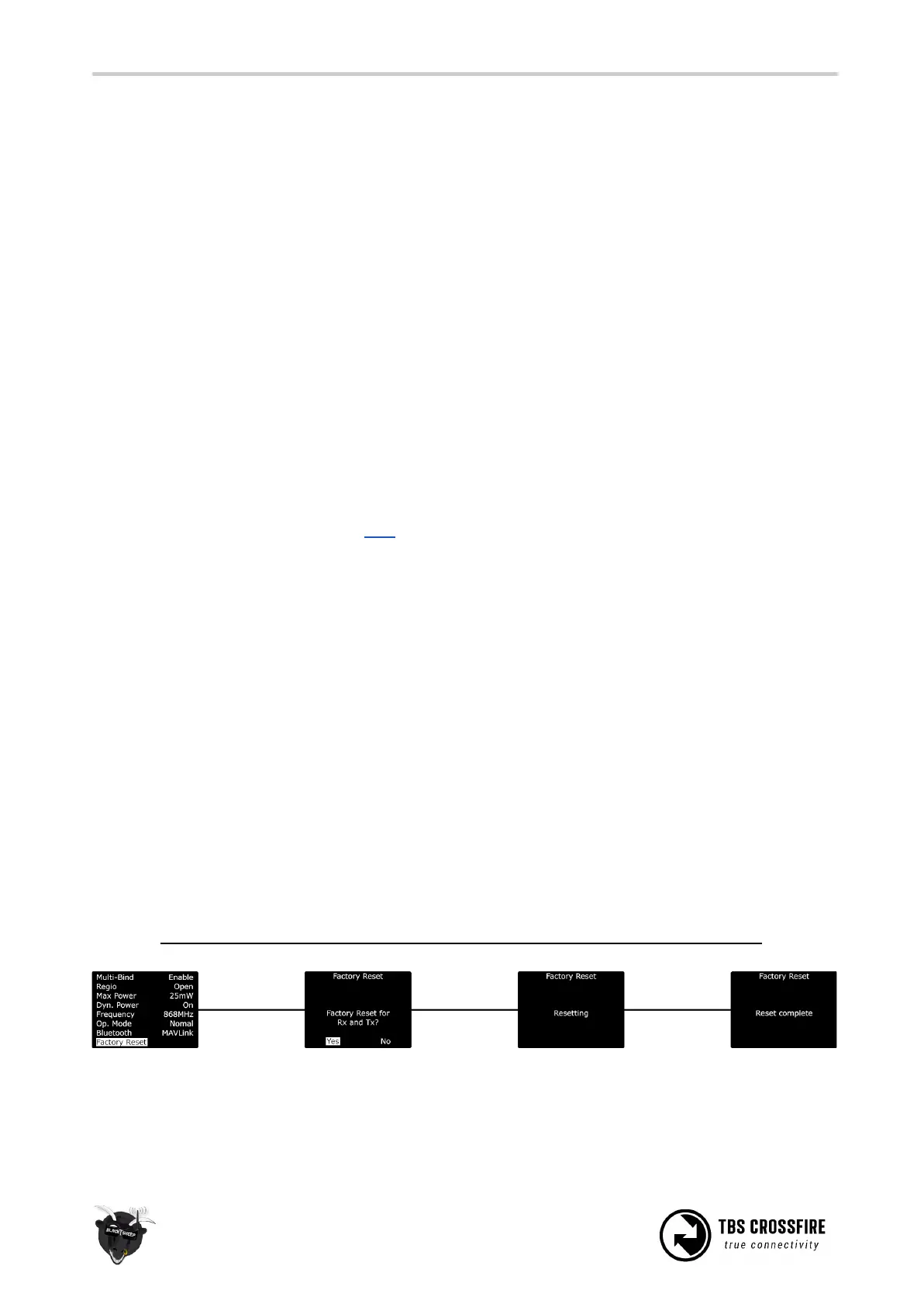
Factory reset
If you experience a strange behavior with your Crossfire, a factory reset can help solve them.
The process is the same for all transmitters and receivers:
● Power up your device
● Navigate in to the transmitter or the receiver menu
● Under “General” you can find the “Factory reset” option
● When you started it, follow the instructions on your display/ radio
● When the reset is finished, you need to power cycle your device
If you did the reset for the receiver you need to rebind it by pushing the
Bind
button.
Check and adjust your settings after the power cycle. Everything will be set to default.
On the receiver the failsafe position must be teached again if you want to use it!



 To Next Page