9.2. Delivery
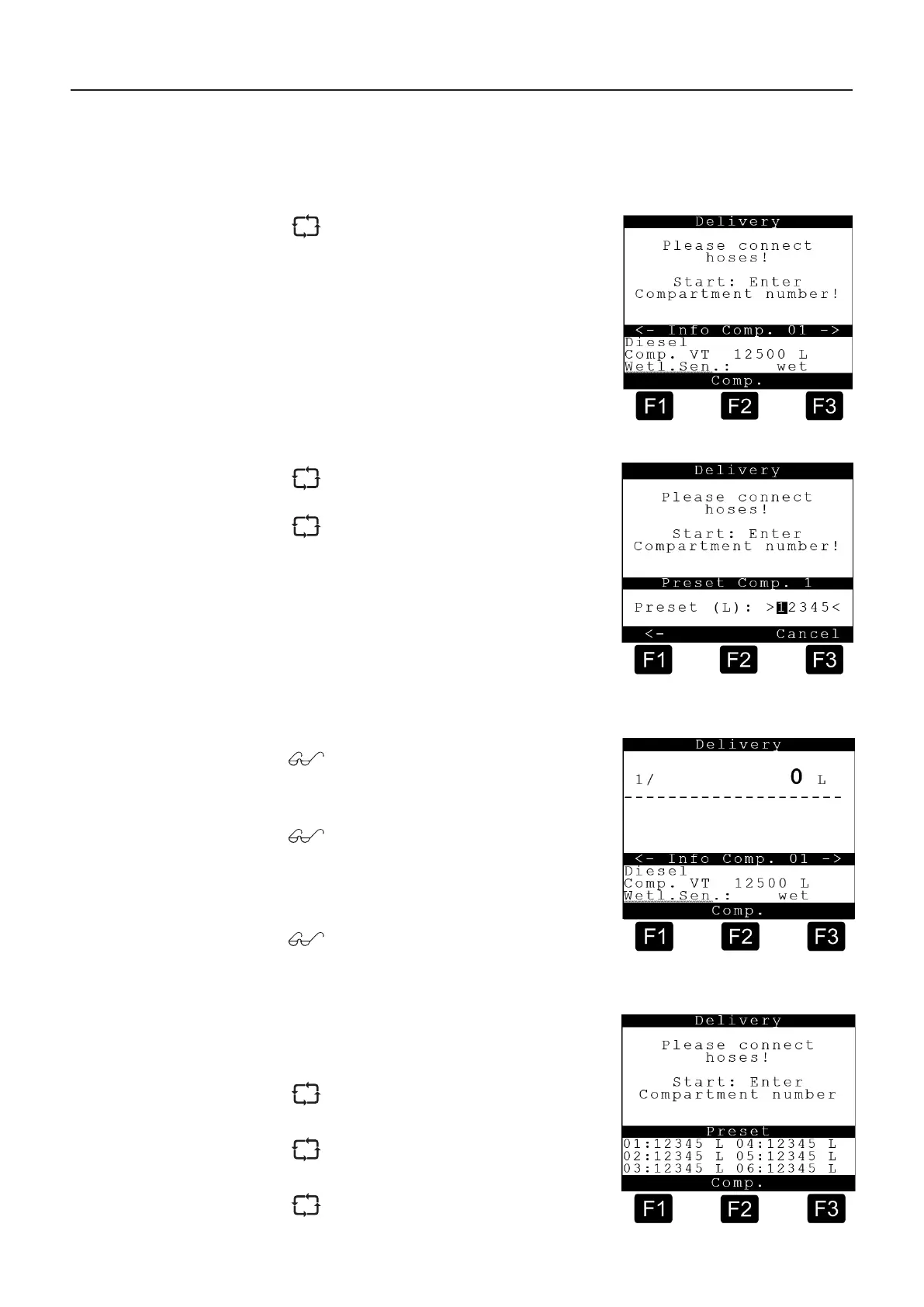
Start display delivery
In the Help displays (compartment
info) you can scroll through individual
info-pages (max. 10) using the arrow
Or it can be changed in advance as usual.
Delivery is started when the pre-selected
Detailed information is displayed for
compartment 1 at the bottom of the
display.
By pressing the <F2> key you obtain
detailed information on the other
compartments.
the operating apparatus, further detailed
information can be called up.
Display with EMIS during delivery after
transmission of presets
The presets are displayed instead of the
compartment-related Help displays.
Max. 6 presets can be displayed.
You can switch over to the normal
Help display using <F2>.
MultiLevel Instruction Manual MENU structure
Display during delivery











 To Next Page