ATTENTION:
The ‘zeroing’ function may be only executed if the compartment is empty and
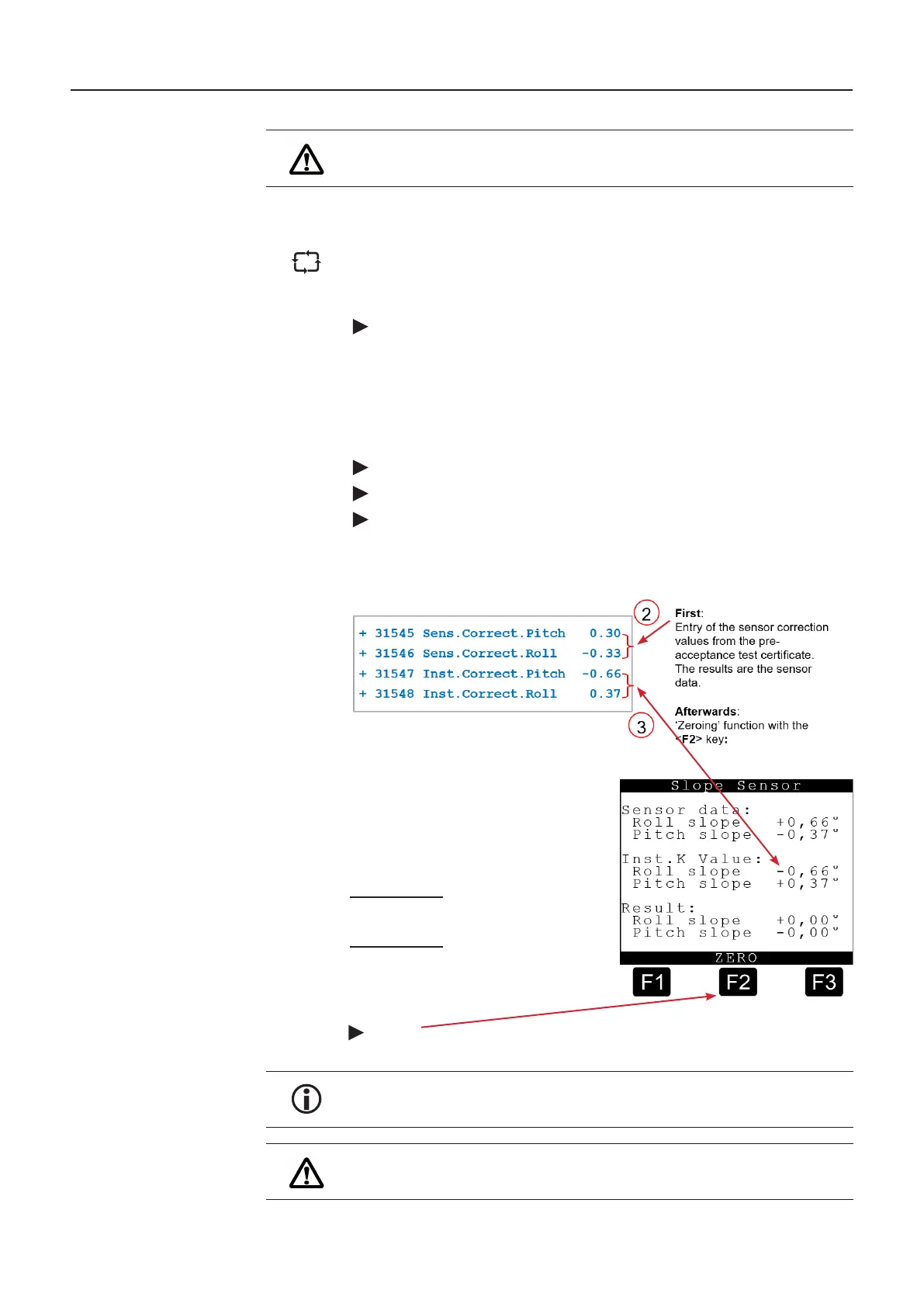
9.8.2.1.2. Inclination sensor calibration screen
The sensor correction values and the installation correction values for the incli-
nation sensor are displayed here. These values must also be entered into the
system before calibrating.
4213 – Slope sensors
In order to simplify the entry of the installation correction values for roll and pitch,
‘Inst. K-value’, these can be entered automatically using the <F2> key, provided
that the vehicle is aligned to 0°. Otherwise the values from the Diagnosis menu
described below would have to be read, noted and entered into the parameter
lists individually.
Entry of vehicle-specific parameters once for each vehicle:
1. Ensure that the vehicle is aligned to 0°.
2. Enter the sensor corrections from the pre-acceptance test certificate
3. Enter the installation corrections on the vehicle. Read the value from the
Diagnosis menu and enter it such that both inclinations indicate 0°, or enter it
automatically with the aid of ‘zeroing’ function:
Calculation scheme for both directions
in each case:
Raw inclination data
+ Sens.K-Value
= Sensor data
+ Inst.K-Value
= Vehicle pitch
The <F2> key = ‘zeroing’ causes the Inst. K-values to be entered automatically,
so that 0° appears in both directions as a result.
In the case of service, the inclination sensor can be exchanged without having
to perform calibration trials or align the vehicle to 0° again. Only the new sensor
correction values need to be entered.
ATTENTION:
The ‘zeroing’ function may be only executed if the vehicle is aligned to 0° and
the Sens. K-values have been entered beforehand.
MultiLevel Instruction Manual MENU structure











 To Next Page