STEPRACE: Service & Maintenance Manual - rev. 1.2
Page 7.5
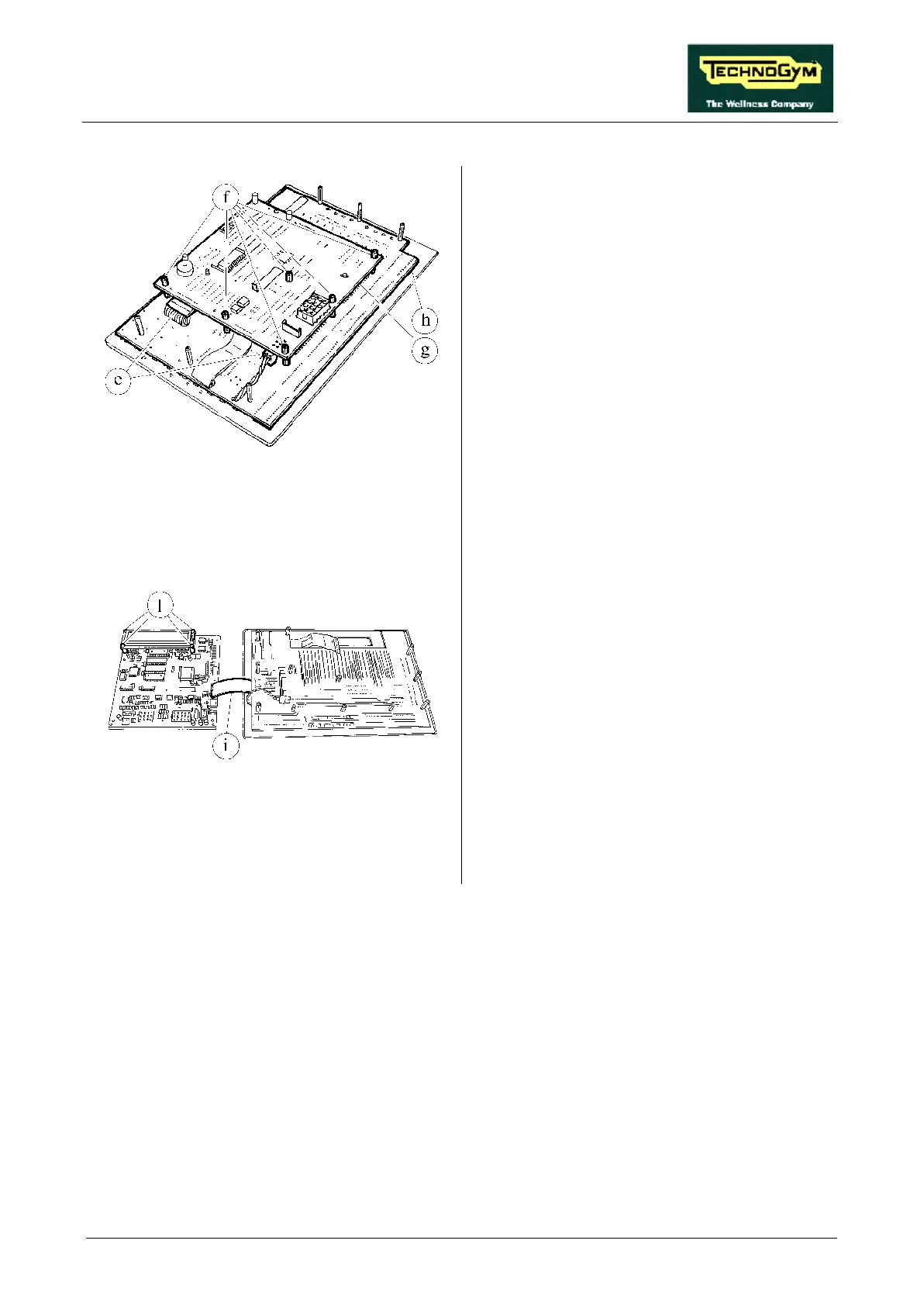
Figure 7.3-4
Rest the keyboard – electronic circuit boards
group on a work bench:
7. Disconnect connectors e.
8. Back off the 6 studs f using a 7-mm wrench.
Figure 7.3-5
9. Separate the CPU board g from the LED
board h by flipping it over toward the left,
being careful not to damage cable strip i.
10. Manually disconnect the cable strip i from
the CPU board.
11. Remove the circuit boards.
12. To disconnect the LCD from the CPU board,
back off the 4 screws l using a small Philips
screwdriver, or release the 4 spring fasteners.
13. Disconnect or unsolder the cables on the
CPU board side.
14. Remove the LCD.
To reassemble the circuit boards, carry out the
above steps in reverse order.













 To Next Page