ENGLISH
User’s manual 84 UPS EVO DSP PLUS Modular
11.7.2 Parallel Board Setting and Power Module Address Setting
11.7.2.1 Install Power Module of UPS Rack1
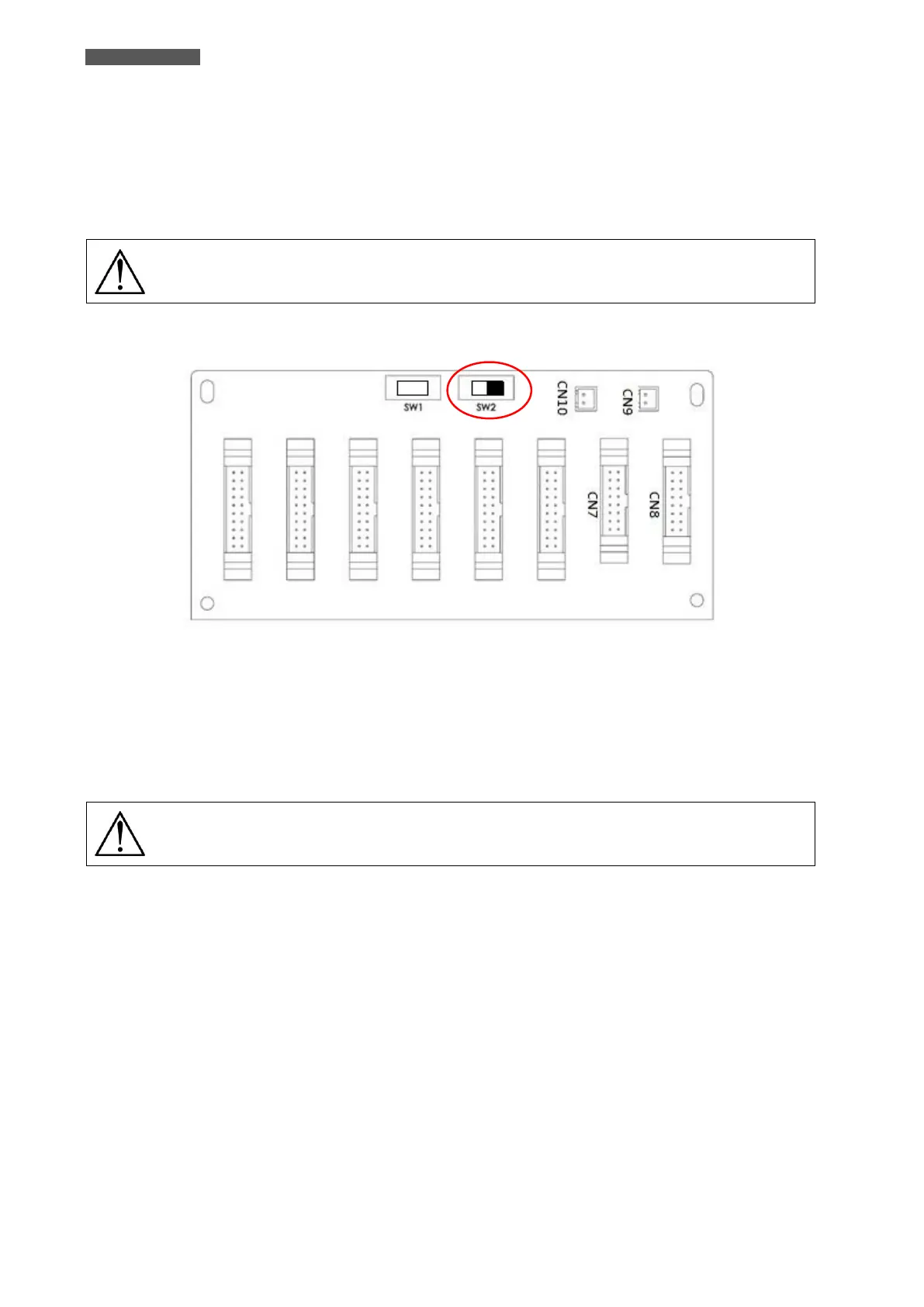
1. The SW2 on the Parallel Board(s) of the UPS Rack1 must be set to the right side; please refer to the Figure
11.18.
For the cabinets which can insert more than 5 Power Modules, there are two Parallel
Boards inside the cabinet. Both of these two SW2 have to be adjusted simultaneously.
2. Refer to chapter 6.1 to set the Module Address.
Figure 11.18 - SW2 set to the right side on Parallel Boards of UPS Rack1
11.7.2.2 Install Power Module of UPS Rack2
1. The SW2 on the Parallel Board(s) of the UPS Rack2 must be set to the left side; please refer to the Figure
11.19.
For the cabinets which can insert more than 5 Power Modules, there are two Parallel
Boards inside the cabinet. Both of these two SW2 have to be adjusted simultaneously.
2. Refer to chapter 6.1 to set the Module Address.













 To Next Page