ENGLISH
User’s manual 86 UPS EVO DSP PLUS Modular
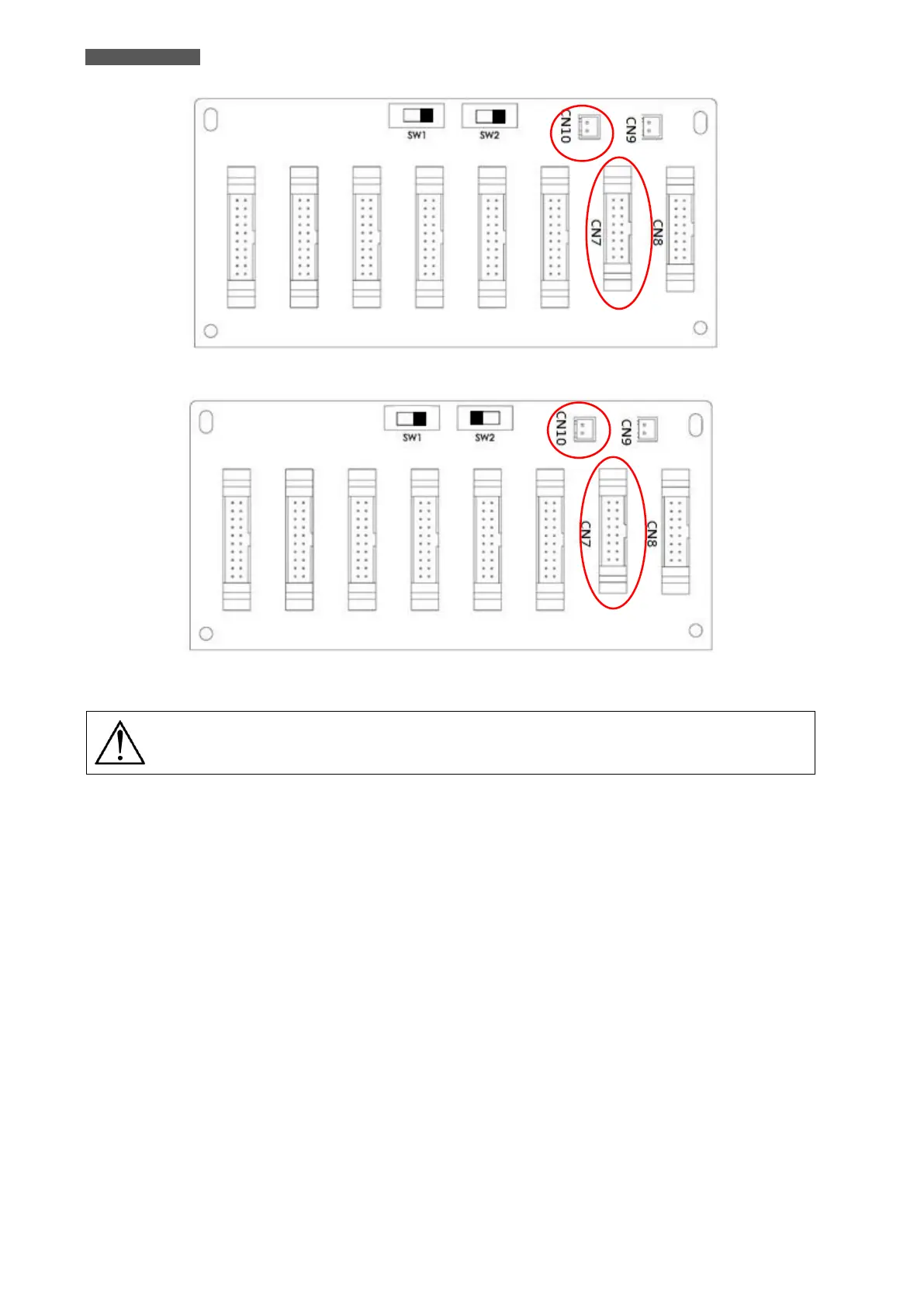
Figure 11.20 – UPS Rack1 Parallel Board
Figure 11.21 – UPS Rack2 Parallel Board
The Parallel Cable must to be connected correctly, the wrong connection will cause the
UPS Parallel System cannot operate normally
11.7.5 Parallel System Turn ON Procedure
1. Please make sure the the instruction of chapters 11.7.1, 11.7.2, 11.7.3 and 11.7.4 has been well followed.
2. Please confirm the Input Breaker and Output Breakers of each UPS (Rack) have already been turned ON.
3. Turn ON the Battery Breaker.
4. Turn ON the external AC Source Breaker to apply AC Input source to two UPSs.
5. Through the Control Panel of the UPS Rack1 or UPS Rack2, set up the total Power Module Number and
Redundant Number (refer to chapter 5.2.5 “SETUP Menu”).
6. Through the Control Panel of the UPS Rack1 or UPS Rack2, get all Module information, and confirm the
information of all Module can be display on the Control Panel (refer to chapter 5.2.4 “MEASUREMENT Menu”).
7. Please confirm the System without any abnormal Event through the Panel Display (refer to chapter 5.2.7
“EVENTS Menu”).
8. Turn ON the UPS through the Power On/Off Button or CONTROL Menu of the Control Panel (refer to chapter
5.2.3 “CONTROL Menu”).













 To Next Page