Section D – Tester Installation
CD14 Tester & CD AutoPlus Autosampler User Guide—75-108-800 Rev. B—31 May 2021 23 of 130
EAR99 technology subject to restrictions on cover page.
Attach Lifting Handles
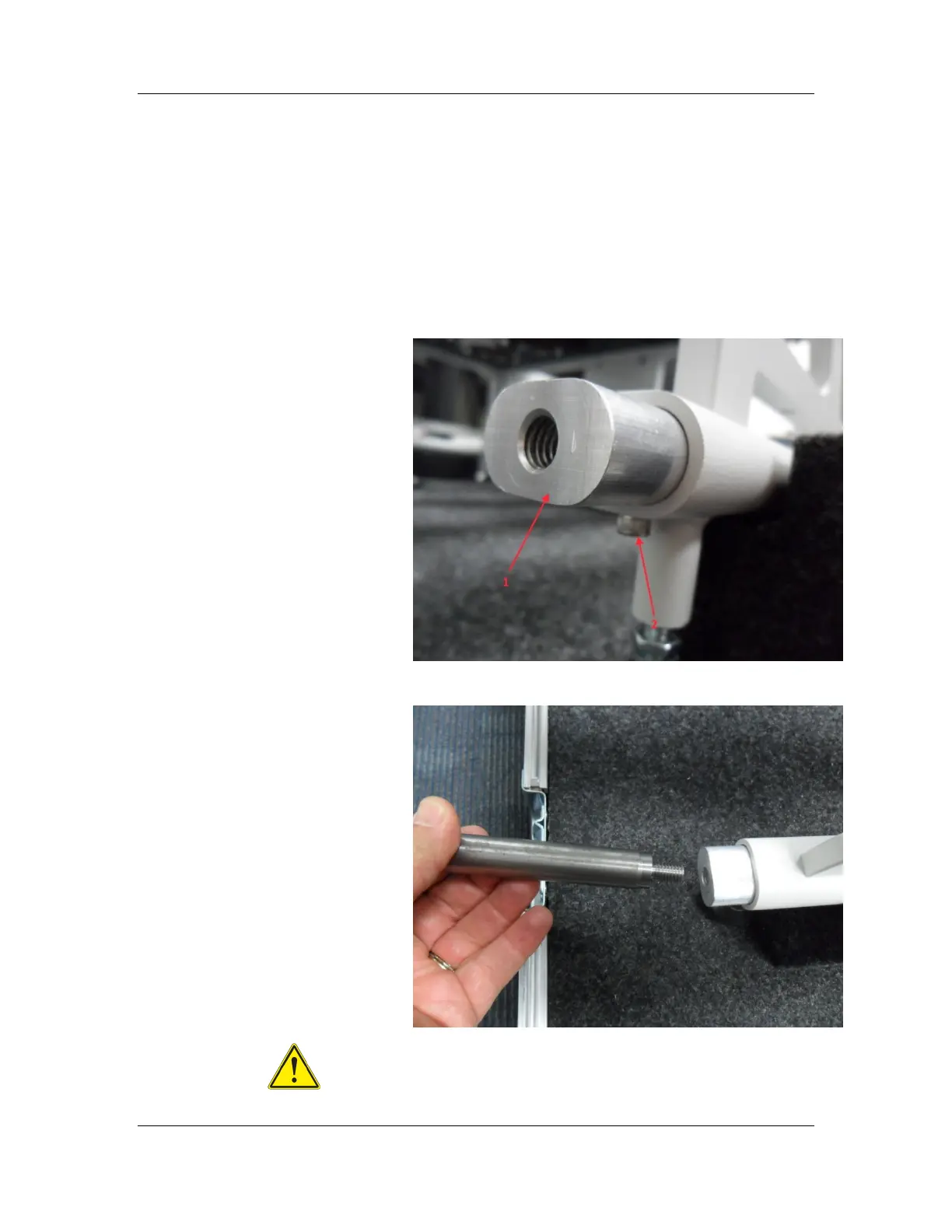
1. Locate the oval handle inserts in the ends of the
oval shaped openings of the bottom legs.
2. The inserts are retained in the ends of the legs with
a single screw from under the legs.
NOTE: The inserts will be removed from the legs
once the CD14 Tester is located on a bench.
3. Screw the handles into the oval handle inserts.
4. Important: Verify oval handle inserts will not pull out
of the legs by pulling on the handles.



 To Next Page