Section G – Dissolution Testing
CD14 Tester & CD AutoPlus Autosampler User Guide—75-108-800 Rev. B—31 May 2021 83 of 130
EAR99 technology subject to restrictions on cover page.
Method Screen
Tabs available on the Method screen are as follows:
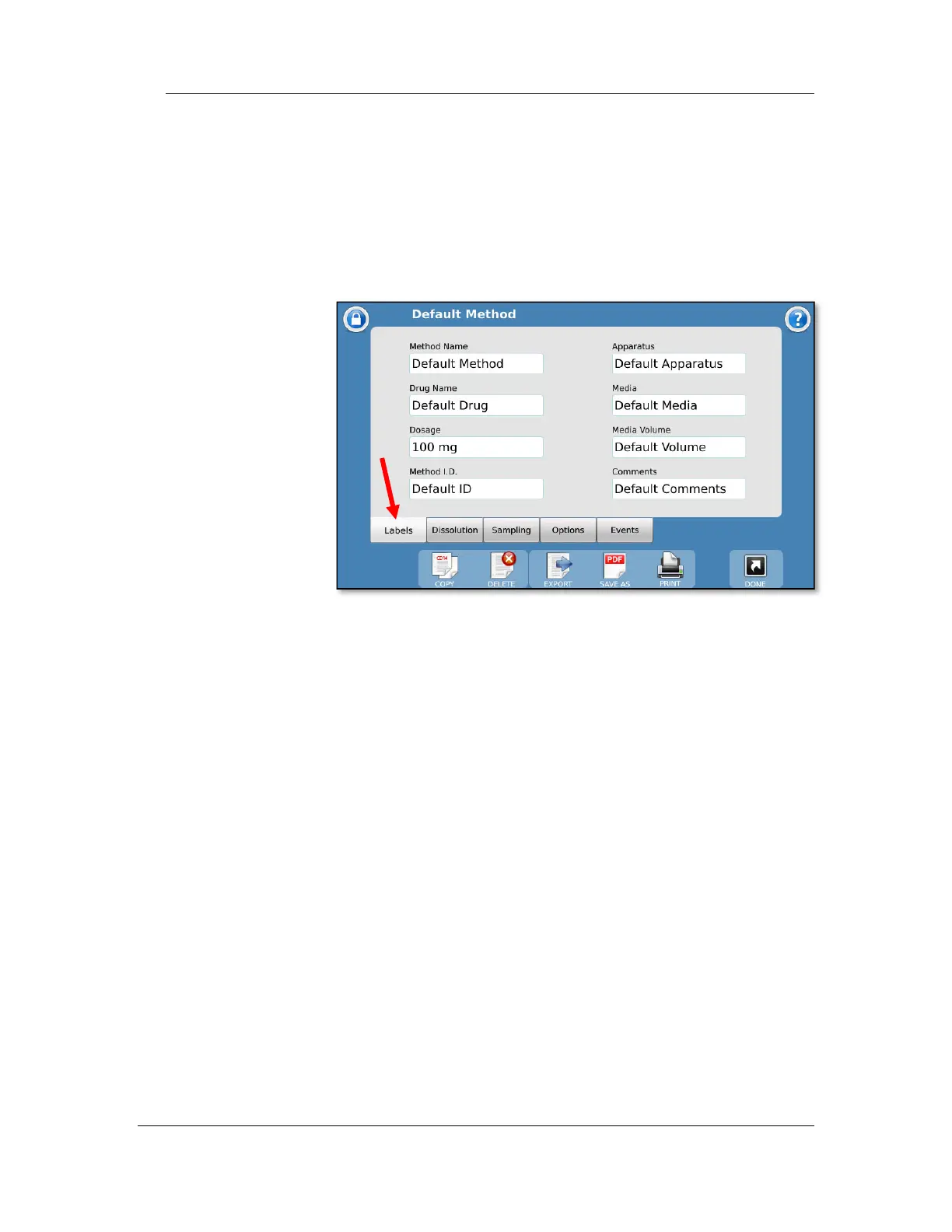
Labels tab
The Labels tab provides the user a place to list the method
name, as well as other information on the method:
Method Name: This is the name of the method and must be
unique. The method name is how the methods are organized
on the method selection screens.
Comments: Allows the user to add any notes specific to the
method.
The following field titles (e.g., Drug Name, Dosage) can also
be edited by the user though the configuration settings on the
title screen.
Drug Name: The name of the drug the method is designated to
test (e.g., prednisone).
Dosage: The amount of the drug to be tested (e.g., 300 mg).
Method ID: A secondary identifier for the method. This does
not need to be unique like the Method Name.
Apparatus: Lists the apparatus used for the test (i.e., paddles,
baskets, paddle over disk, or apparatus number [e.g., 2]).
Media: Lists the media type used for the dissolution test (e.g.,
water, pH 7.4 phosphate buffer).
Media Volume: Lists the media volume used for the dissolution
test (e.g., 900 mL).



 To Next Page