Section F – Operation
CD14 Tester & CD AutoPlus Autosampler User Guide—75-108-800 Rev. B—31 May 2021 52 of 130
EAR99 technology subject to restrictions on cover page.
Configuration and Programming
Main Screen
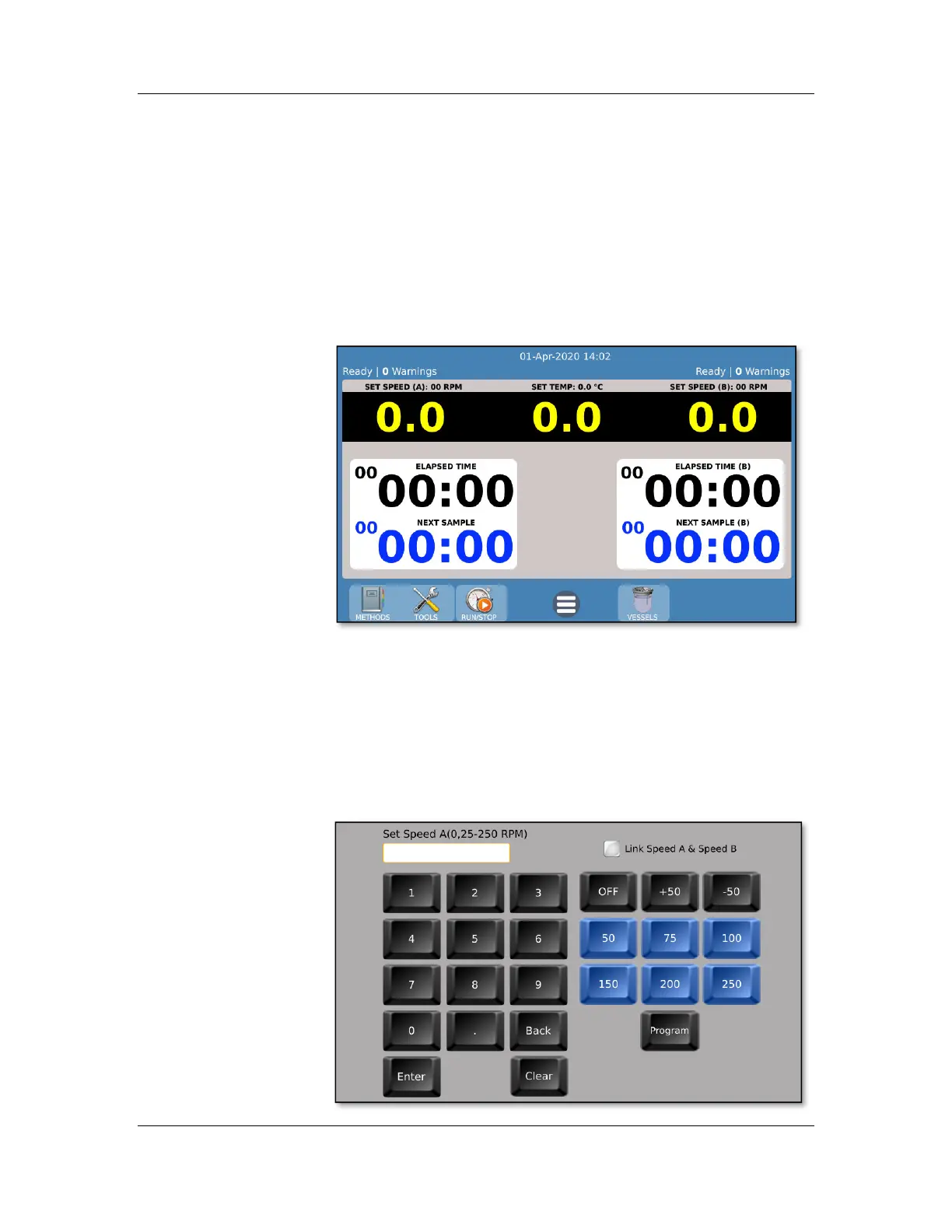
The main screen displays instrument status information
regarding the current speeds (side A and B), current bath
temperature and test status (elapsed time, next sample time,
etc.).
NOTE: The left side is side A, and the right side is side B.
Manually setting speed and temperature
The speed and temperature may be set directly by touching
the status speeds and temperature readings. Enter the desired
speed or temperature using the keypad. Program often used
values into the blue keys using the ‘Program’ button. The set
points for both side A and side B speeds can be linked using
the checkbox.



 To Next Page