Section F – Operation
CD14 Tester & CD AutoPlus Autosampler User Guide—75-108-800 Rev. B—31 May 2021 71 of 130
EAR99 technology subject to restrictions on cover page.
Maintenance Due Prenotification (days): The number of tests
performed on the tester.
Motor A ON Time (hrs.): The number of hours on motor A and
its drive belt.
Motor B ON Time (hrs.): The number of hours on motor B and
its drive belt.
Heater ON Time (hrs.): The number of hours on the heater
element, and the time since it was last replaced.
Number of Tests: The number of tests run.
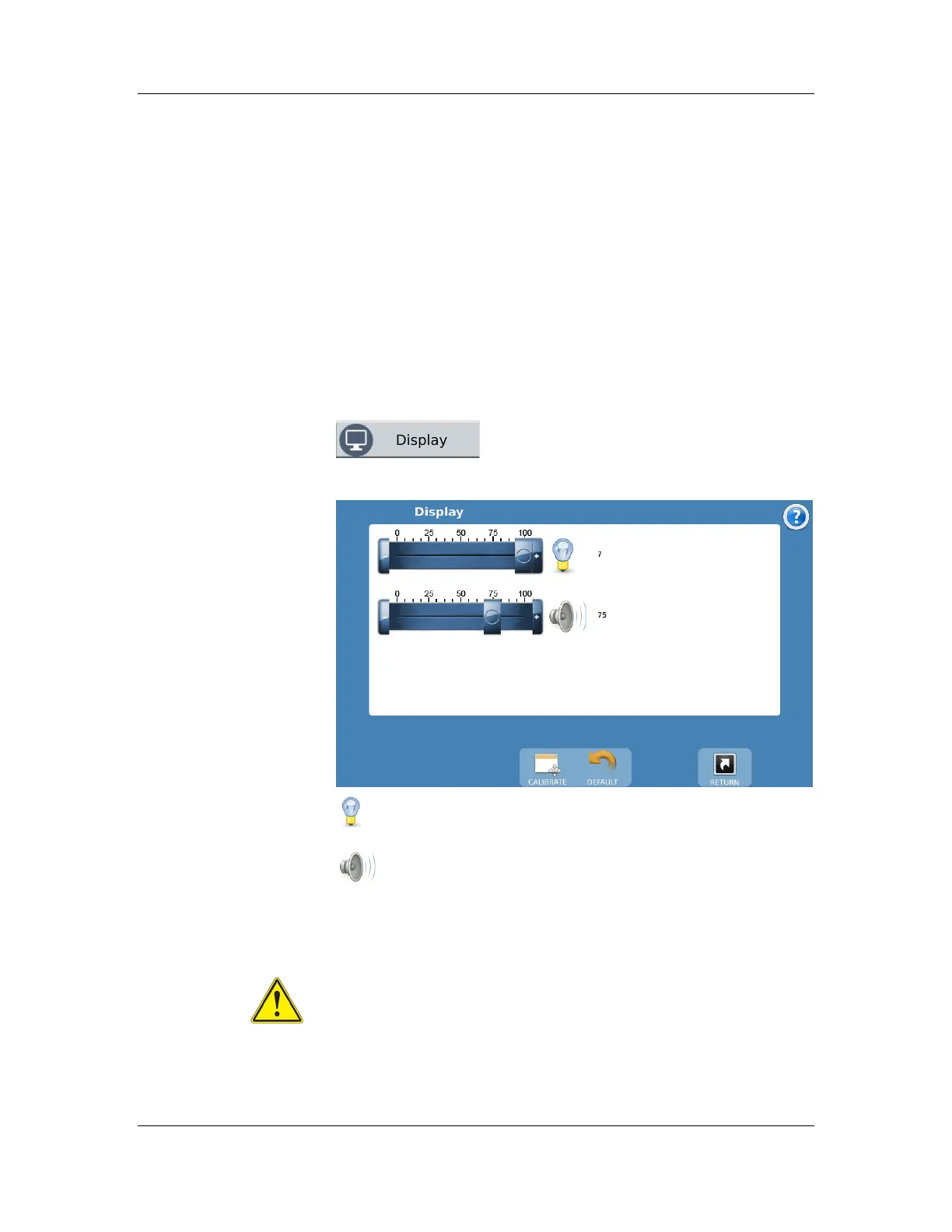
Display
The Display button on the main menu
allows the user to access the
Touchscreen Settings screen.
Brightness Slider: Adjust the brightness of the screen by
using the slider located next to the brightness symbol.
Volume Slider: Allows the user to increase or decrease
the volume of the feedback sounds.
Calibrate Button: This button begins the touchscreen
calibration procedure. It is recommended that a stylus be used
for this to ensure the proper precision.
Warning: Use a stylus. Do not use sharp objects for the
calibration procedure, as the screen can be seriously
damaged.
Default Button: This button returns the touchscreen back to the
factory default settings for brightness and volume.



 To Next Page