Section F – Operation
CD14 Tester & CD AutoPlus Autosampler User Guide—75-108-800 Rev. B—31 May 2021 70 of 130
EAR99 technology subject to restrictions on cover page.
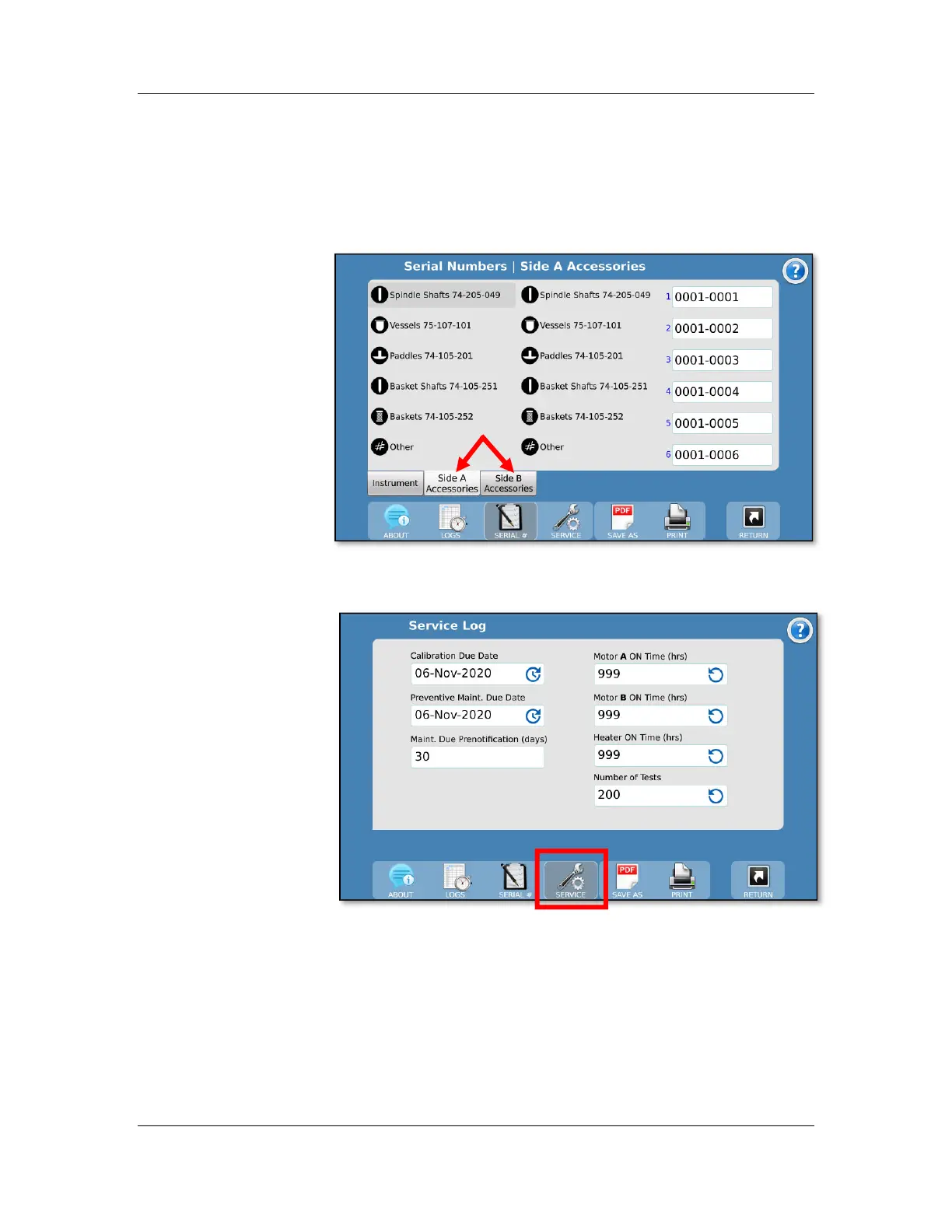
To select a group, touch the name of the group once. The
corresponding serial numbers populate the fields. To edit the
serial numbers, touch the desired field. To edit the group name
and icon, touch the selected group a second time.
Service Log screen
The Service Log screen is accessed by the Service button of
the toolbar. Touch the appropriate field to reset the item. When
resetting any of the counters, a confirmation will be requested.
Calibration Due Date: The date of the last calibration of the
unit.
Preventive Maintenance Due Date: The date of the last
preventive maintenance performed on the unit.



 To Next Page