Section F – Operation
CD14 Tester & CD AutoPlus Autosampler User Guide—75-108-800 Rev. B—31 May 2021 77 of 130
EAR99 technology subject to restrictions on cover page.
Tools Button
Touching the Tools button on the main toolbar displays
the Tools screen.
This section provides the ability to set temperature probe
reading offsets and to calibrate magazine travel.
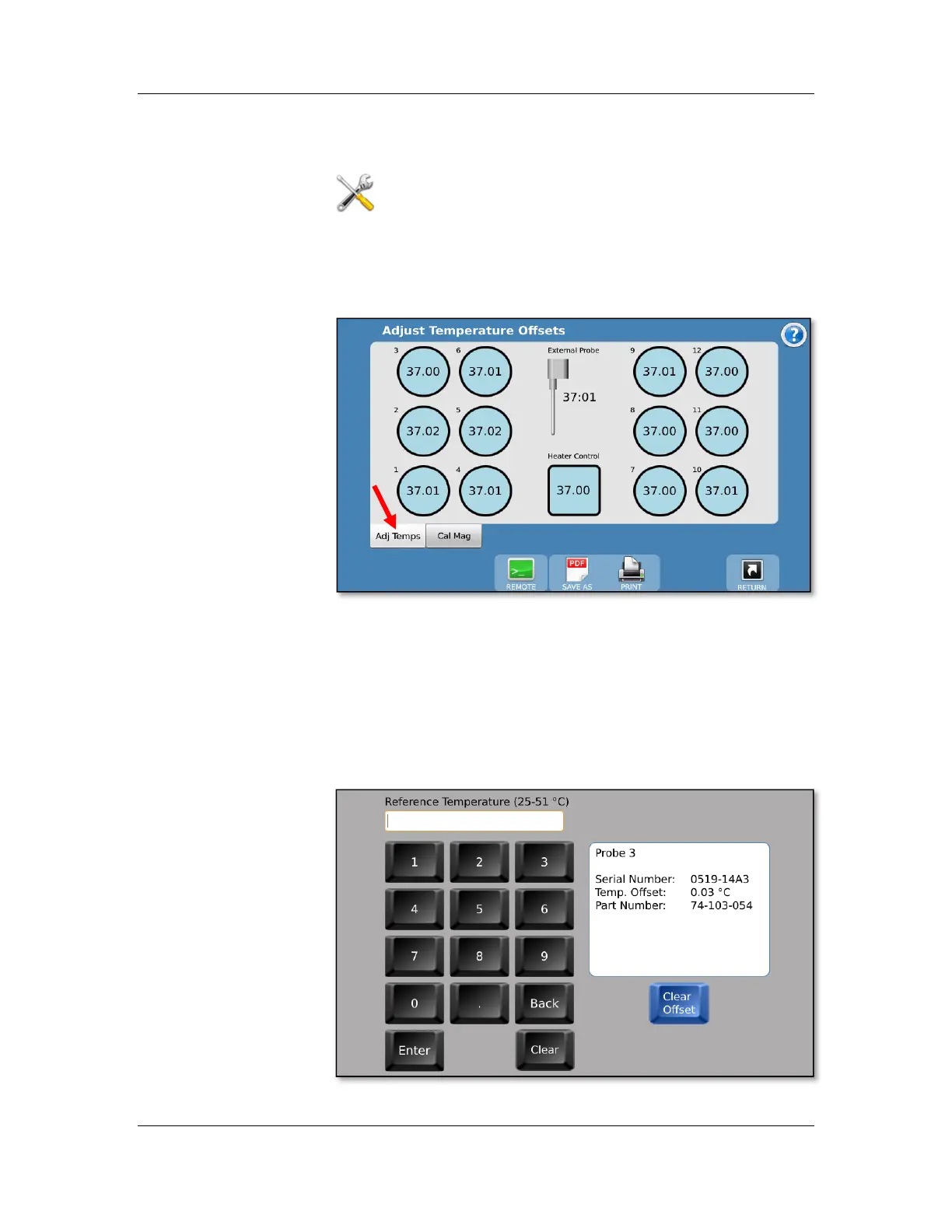
Adjust Temperatures (Adj Temps tab)
The instrument temperature probes (including those that
determine the temperature control and feedback) are factory
calibrated. However, each individual probe’s reading may be
adjusted by changing its offset value.
Touch the corresponding temperature reading and enter the
corrected temperature as measured by an NIST traceable
thermometer to make the correction.



 To Next Page