Section E – Autosampler Installation
CD14 Tester & CD AutoPlus Autosampler User Guide—75-108-800 Rev. B—31 May 2021 46 of 130
EAR99 technology subject to restrictions on cover page.
Verifying Syringe Functions
This section provides instructions on how to verify that the
syringe drive is functioning properly.
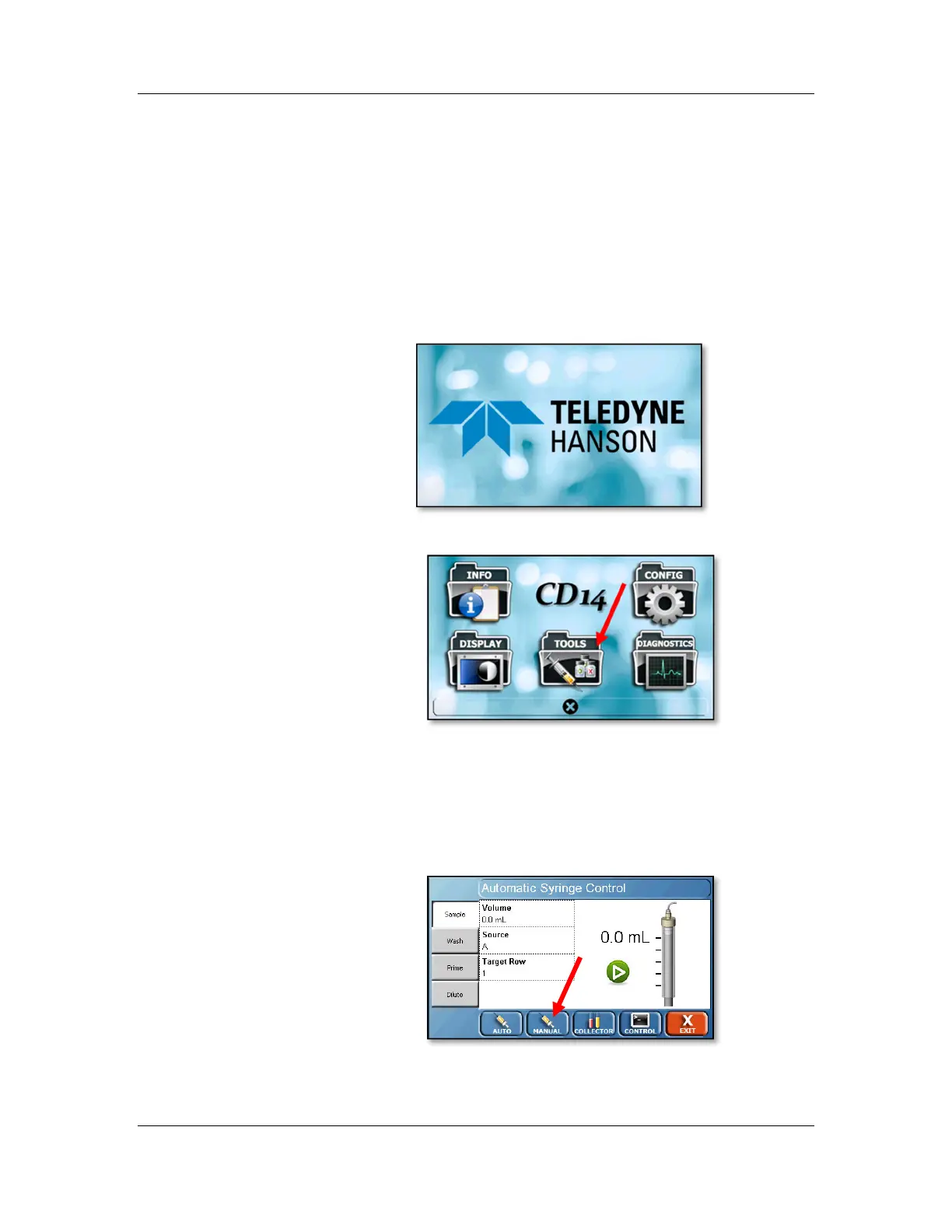
1. From the CD AutoPlus Home screen touch
anywhere on the screen to enter the menu screen.
Note: Access to the menu screen of the CD
AutoPlus is restricted once ‘Security’ is enabled in
the CD14 Tester.
2. Once in the menu screen, touch the ‘Tools’ button.
3. The Automatic Syringe Control screen will appear.
4. Touch the Manual (syringe) button located at the
bottom of the screen. The Manual Syringe Control
screen will appear.



 To Next Page