Section E – Autosampler Installation
CD14 Tester & CD AutoPlus Autosampler User Guide—75-108-800 Rev. B—31 May 2021 47 of 130
EAR99 technology subject to restrictions on cover page.
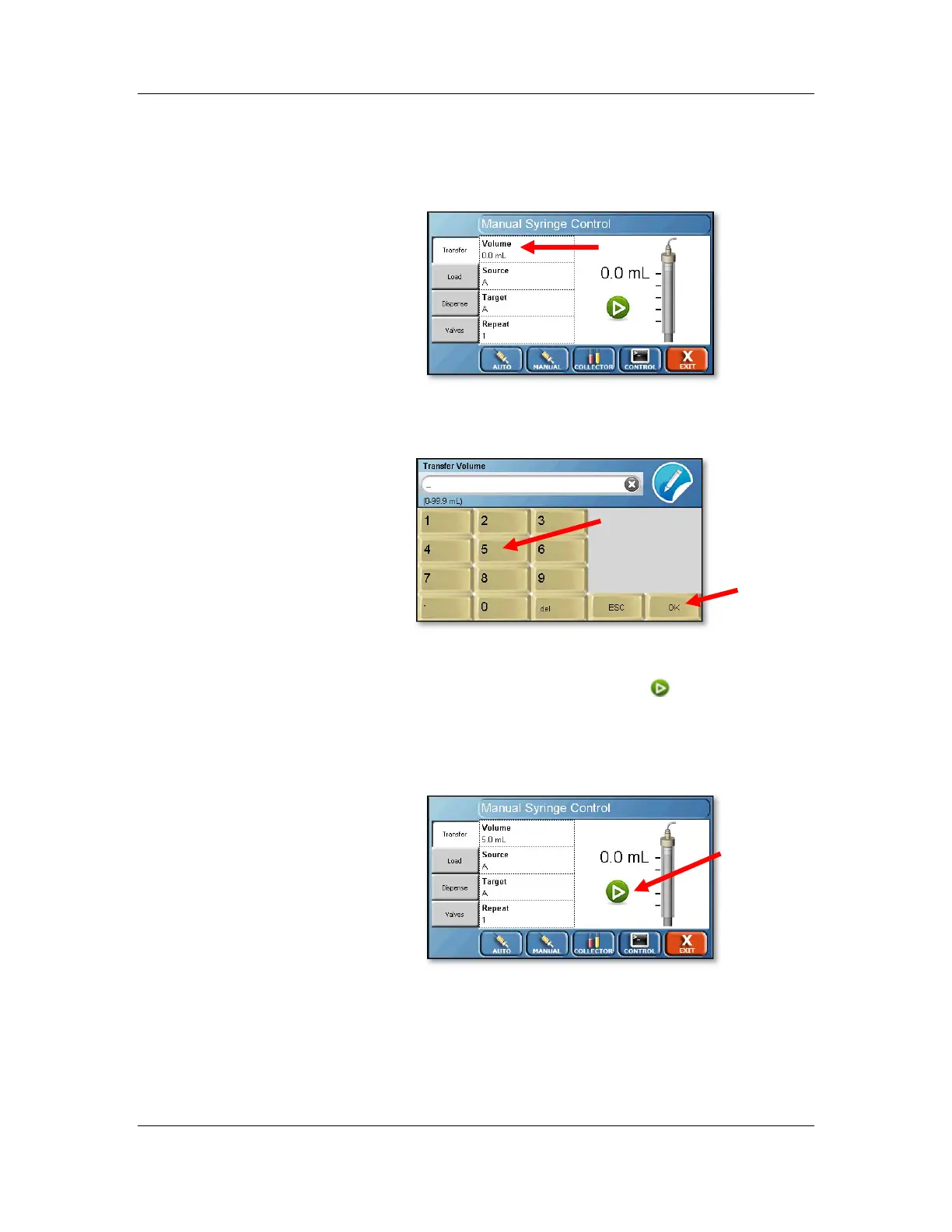
5. Touch the Volume field to bring up the numeric
keypad.
6. On the numeric keypad, touch 5 and then OK to
enter a volume of 5.0.
The Manual Syringe Control screen will reappear.
7. Touch the green arrow button ( ) located in the
center of the display to perform a transfer. Ensure
that the syringes go down and then return to the
home position.



 To Next Page