Section G – Dissolution Testing
CD14 Tester & CD AutoPlus Autosampler User Guide—75-108-800 Rev. B—31 May 2021 90 of 130
EAR99 technology subject to restrictions on cover page.
How to Start a Test
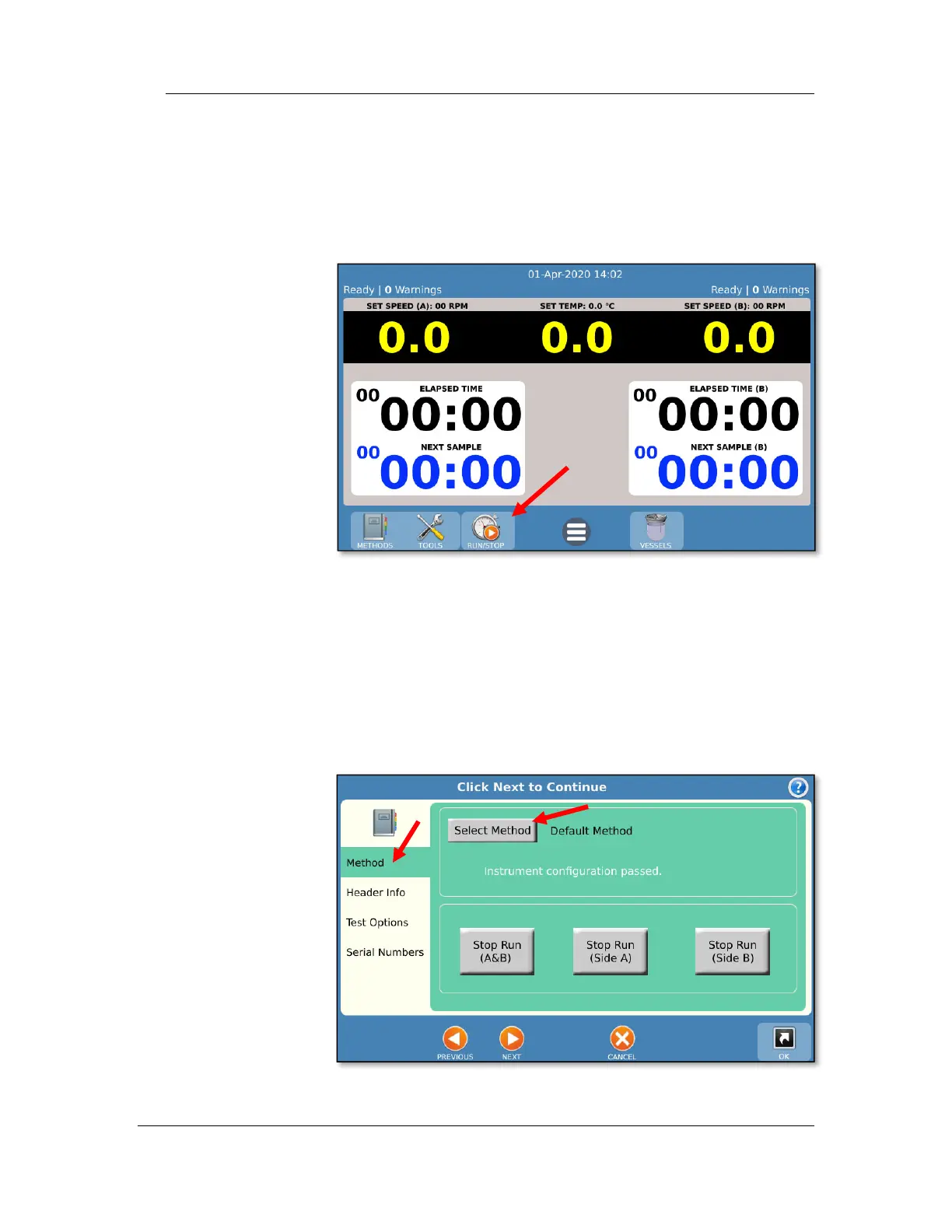
1. Run button
To start a test, first begin at the main screen and
touch the Run button on the toolbar.
2. Method tab
Touch the Method tab and then the Select Method
button. Select the desired method from the list. The
method selected is matched against the current
instrument configuration for compatibility.
NOTE: this screen is also used to abort a test that is
currently running.



 To Next Page