Section E – Autosampler Installation
CD14 Tester & CD AutoPlus Autosampler User Guide—75-108-800 Rev. B—31 May 2021 45 of 130
EAR99 technology subject to restrictions on cover page.
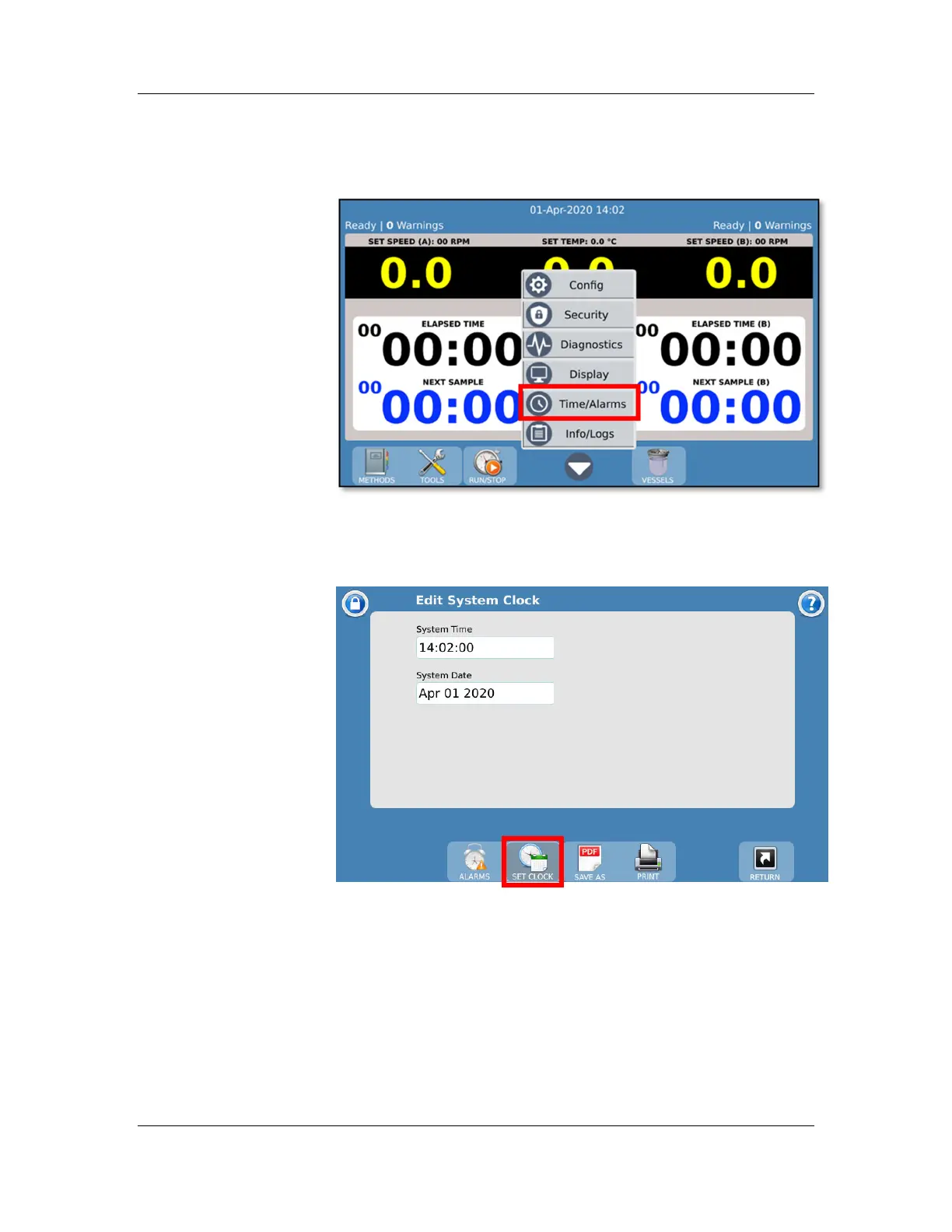
12. From the CD14 Tester main screen, touch the
menu button and select the ‘Time/Alarms’ option.
13. Touch the ‘Set Clock’ toolbar button and adjust the
system time and date. Touch ‘Return’ to exit back to
the main screen.
NOTE: When a CD AutoPlus is configured in the sampling
mode (as was done above), the CD14 Tester will also set the
clocks of both samplers.



 To Next Page