Section F – Operation
CD14 Tester & CD AutoPlus Autosampler User Guide—75-108-800 Rev. B—31 May 2021 54 of 130
EAR99 technology subject to restrictions on cover page.
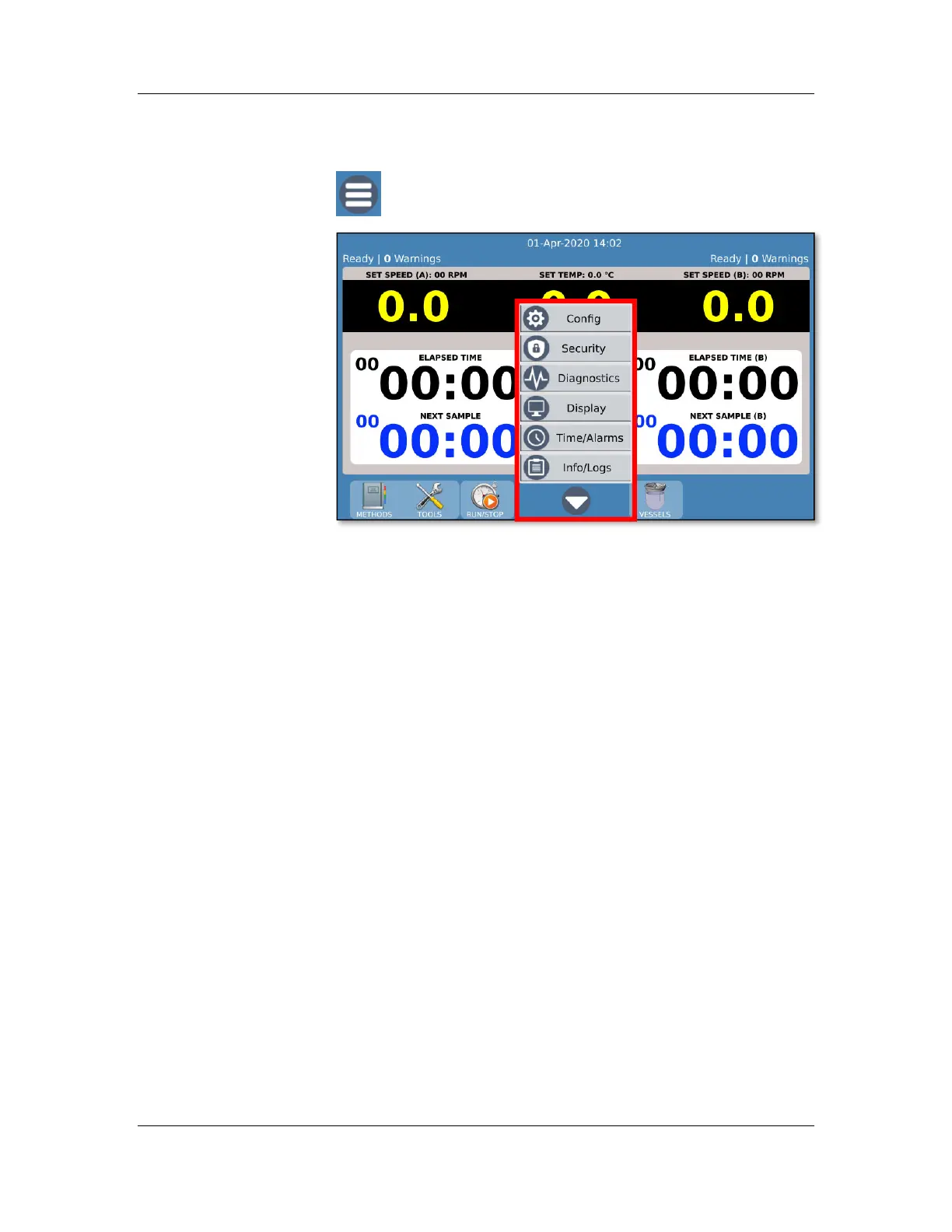
Main menu
The main menu gives the user access to the following:
Config: View/edit instrument configuration, labels, accessories.
Security: View/edit instrument users and security
configuration.
Diagnostics: Run instrument diagnostic tasks.
Display: Configure instrument display settings. Calibrate
touchscreen.
Time/Alarms: View/edit instrument real time and alarms.
Info/Logs: View instrument information such as event logs,
instrument errors, test reports, serial numbers, and service
logs.



 To Next Page