BRAVO – Wireless Alarm Control Panel
29
Menu “3. Info” - Information menu
This is an information menu where the fields are not
editable. After reading the system configuration the
fields are filled in with information for:
- Panel SN – Serial number of the panel
- Panel version – Software version of the panel
- Compilation Date – Software date
- Power Downs – Number of main and back-up
power supplies failures.
- Channel – Number of channels change
- Battery [mV] – Current battery charge
- DIP Switches - The installer checks the current
setting of the hardware DIP-switches. The selected
check box means that the switch is in “ON” position,
and missing check – “OFF” position.
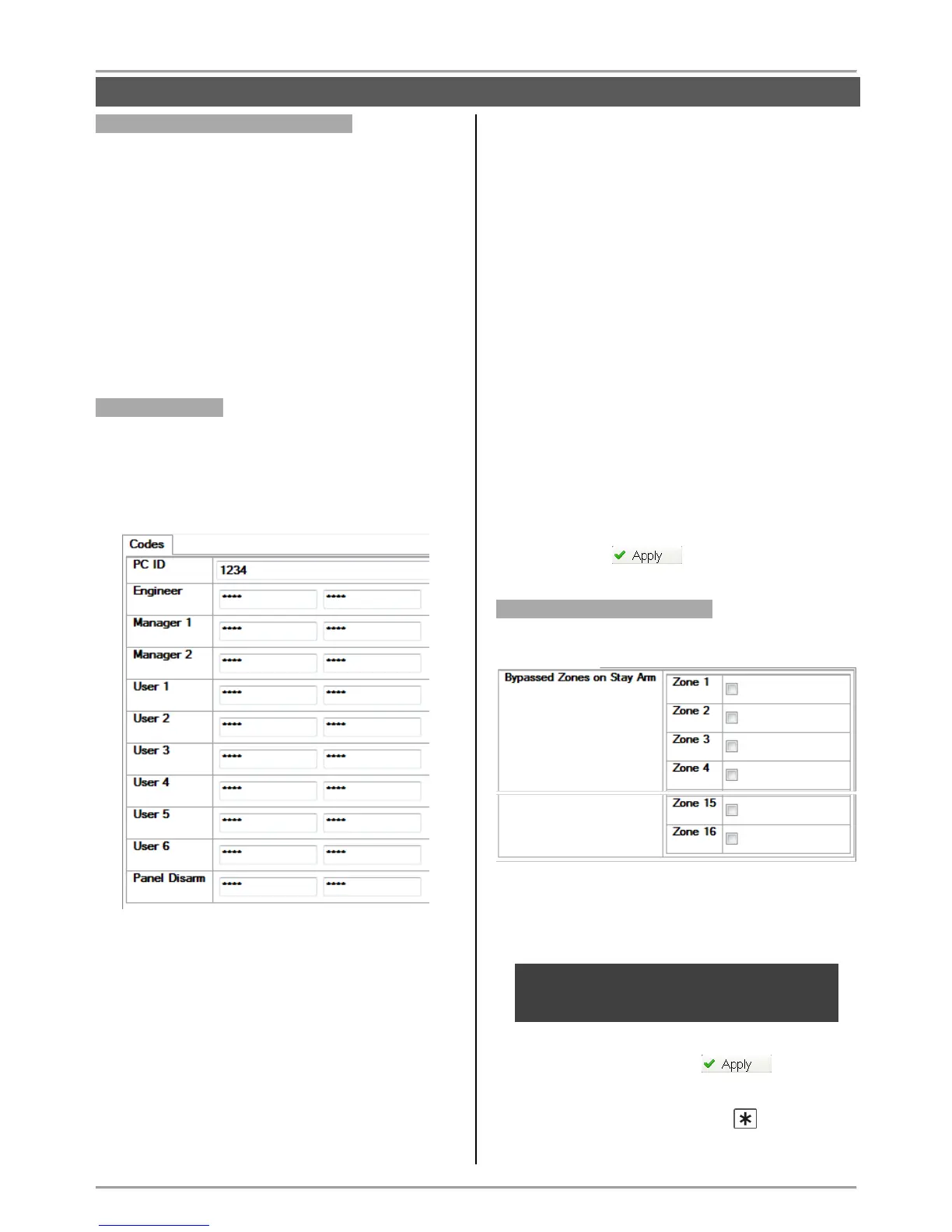
Menu “4. Codes”
This is a specialized menu for setting codes to access
the ProsTE programming software, users’ levels for
remote access via mobile applications Mobile TTE and
AjaxWEB, and remote management via ProsTE, as
and a special code for disarming by user via panel
buttons.
By default the set access code combinations are:
- PC ID – 1234
- Engineer – 7777
- Manager 1 – 0000
- Manager 2 – no code combination
- User 1-6 - no code combination
- Panel Disarm – no code combination
The codes are 4-digits combination of digits 0-9.
Every code must be verified in the second field for
confirmation.
The code is not used when the FFFF combination is
entered in the both fields.
Description of the entered code combinations:
- PC ID – User access code for reading/ writing
parameters to the BRAVO panel; ID number of the
panel.
- Engineer – Engineer access code for writing
parameters via ProsTE software to BRAVO panel.
Remote access for programming and access via
mobile applications Mobile TTE and AjaxWEB.
- Manager 1-2 – Managers in the system with
extended rights for remote access and management.
- User 1-6 – Users with rights for remote arming and
disarming of the system.
- Panel Disarm – Special user code for disarming
the system. No code combination is set by default.
This is a secret code, which allows the user to
disarm the system only with the panel buttons.
After setting all parameters in “Codes”, save the new
configuration with button.
Menu “5.Stay ARM Settings”
In this menu the installer sets zone numbers for
bypassing in Stay ARM mode.
Place check marks for those zones which should be
bypassed during Stay ARM mode. The zones without
check marks will be armed in Stay ARM mode
activation.



 To Next Page