OptiCon Micro
Installation and Operation Manual
12
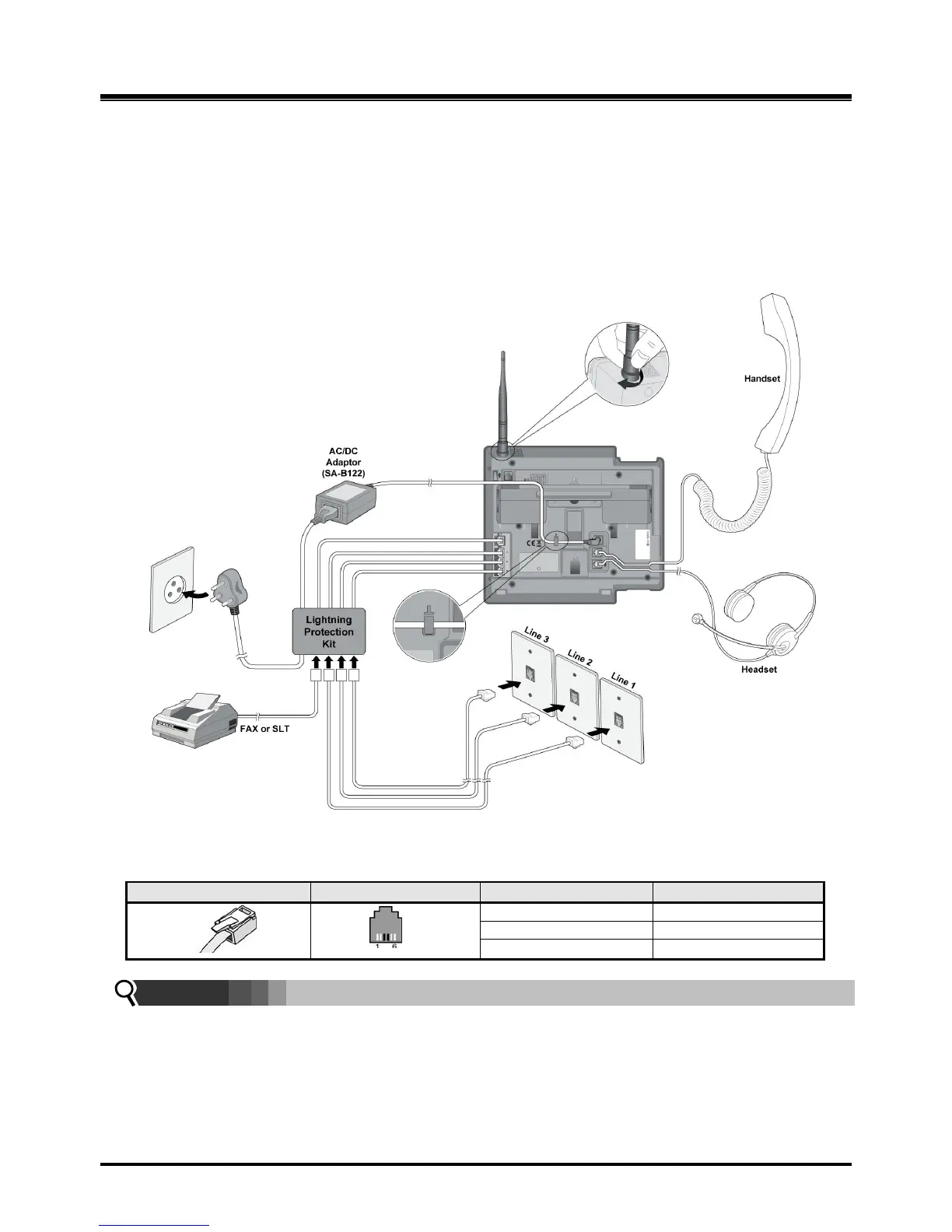
using the line cords provided. Connect the FAX machine (or SLT phone) line cord to the
FAX/SLT socket on the Lightning Protection Kit.
5. Connect the handset curly cord to the handset jack on the bottom of the LWS-BS.
6. Connect the Headset to the headphone jack on the bottom of the LWS-BS. (Optional)
7. Screw the included rubber antenna clockwise onto the terminal at right side of the top of the
LWS-BS.
8. The USB (host) port on the bottom of the LWS-BS is provided for upgrading SW and system
configuration.
Figure 2.4.1 LWS-BS Connections
NOTE:
Use only the included LG-Ericsson AC Adapter (SA-B122).
Using a headset with the LWS-BS is optional.
Avoid mounting near TV, another cordless telephone or microwave oven.



 To Next Page