OptiCon Micro
Installation and Operation Manual
19
2.6.2 LWS-WK Description
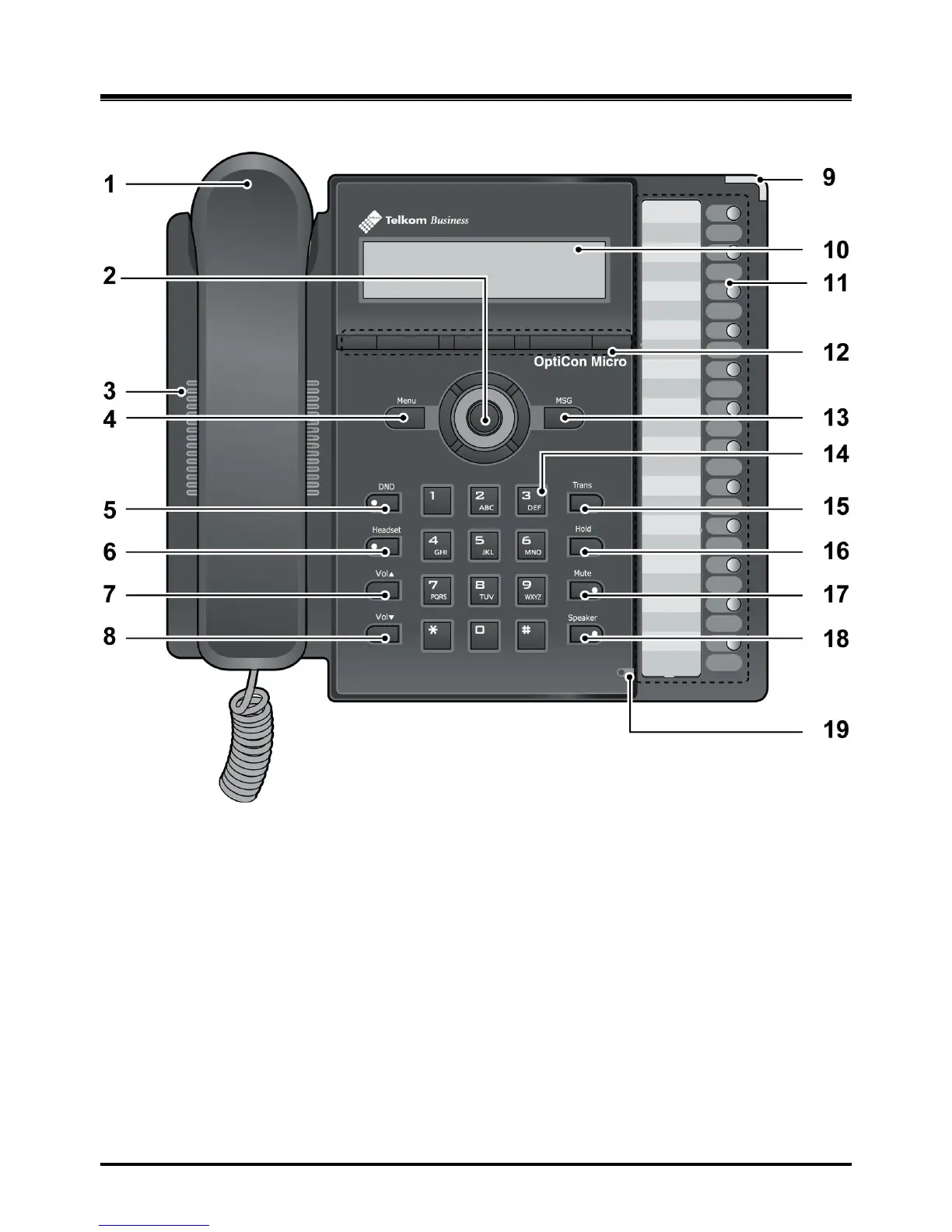
1. Handset 2. Navigation/OK Key
3. Speaker 4. Menu Button
5. DND Button 6. Headset Button
7. Volume Up Button 8. Volume Down Button
9. Ring Indication 10. LCD
11. Line/Station Selection Buttons 12. Soft Buttons
13. MSG Button 14. Dial Buttons
15. Trans Button 16. Hold Button
17. Mute Button 18. Speaker Button
19. Microphone
Figure 2.6.2-1 LWS-WK Component
Description



 To Next Page