OptiCon Micro
Installation and Operation Manual
14
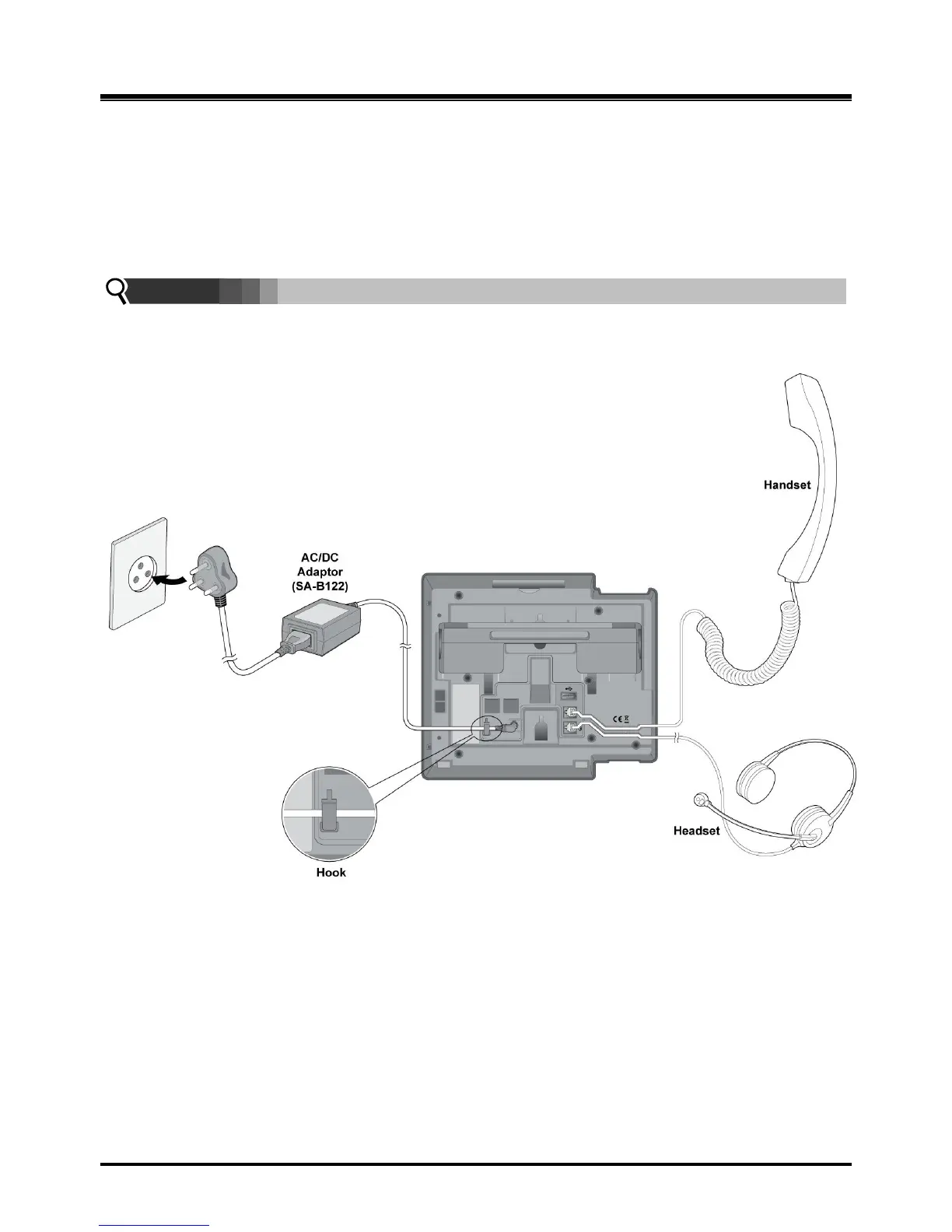
2.4.3 LWS-WK Connection
To connect the LWS-WK to be used with the LWS-BS:
1. Plug the DC outlet of the AC/DC Adapter cord into the jack on the LWS-WK.
2. Fasten the AC/DC Adapter cord to the latch hook as shown (inset detail).
3. Connect the handset curly cord to the handset jack on the bottom of the LWS-WK.
4. Connect the headset to the headset jack on the bottom of the LWS-WK. (Optional)
NOTE:
Use only the included LG-Ericsson AC Adapter (SA-B122).
Using a headset with the LWS-WK is optional.
Avoid mounting near TV, another cordless telephone or microwave oven.
Figure 2.4.3-1 LWS-WK Connection



 To Next Page