OptiCon Micro
Installation and Operation Manual
69
Operation
To change IP settings:
LWS-BS station
1. Press the [Menu] button.
2. Dial 4 6.
3. Change IP information.
4. Press [Save] soft button.
3.30 Software Upgrade
Description
The OPTICON MICRO system and LWS-BS phone software can be upgraded employing the USB port
located on the bottom of the LWS-BS. The system and/or LWS-BS software file(s) must be separately
loaded on the USB memory device before insertion into the LWS-BS USB port. Two types of software files,
which are available from LG-Ericsson authorized representatives, are employed,
GS89Mxxxx for the OPTICON MICRO system ROM files and
GS89Dxxxx for the LWS-BS phone ROM files.
The xxxx above indicates the ROM file version and up to 5 different versions can be stored on the USB
device for upgrade of the OPTICON MICRO system or LWS-BS.
Operation
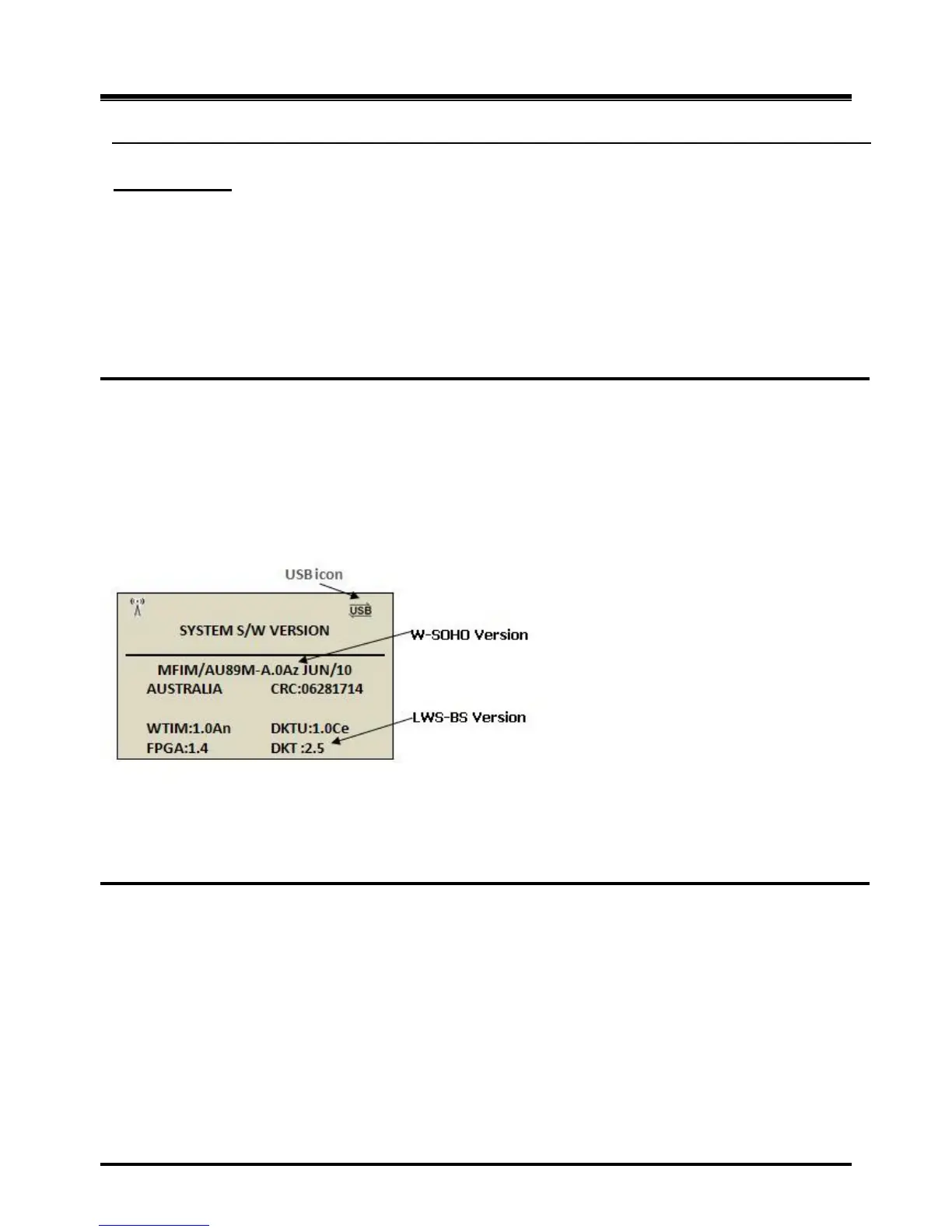
To view software versions
1. Press the [Menu] button.
2. Press 4 4
To upgrade System, at the LWS-BS:
1. Insert the USB memory device with the ROM files in the USB port on the bottom of the LWS-BS.
2. Press the [Menu] button.
3. Press 4 5 1.
4. Select the desired System ROM file (GS89Mxxxx.rom).
5. Press the [SAVE] soft button and wait the upgrade result.
6. After Upgrade success, press the [Reset] soft button to restart the system and load the upgraded
software to the OPTICON MICRO operational memory.



 To Next Page