OptiCon Micro
Installation and Operation Manual
25
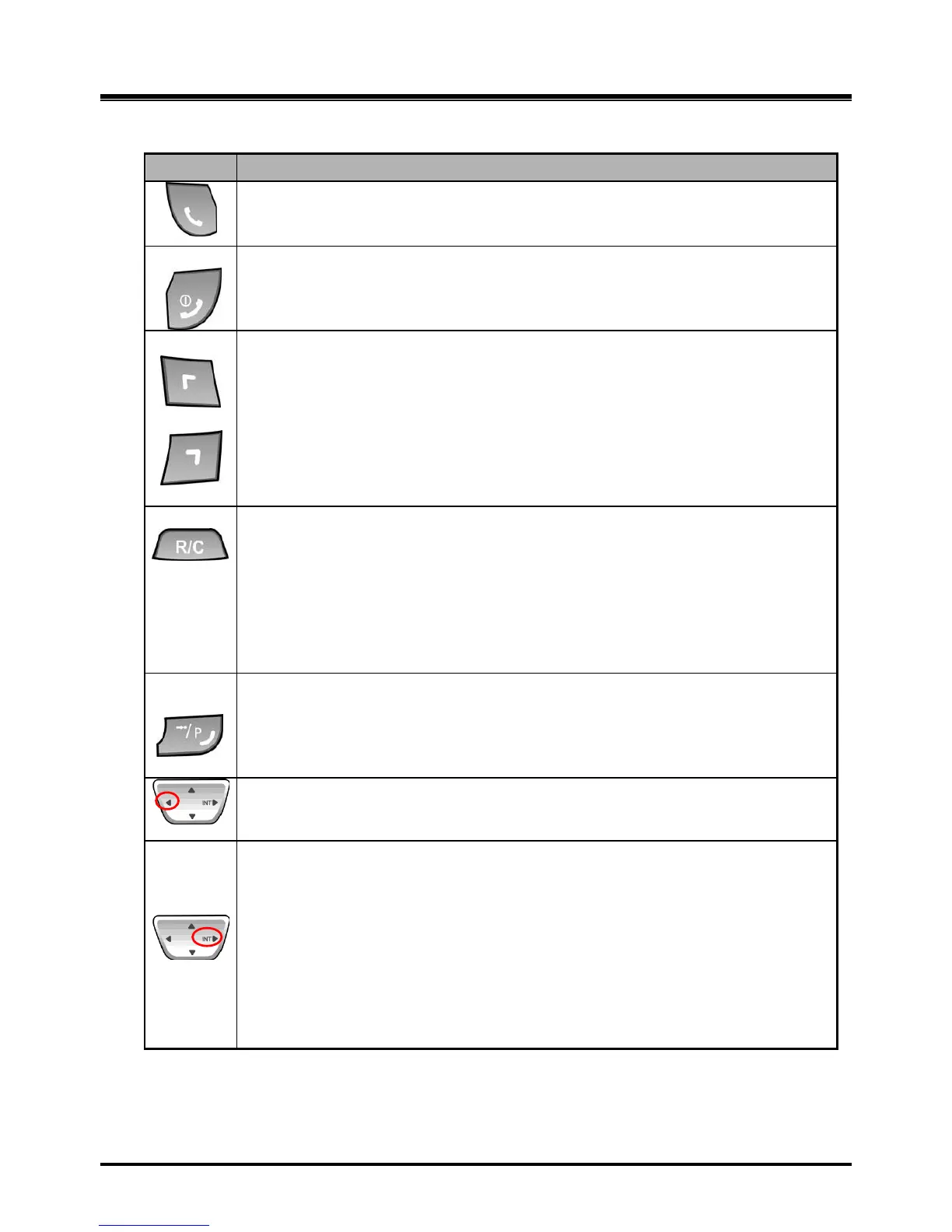
2.9.3 GDC-400H/450H Wireless Handset
[TALK]
Try to make a call
Redial number saved in handset.
[END/POWER]
Pressing longer than 1 second : Power Off
Pressing shorter than 1 second :Leave a call back or a message
Pressing shorter than 1 second during incoming: Ignore a call.
[LEFT SOFT / RIGHT SOFT]
You can access to the current functions by pressing the soft button directly below
the function display.
[FLASH/CLEAR]
Talking Mode : Register recall
Flash a call and retry next call
When using pre-dial :
Pressing longer than 1 second : All digits are cleared
Pressing shorter than 1 second : 1 digit backspace
When using local functional operation : Function cancel
(It should be pressed longer than 1 second)
[SPEED/PROGRAM]
Post-Dial :
Pressing shorter than 1 second: System speed dial (SPEED).
Pressing longer than 1 second: Start/Finish a system program
(PROGRAM). Same as the FUNCTION button of GDC-345H.
[LEFT]
In an idle state : To view missed call
In MENU : LEFT
[RIGHT/INTERNAL/TRANSFER/HOLD]
Talking Mode :
Pressing shorter than 1 second: Transfer a call to the other
station(TRANS).
Pressing longer than 1 second: Hold a call / release a holding call (HOLD).
In an idle state :
In MENU : right button
Home Wireless Terminal : Internal call
Key-telephone Wireless Terminal : Trying to make a intercom call or a line
call



 To Next Page