OptiCon Micro
Installation and Operation Manual
22
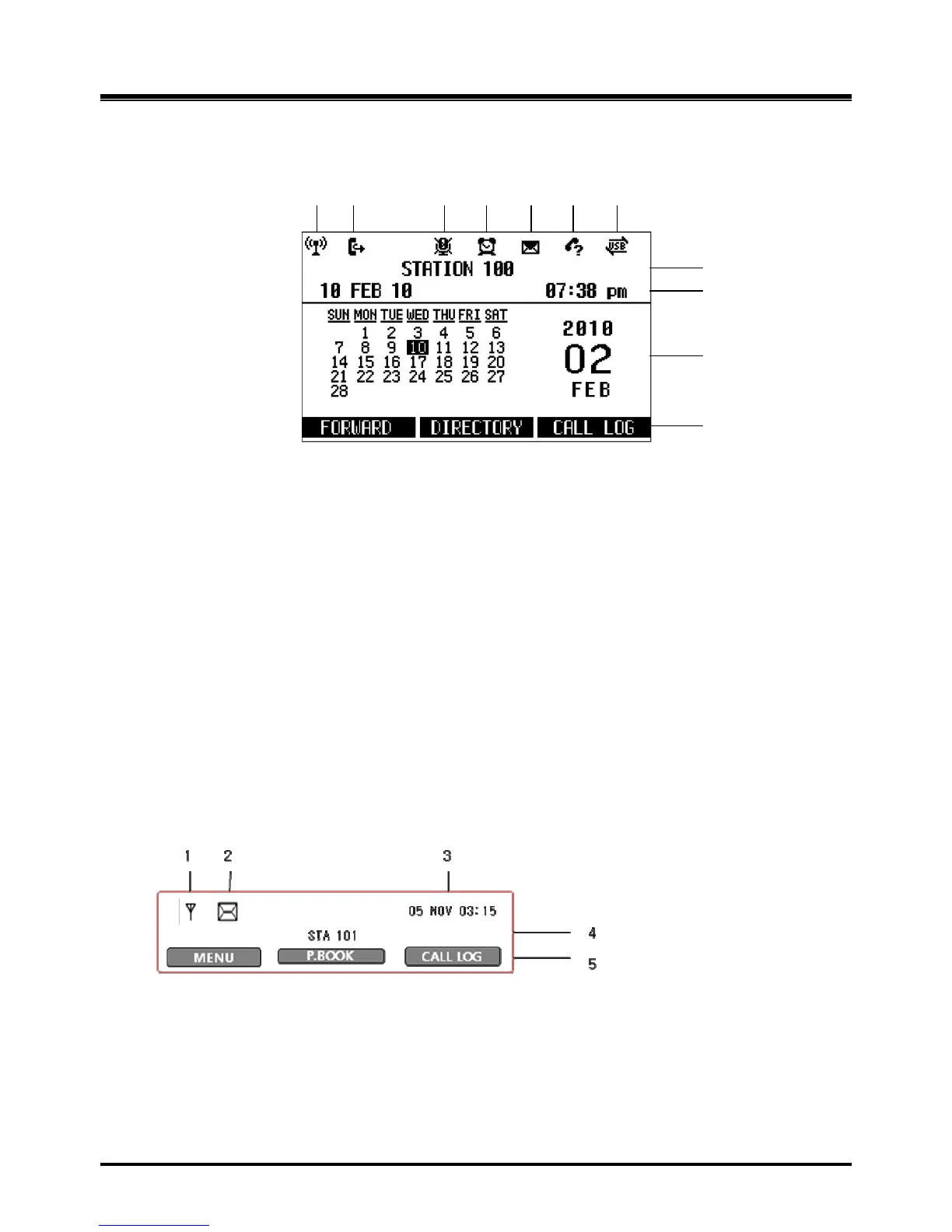
2.8.2 LCD Display
2.8.2.1 LWS-BS
Figure 2.8.2.1-1 LWS-BS LCD Display Screen
1. Antenna – LCD displays when DCTU of LWS-BS works and it can be linked to DECT.
2. Call Forward – Icon indicates the base station is currently set for call forwarding.
3. Mute – Icon indicates if the mute button is activated for blocking voice transmission from your
phone during a conversion.
4. Alarm – Icon indicates the alarm has been set.
5. Message – Icon indicates there is at least one new message.
6. Missed call – Icon indicates that there are missed calls in your absence.
7. USB – Icon indicates a USB memory device is inserted.
8. Station Number – Displayed in idle state. If the LWS-BS station has a name assigned, the
name is displayed.
9. Date & Time – Displayed in idle state.
10. Calendar – Displayed in idle state.
11. Soft Menu – Dependent on the status and menu choices, the current available selections
are displayed.
2.8.2.2 LWS-WK
1. Antenna – Displayed when the LWS-WK is in the range of a LWS-BS where it can be linked.
The icon disappears when it moves out of range. The closer it moves to the base, the
stronger RSSI will be.
2. Message – Icon indicates there is at least one new message.
3. Date & Time –Displayed in idle state.
4. Station Number – Displayed in idle state.
5. Soft Menu – Dependent on the status and menu choices, the current available functions
are displayed.



 To Next Page