OptiCon Micro
Installation and Operation Manual
30
Procedure for erasing the registration information on the terminal itself:
1. Press the [Menu] button.
2. Select [Phone Register] and press the [OK] button.
3. Select [Reset] on the Menu and press the [OK] button.
4. Enter the HS PIN Code [default: 0000] using dial button and then press the [OK] button.
5. Select [Handset] on the menu and then press the [OK] button.
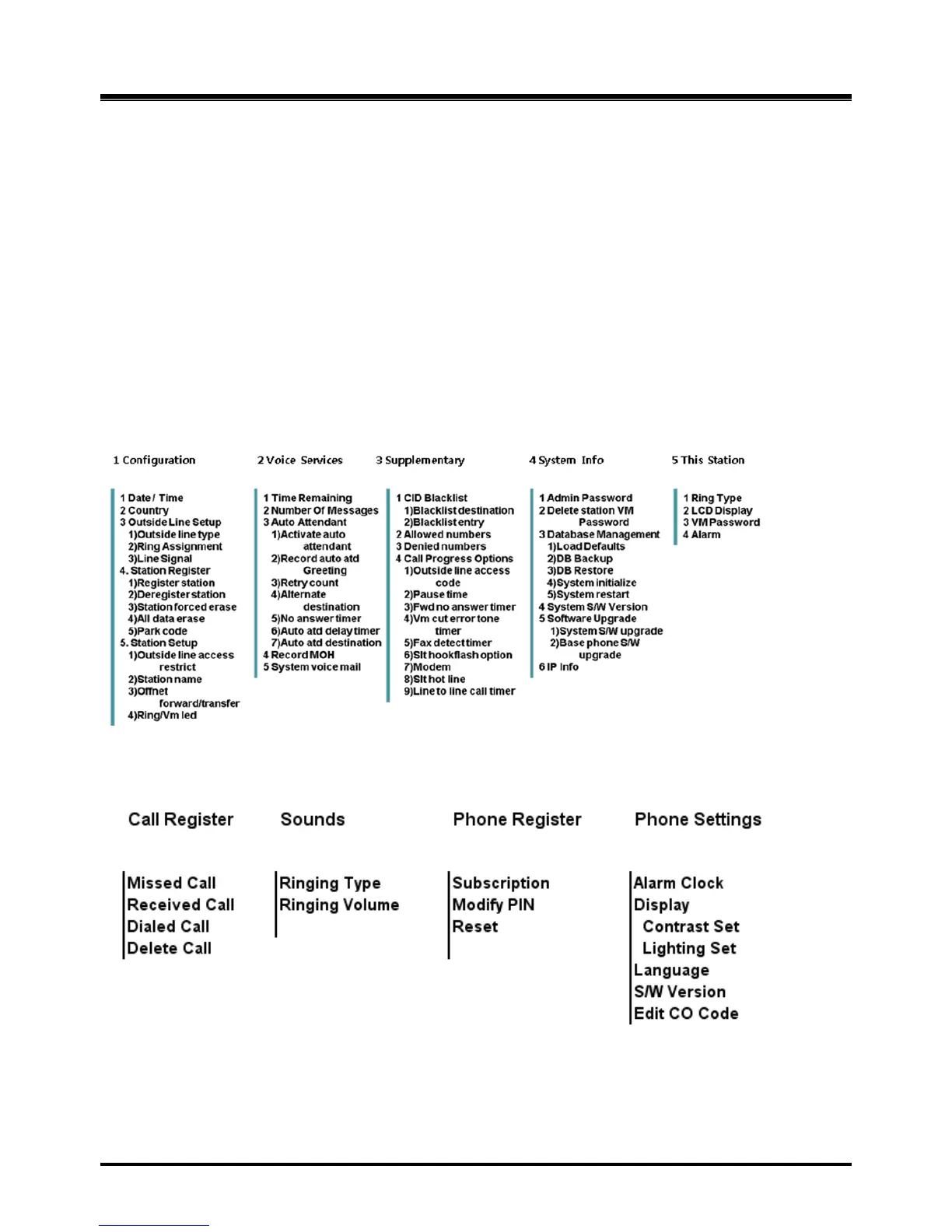
2.13 Menu Trees
2.13.1 LWS-BS Menus
2.13.2 LWS-WK Menus



 To Next Page