OptiCon Micro
Installation and Operation Manual
26
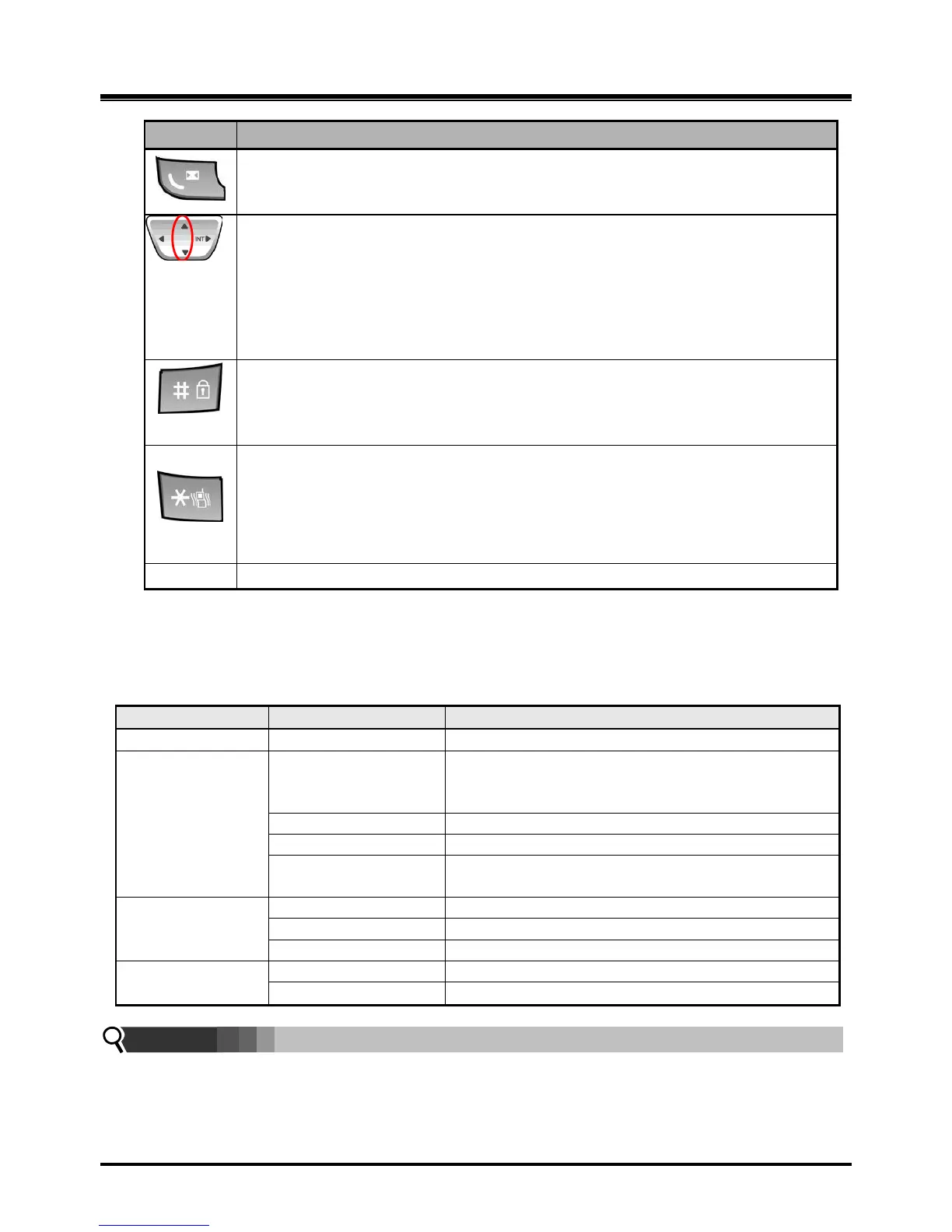
[CALL BACK]
Pressing shorter than 1 second : Leave a call back or a message
[UP/DOWN]
Talking Mode : Increase/decrease received audio volume, Call by name, CLIP
Standby Mode :
In Menu: Navigate and select among function items in a menu or submenu.
Idle state :
UP : Local Redial
DOWN : Phonebook list
To lock Keypad (Pressing longer than 1 second)
„#‟ Display (Pressing shorter than 1 second)
While Dialing: To insert pause (Pressing longer than 1 second)
Talking Mode (Only when the Camp-On function is supported by ipLDK
series) : Camp-On
Standby Mode :
„*‟ is displayed (Pressing shorter than 1 second)
Enable/disable manner mode(Pressing longer than 1 second)
2.10 LED Operation Description
2.10.1 LWS-BS and Wireless Keyset
Indicates incoming ring signal.
Line is in hold state.
Green blink: Line is held by the own station. Red
blink: Line is held by others.
The green LED illuminates when you are on a call.
The red LED indicates that the associated line is in
use by other user.
Illuminates when you or others are on a call.
DND, Headset
Mute, Speaker
Illuminates when each function is activated.
Note:
Blinking rate:
Base Station: 0.5/sec,
Wireless Keyset: 0.78/sec



 To Next Page