OptiCon Micro
Installation and Operation Manual
16
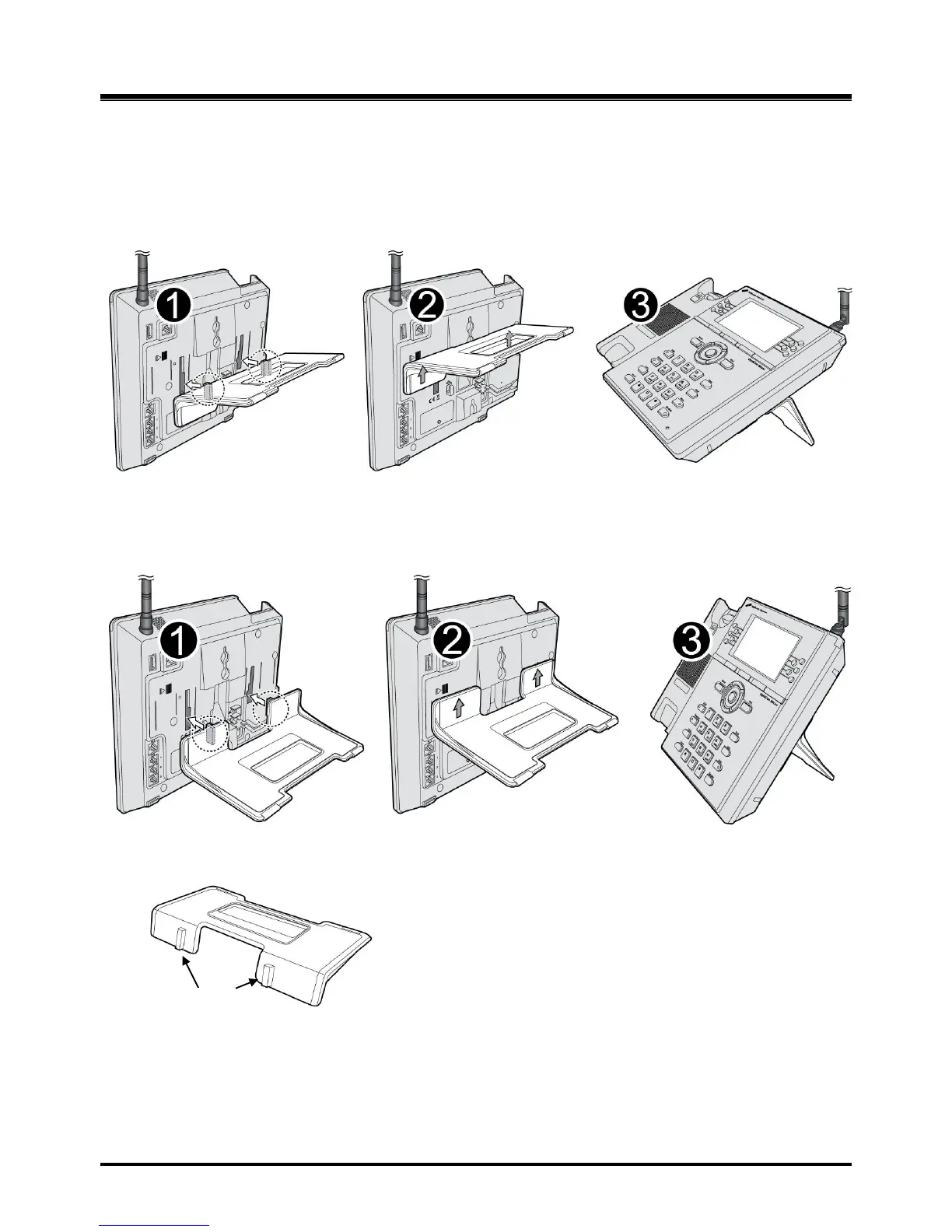
2.4.5 Foot Stand Connection (the LWS-BS and LWS-WK)
When the Foot Stand of either the LWS-BS or the LWS-WK is attached, the angle of the phone can
be adjusted to 35 or 55 degrees.
To install the Foot Stand for a 35-degree angle, perform the following:
Figure 2.4.5-1 Foot Stand Connection (35-degree angle)
To install the Foot Stand for a 55 degree-angle, perform the following:
Figure 2.4.5-2 Foot Stand Connection (55-degree angle)
1. Align the top tabs on the foot stand with the slots on the back of the LWS-BS or the LWS-WK.
2. Move the foot stand upward until it clicks into place.



 To Next Page