OptiCon Micro
Installation and Operation Manual
23
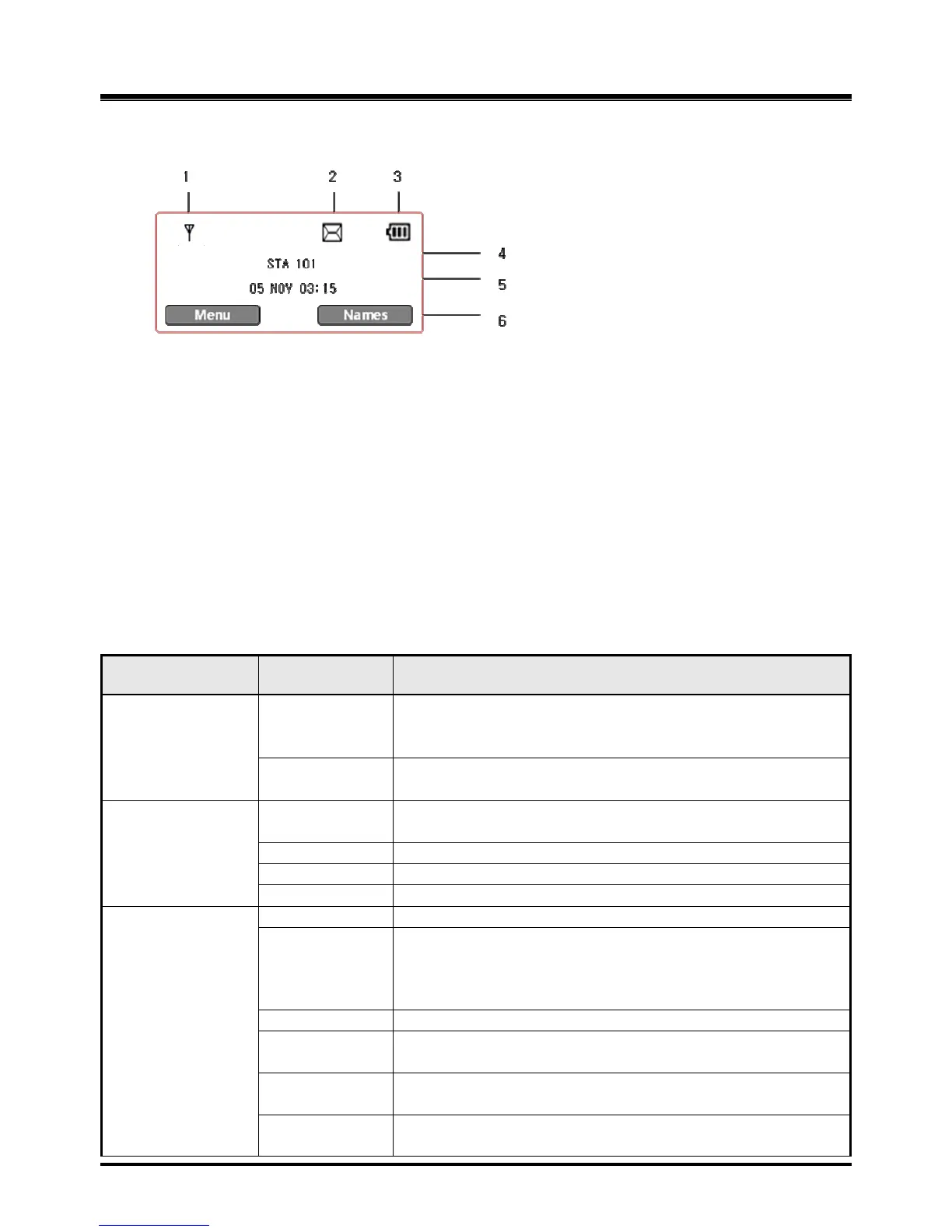
2.8.2.3 GDC-400H and GDC-450H Wireless Handset
1. Antenna – Displayed when the handset is in the range of a LWS-BS where it can be linked.
The antenna icon disappears when it moves out of range. The closer it moves to the base,
the stronger RSSI will be.
2. Message – Icon indicates there is at least one new message.
3. Date & Time – Displayed in idle state.
4. Battery – Displays battery level when a handset is operating.
5. Handy Number – Displayed in idle state.
6. Soft Menu – Dependent on the status and menu choices, the current available functions
are displayed.
2.9 Keypad Description
2.9.1 LWS-BS
FUNCTIONAL
CLASSIFICATION
Line selection
button
Line 1 ~ 3
Access an idle line for making an external call or answer the
incoming call by pressing the line button.
Station button
Station 101~107
Allow to make an intercom call.
Station 101~107 : Wireless Terminals
Dependent on the status and menu choices, the current
available functions are displayed.
Setting Night/Weekend mode
Headset mode or speakerphone mode is switched by turns
whenever it is pressed.
[Headset] button in idle state. Headset LED will be
illuminated when headset mode is selected.
Volume up during a call, LCD contrast is up in idle state.
Volume down during a call, LCD contrast is down in idle
state.
An intercom call or the line call can be transferred to
another station or line during a conversation.
When on a call, the station user can place an active call on
hold; the held party will hear a hold tone.



 To Next Page