58 | Section 5
Click “Save” when you’re done. Note that after editing and saving a Show Profile, you
must reload it from your Element console in order for the saved changes to take effect.
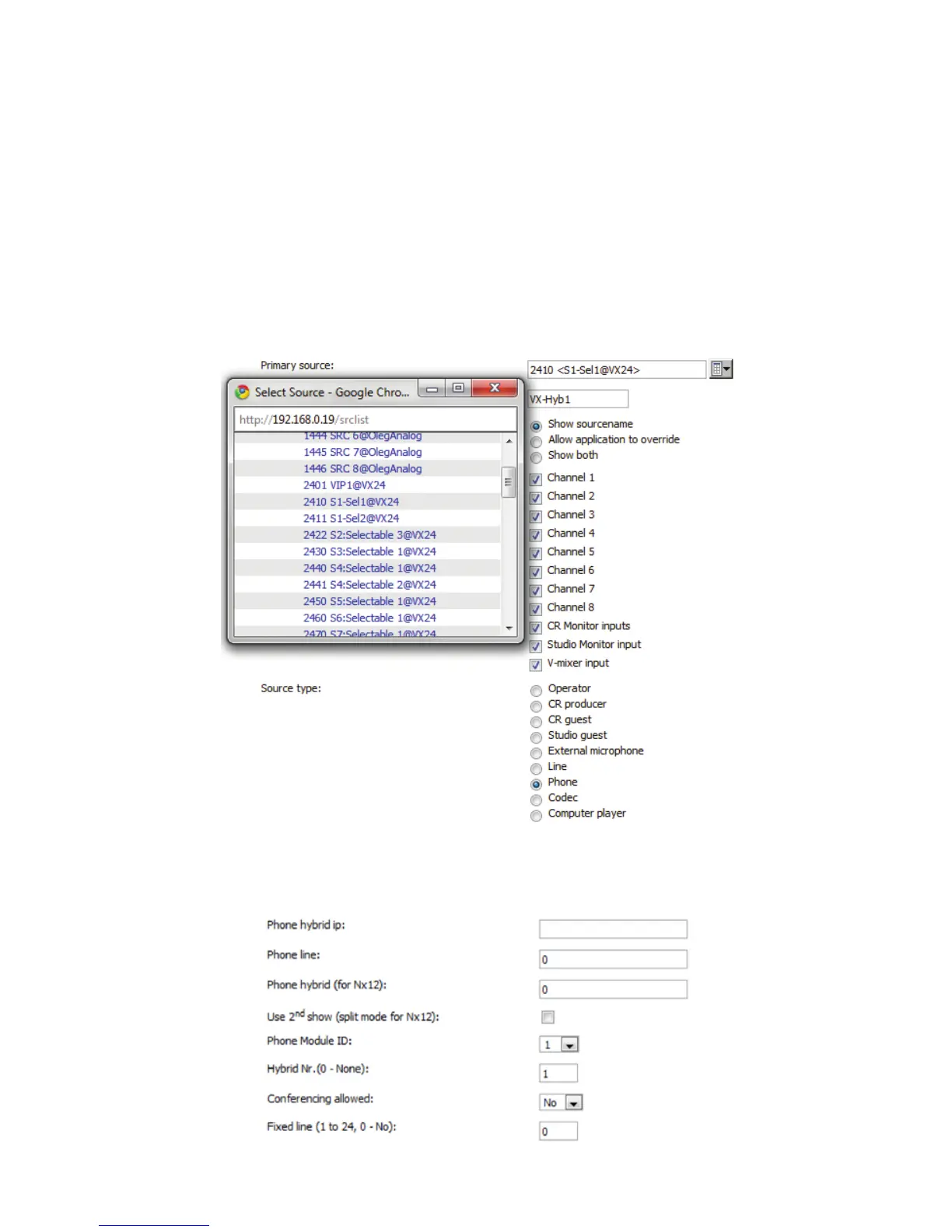
3. Create the needed Source Profiles. Navigate to Element’s Source Profiles page. Click
New Source Profile and, using the Primary Source drop-down box, select the audio
channel that you configured in VX Engine under Studio configuration. In the list, you
should see a Livewire channel number and short description of the Hybrid; give it an
Element source name, such as “VX-Hybrid1,” and select Phone for Source Type.
In the source profile options, leave the Phone hybrid IP field empty, leave the Phone line
and Phone hybrid (for NX12) fields at their default value of “0.” Use 2nd show (split
mode for NX12) should be left unchecked.



 To Next Page