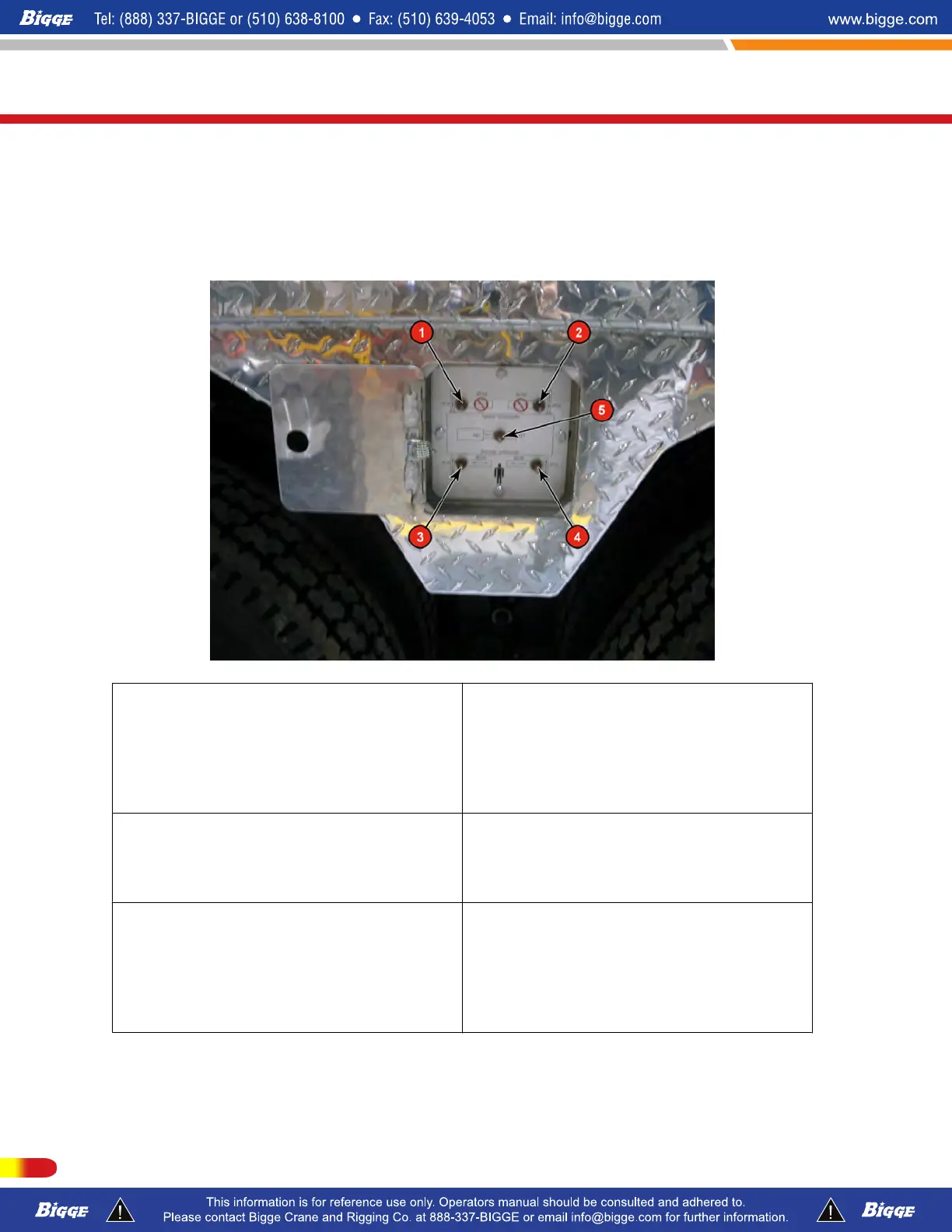
Outrigger Controls-External (Streetside)
Your cranes is available as an Option remote outrigger control boxes. Located on the street
side midship (as shown below) is a panel door to access the control switches. There will be
a control box with access cover on both side of crane and one located in the front for
control of front jack cylinder.
1. Right Front Outrigger Jack-Move toggle
switch "UP" or "DN" and hold to enable jack
cylinder. Use switch #5 to extend or retract
the jack cylinder.
4. Left Rear Outrigger Jack Cylinder &
Beam- Move toggle switch "Right" for jack
cylinder enable and hold. Use switch #5 to
extned or retract the jack cylinder. Move
toggle switch "Left" for LR beam enable.
Use swtich #5 to extend or retract the beam.
2.Right Rear Outrigger Jack-Move toggle
switch "UP" or "DN" and hold, to enable
jack cylinder. Use switch #5 to extend or
retract the jack cylinder.
5. Extend-Retract Master SwitchMove
toggle switch left or right in conjunction with
enable switches #1, 2, 3 or 4 to control
outrigger jacks and beams.
3. Left Front Outrigger Jack Cylinder &
Beam-Move toggle switch "Left" for jack
cylinder enable and hold. Use switch #5 to
extend or retract the jack cylinder. Move
toggle switch "Right" for LF beam enable.
Use switch #5 to extend or retract the beam.
T300-1_T500-1_T780
Description Of Machine and Controls
136 P/N 12261-683
REVISED: January 2015



 To Next Page