Remote Carrier Operation
The electric remote option provides a means for the crane operator to maneuver the crane
around the job site with (Pick & Carry) or without a load.Engage the Remote Control-Carrier
Cab
1. Set the parking brakes in the carrier cab.
2. Ensure that the system air pressure is high enough for operation (85 PSI or above). If
the air pressure is low start the engine and build it up before going any further.
3. Shut off the engine.
4. Engage the pumps.
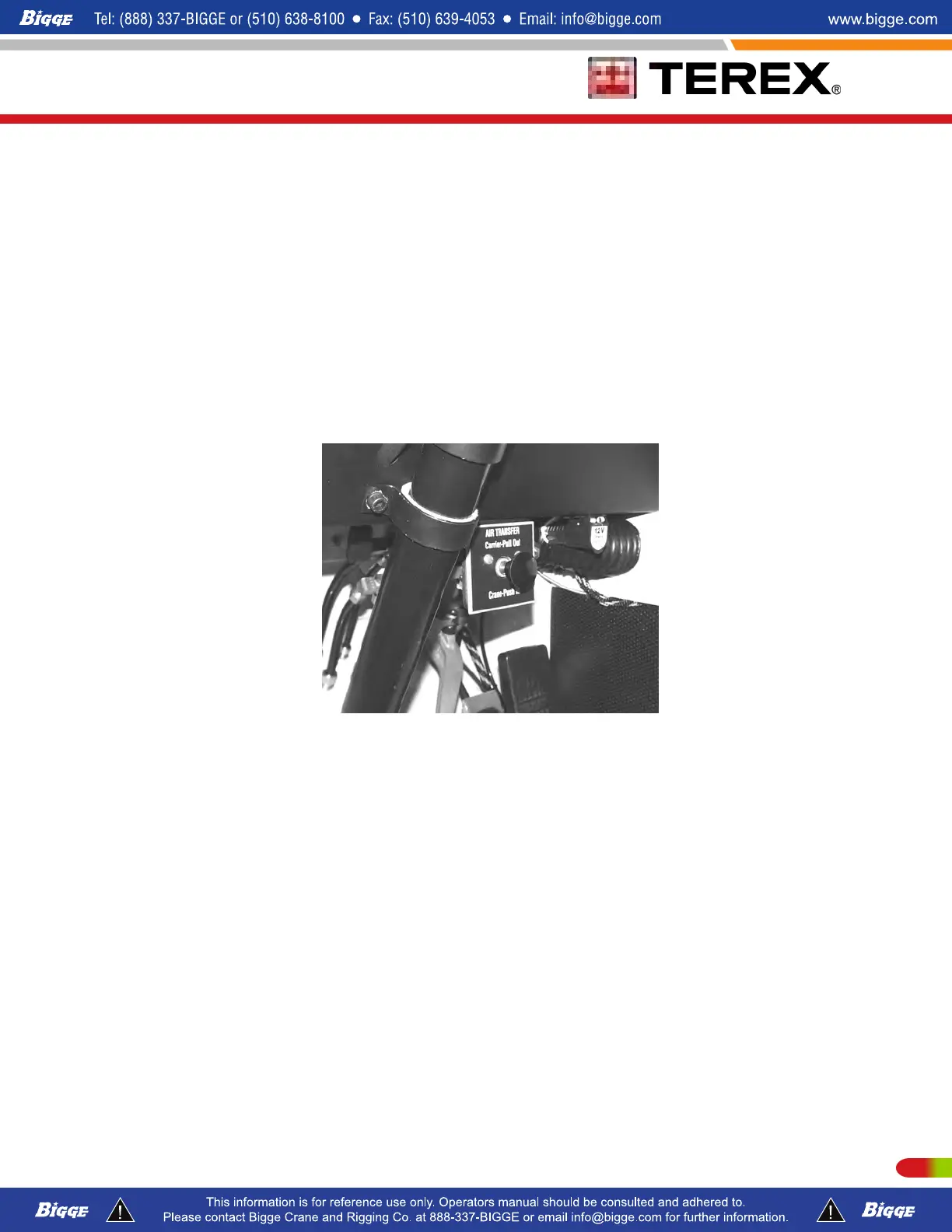
5. Push in the "Air Transfer" button, for "Crane" operation as shown in photo below.
Remote Control-Upper Crane Cab
1. Move to the upper (crane) cab.
2.
Start the crane engine. If the red (Low Air) light is "ON", run the crane engine for a few
minutes to allow air pressure to build up before moving the carrier.
3. Turn "ON" the "Remote Power" switch item (1) as shown in photo below.
4. Apply the service brakes by pressing foot pedal and release the parking brakes with
the parking brake switch item (2) as shown in photo below located on the dash panel.
5. Select the "Transmission" direction by pressing the 3-position dash mounted switch
item (3) as shown in photo below located on the dash panel. "F"=(forward), "N"=
(neutral), "R"=(reverse), as applicable.
6. Position the front wheels using the "Steering" switch item (4), "Left" - "Right" on the
dash panel and slowly release the brake until you begin to move.
207P/N 12261-683 REVISED: January 2015



 To Next Page