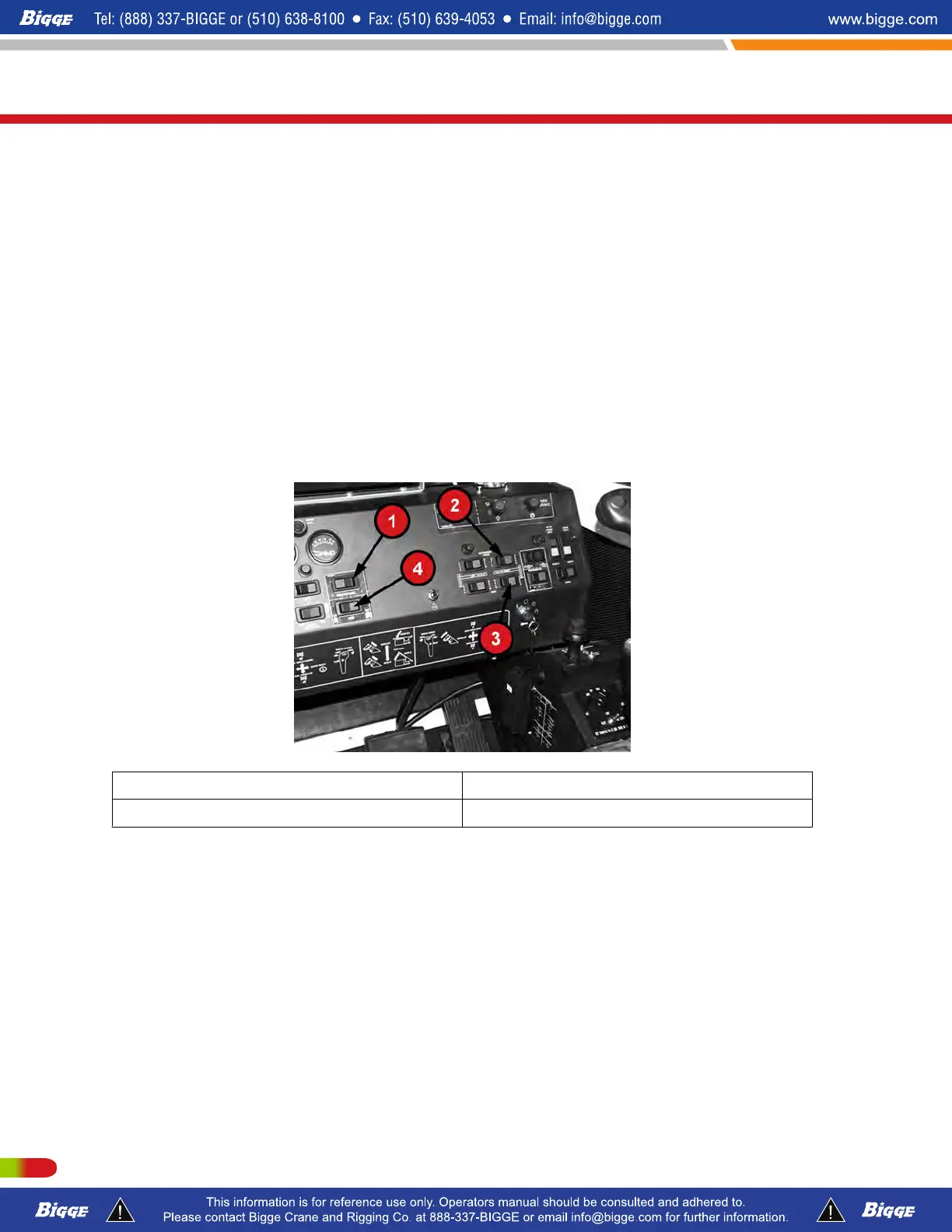
NOTE: The steering switch is a momentary type. The longer you hold down the
switch in either direction, the further the wheels will turn. The wheels will stay in
whatever position they are left in, (they will not returnto the straight-ahead
position automatically) you must actuate the switch in the opposite direstion to
bring the wheels back to center.
7.
Use the throttle, "Steering Switch", service brakes, and "F"-(foreward), "N"-(neutral),
"R"-(reverse) switch as necessary to position the crane as desired.
8. To stop, depress the service brakes, shift the "Transmission" switch to "N"-(neutral),
and engage the parking brakes with the parking brake switch.
9. Turn off the "Remote Power" switch. The crane is now ready for operation.
Disengage the Remote Control
1. With the parking brakes set, turn off the "Remote Power" switch, turn off the ignition,
move to the carrier cab and reverse the steps under "Engage the Remote Control".
1 "Remote Power" Switch 3 "Transmission" Direction Switch
2 Parking Brake Switch 4 "Steering" Switch
T300-1_T500-1_T780
Operating Instructions
208 P/N 12261-683
REVISED: January 2015



 To Next Page