Operation
Instrument Controls Menu
Thermo Electron Corporation Model 42i Low Source Instruction Manual 3-47
•Press to leave the warning screen and move to next screen.
• Use to confirm and save the new selection change.
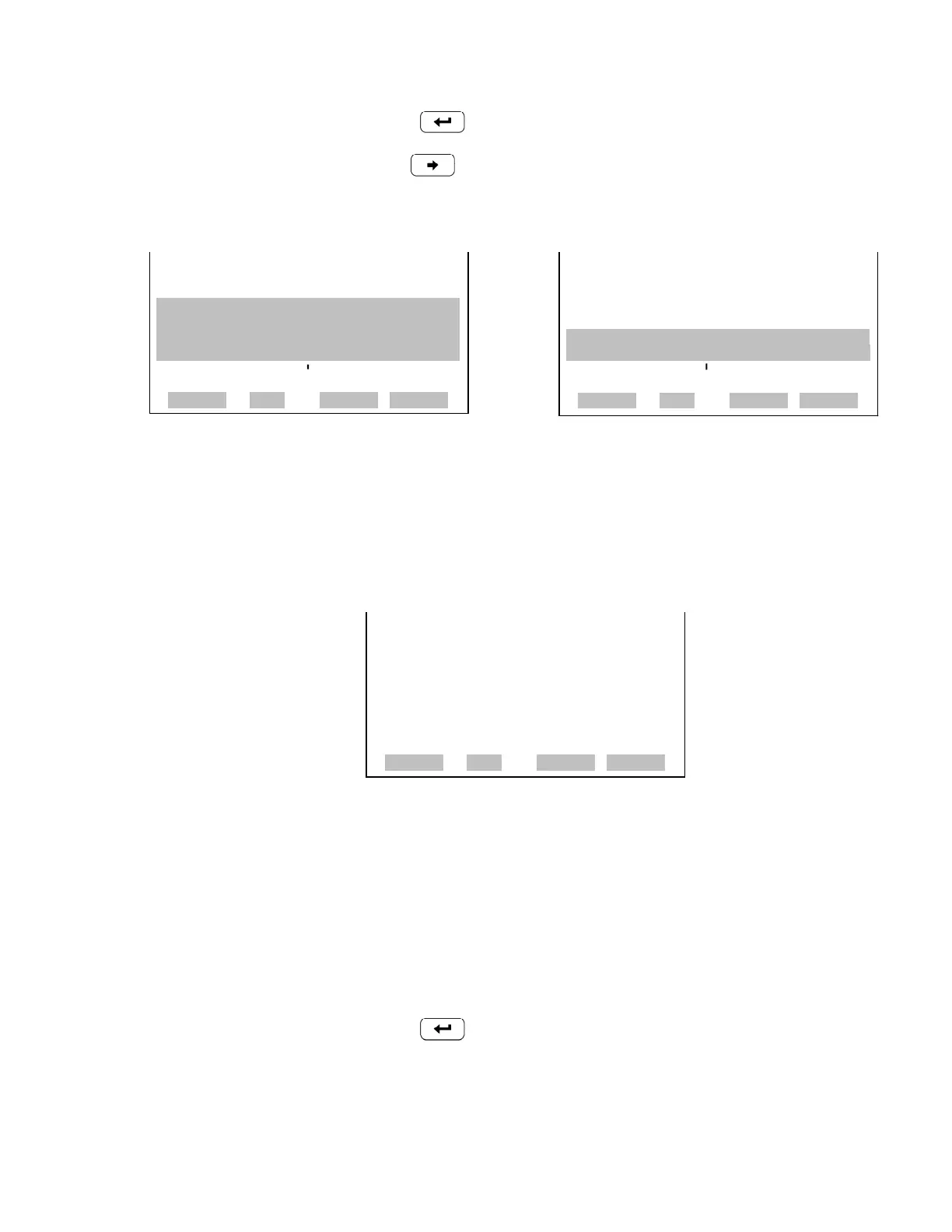
TCP/IP Settings The TCP/IP Settings menu is used for defining TCP/IP settings.
• In the Main Menu, choose Instrument Controls > Communication
Settings > TCP/IP Settings.
Use DHCP The Use DHCP screen is used to specify whether to use DHCP or not.
Note The instrument power must be cycled after this parameter has been
changed for the change to take effect.
• In the Main Menu, choose Instrument Controls > Communication
Settings > TCP/IP Settings > Use DCHP.
•Press to toggle and set DHCP on or off.
RS-232/RS-485 SELECTION: RS-232/RS-485 SELECTION:
XXXXXX** WARNING **XXXXXXX CURRENTLY: RS-232
DISCONNECT THE SERIALX X SET TO: RS-485 ?
CABLES BEFORE CHANGING X MAKE SURE THAT THE CABLEXX
THE SELECTION!XXXXXX
IS OFF: PRESS
¨ TO CONFIRM
TO CONTINUE
TOGGLE VALUE
RANGE AVG DIAGS ALARM
RANGE AVG DIAGS ALARM
TCP/IP SETTINGS:
>USE DHCP OFF
IP ADDRESS 192.168.1.15
NETMASK 255.255.255.0
GATEWAY 192.168.1.1
HOST NAME ISERIES
RANGE AVG DIAGS ALARM










 To Next Page