•Theremightbeariskofshortcircuitsifyouremovethebasecoverassemblyinthefollowingsituations:
–Whenyourcomputerhastheremovablebatteryinstalled
–Whenyourcomputerisconnectedtoacpower
Besides,thecomputerwillnotstartafteryoureinstallthebasecoverassembly.Tostartthecomputer,
disconnecttheacpoweradapterandthenreconnectittothecomputer.
Toreplacethebasecoverassembly,dothefollowing:
1.Disablethebuilt-inbattery.See“Disablingthebuilt-inbattery”onpage107.
2.Ensurethatthecomputeristurnedoffanddisconnectedfromacpowerandallcables.
3.Closethecomputerdisplayandturnthecomputerover.
4.Removetheremovablebattery.See“Replacingtheremovablebattery”onpage108.
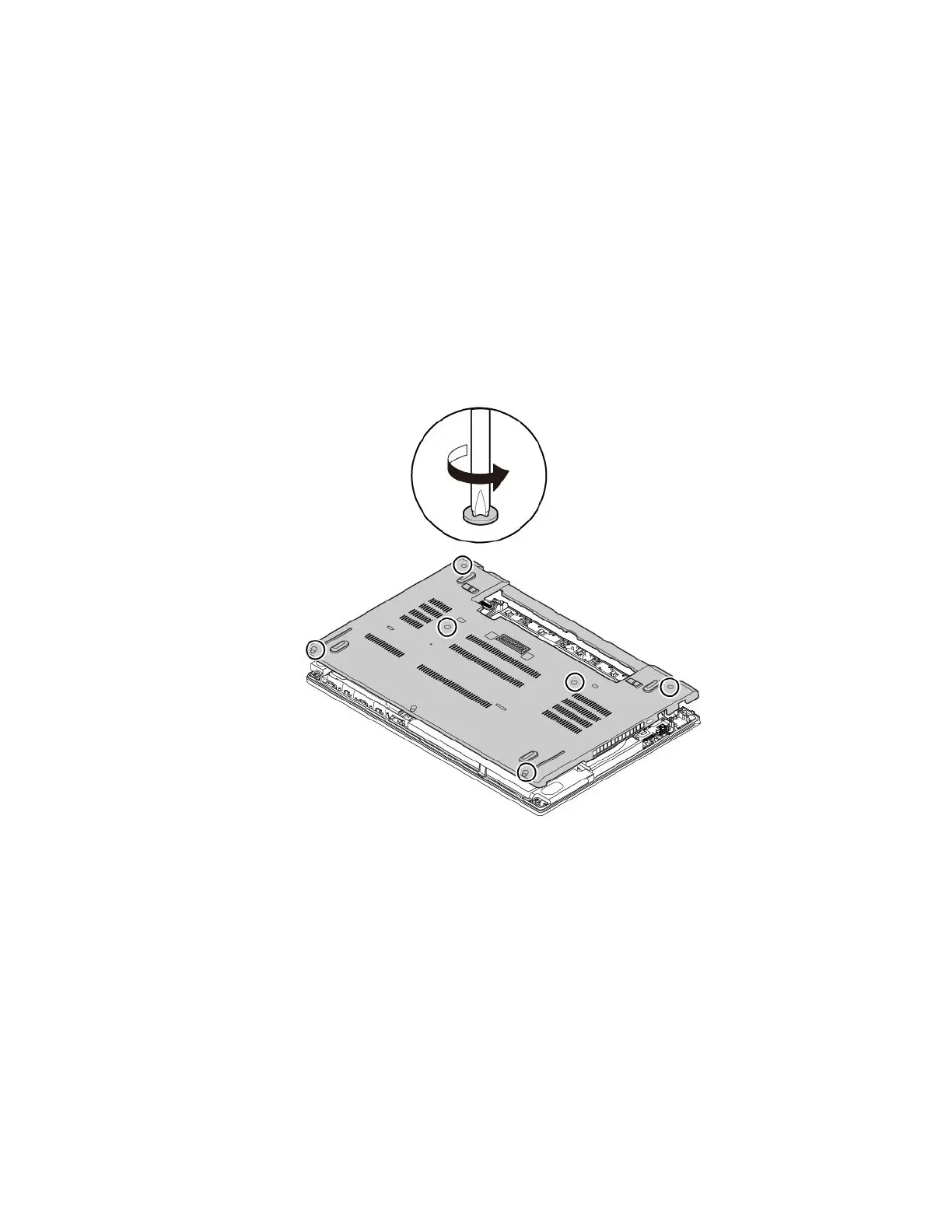
5.Loosenthescrewsthatsecurethebasecoverassemblyasshown.
Chapter9.Replacingdevices111



 To Next Page