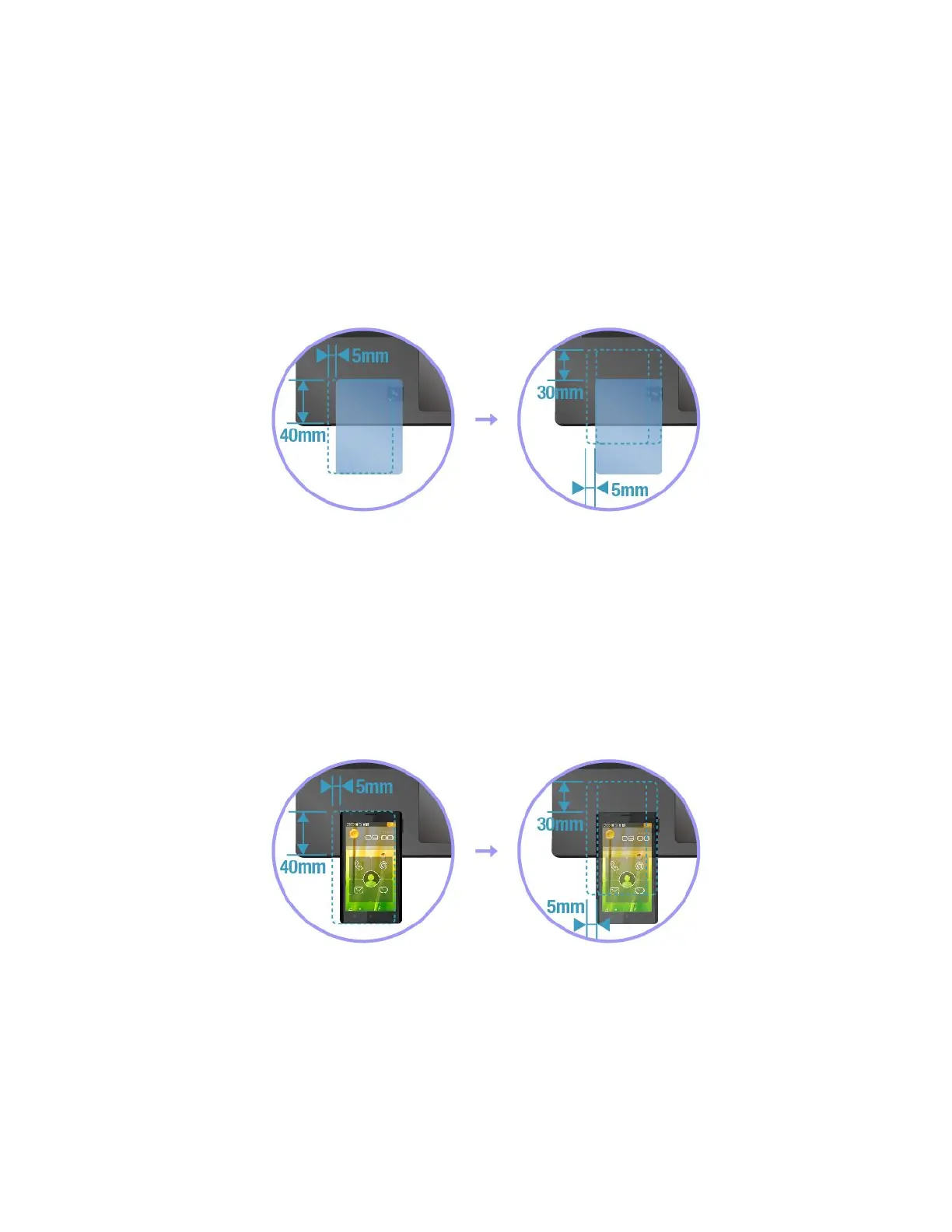
PairingyourcomputerwithanNFCcard
Beforeyoustart,ensurethatthecardisinNFCDataExchangeFormat(NDEF);otherwisethecardcannotbe
detected.Thendothefollowing:
1.Positionthecard40mm(1.57inches)fromtheedgeofthepalmrestandcloselyabovetheNFC
labelasshown.
2.Slowlymovethecardadistancewithin30mm(1.18inches)tothedirectionofthecomputerdisplay.
Thenholdthecarduntilyouarepromptedthatthecardhasbeensuccessfullydetected.
Note:Whenpairingthecard,ensurethatthecarddoesnotexceedthedetectiontoleranceof5mm(0.20
inches)leftward.
PairingyourcomputerwithanNFC-enabledsmartphone
Beforeyoustart,ensurethatthesmartphonescreenisfacingupward.Thendothefollowing:
1.Positionthesmartphone40mm(1.57inches)fromtheedgeofthepalmrestandcloselyabovethe
NFClabelasshown.
2.Slowlymovethesmartphoneadistancewithin30mm(1.18inches)tothedirectionofthecomputer
display.Thenholdthesmartphoneuntilyouarepromptedthatthesmartphonehasbeensuccessfully
detected.
Note:Whenpairingthesmartphone,ensurethatthesmartphonedoesnotexceedthedetectiontoleranceof
5mm(0.20inches)leftward.
UsingtheAirplanemode
TheAirplanemodeissupportedontheWindows10operatingsystem.IftheAirplanemodeisenabled,all
wirelessfeaturesaredisabled.
ToenableordisabletheAirplanemode,dothefollowing:
1.OpentheStartmenu.
2.ClickSettings➙Network&Internet➙Airplanemode.
Chapter2.Usingyourcomputer31



 To Next Page