Chapter3.Enhancingyourcomputer
Thischapterprovidesinstructionsonhowtousehardwaredevicestoexpandyourcomputercapabilities.
FindingThinkPadoptions
Ifyouwanttoexpandthecapabilitiesofyourcomputer,Lenovohasanumberofhardwareaccessories
andupgradestomeetyourneeds.Optionsincludememorymodules,storagedevices,networkcards,port
replicatorsordockingstations,batteries,poweradapters,keyboards,mice,andmore.
ToshopatLenovo,goto:
http://www.lenovo.com/essentials
ThinkPadBasicDock,ThinkPadProDock,andThinkPadUltraDock
ThissectionintroduceshowtousetheThinkPadBasicDock,ThinkPadProDock,andThinkPadUltraDock.
Controls,connectors,andindicators
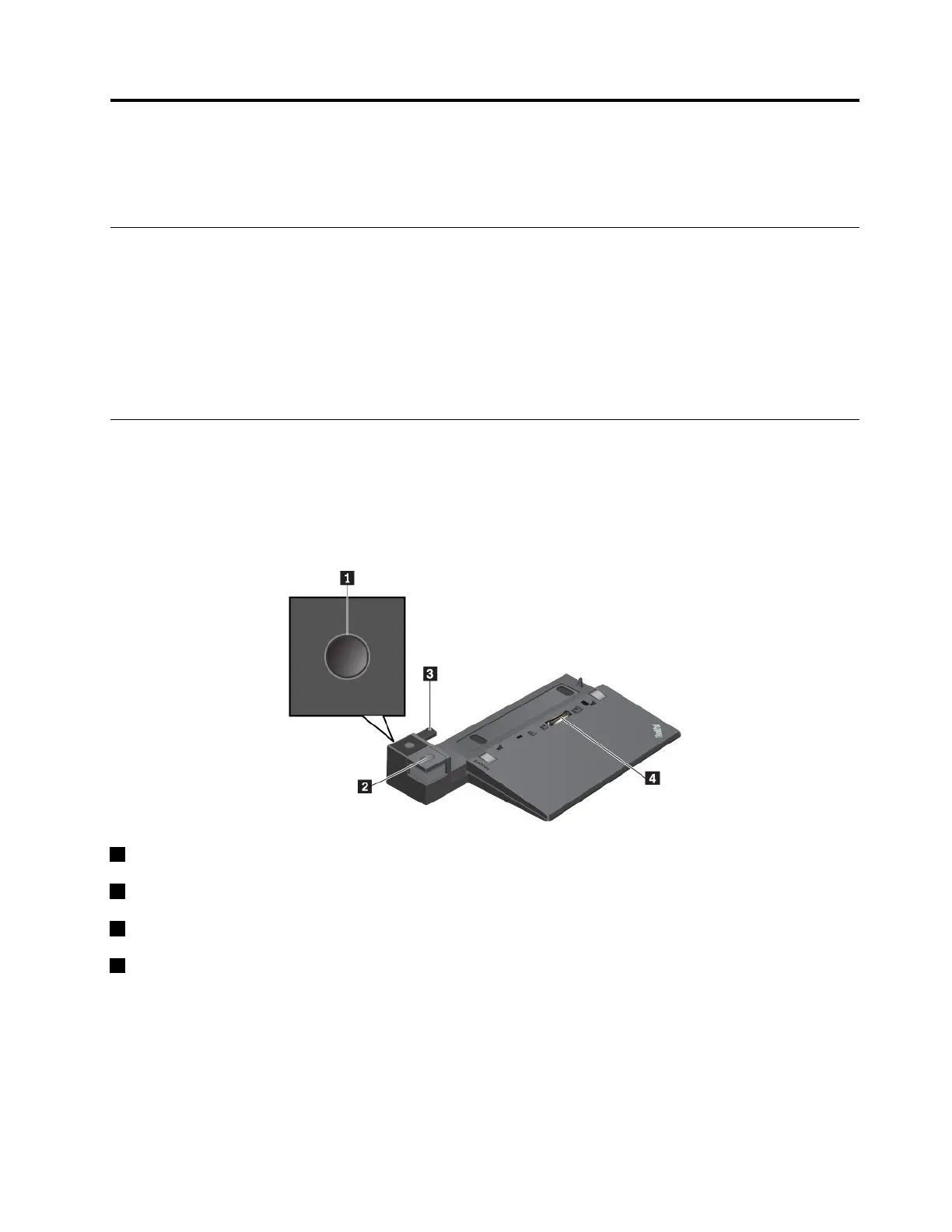
ThinkPadBasicDock
1Powerbutton:Pressthepowerbuttontoturnonorturnoffthecomputer.
2Ejectbutton:Presstheejectbuttontoejectthecomputerfromthedockingstation.
3Adjuster:Usetheadjusterasaguidetoalignthecomputerwiththedockingstation.
4Dockingstationconnector:Connectthedockingstationtothecomputer.
©CopyrightLenovo2017
39



 To Next Page