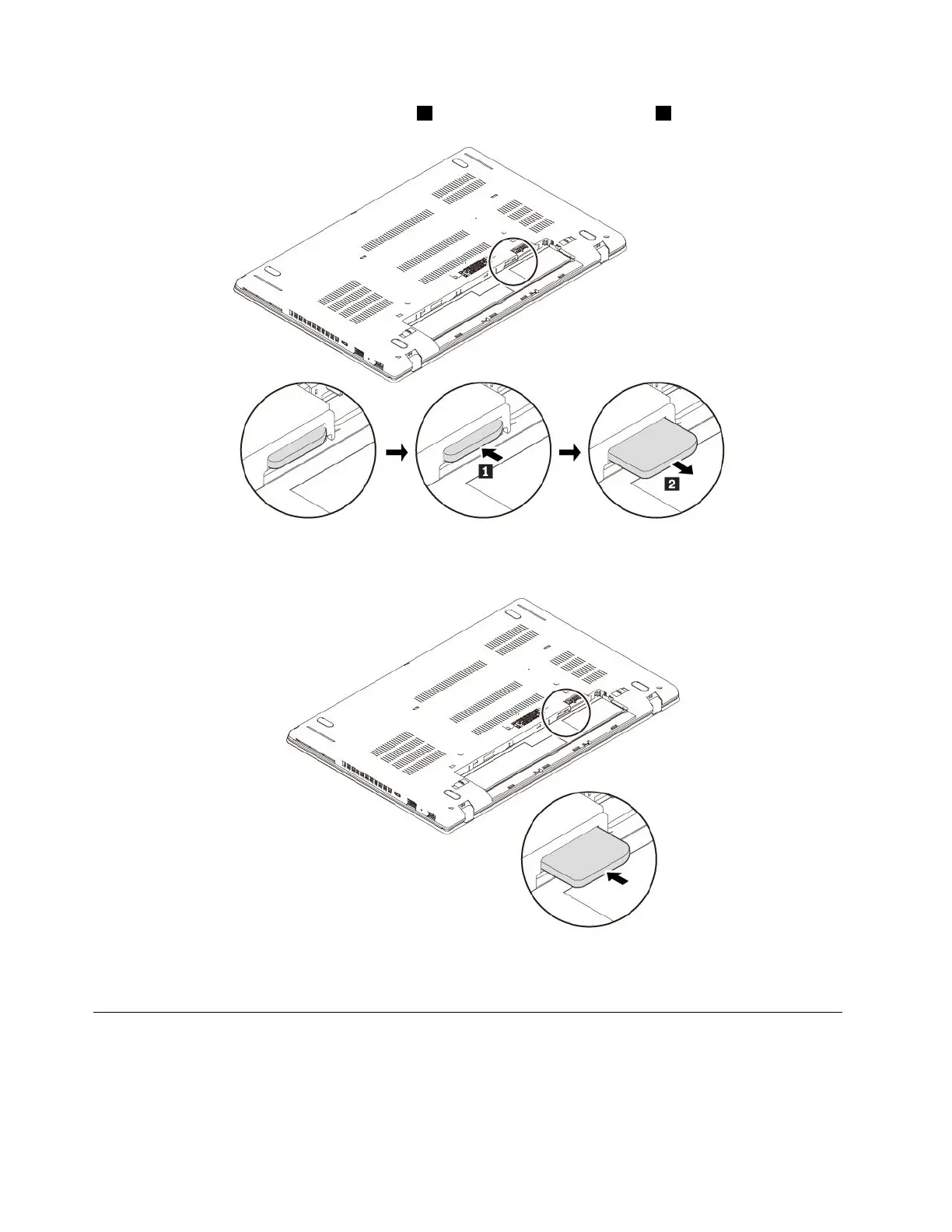
4.GentlypushthemicroSIMcardtoejectit1,andthenslideitoutoftheslot2.
5.NotetheorientationofthenewmicroSIMcardandtheninsertitintotheslotcompletelyuntilitclicks
intoposition.
6.Reinstalltheremovablebattery.
7.Turnthecomputerover.Connecttheacpoweradapterandallcablestothecomputer.
Replacingthebasecoverassembly
Beforeyoustart,read“Importantsafetyinformation”onpagevandprintthefollowinginstructions.
Notes:
•Dependingonthemodel,yourcomputermightlookslightlydifferentfromtheillustrationsinthistopic.
110T470UserGuide



 To Next Page