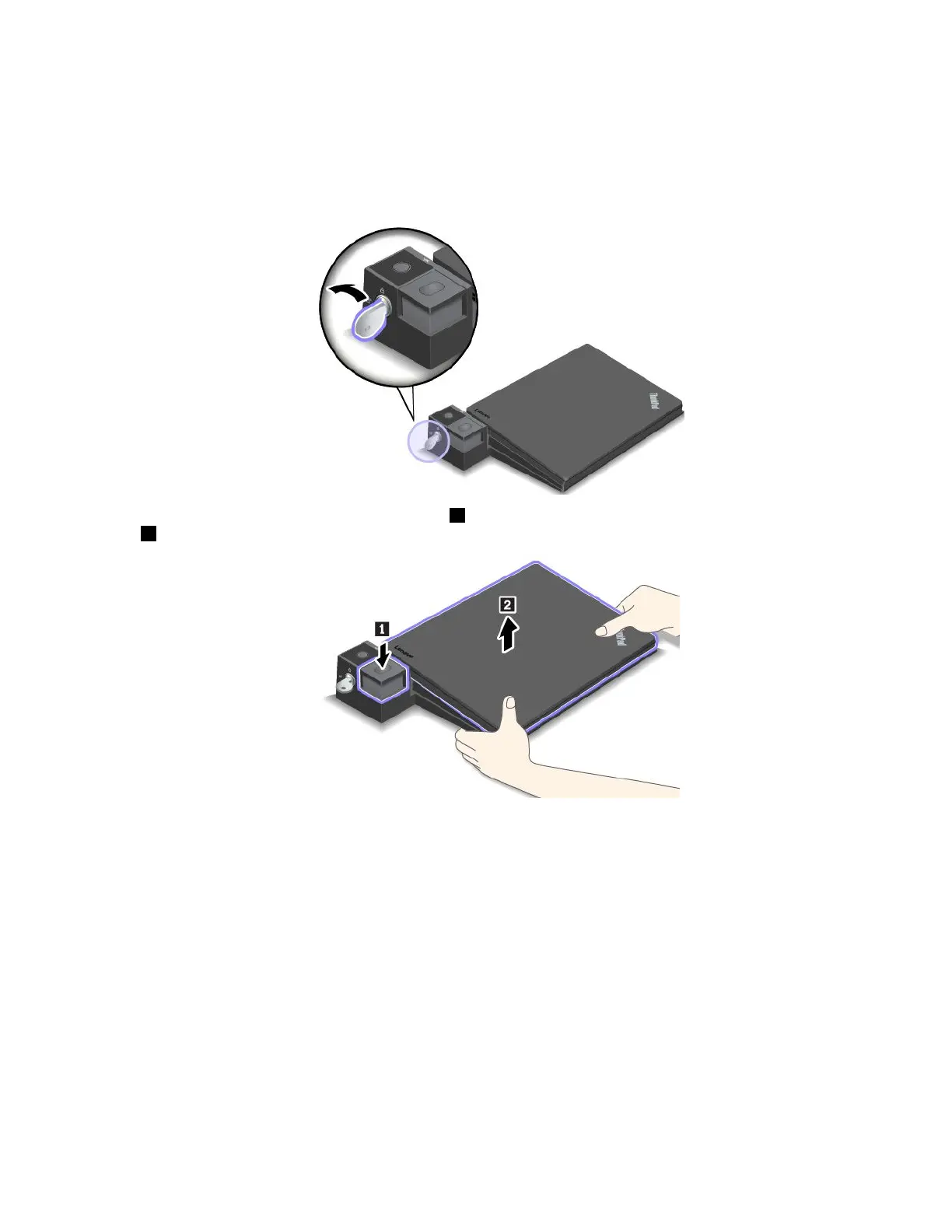
Todetachthedockingstationfromyourcomputer,dothefollowing:
Note:TheThinkPadBasicDockdoesnothavethesystemlock.
1.Disconnectallcablesanddevicesfromthecomputerandthedockingstation.
2.Turnthesystemlockkeytotheunlockedposition(horizontal).
3.Presstheejectbuttontoejectthecomputer1,andthengraspbothsidesofthecomputertoremoveit
2.
Guidelinesonconnectingmultipleexternaldisplaystothedocking
station
YoucanconnectmultipleexternaldisplaystoasupportedThinkPaddockingstation.Toensurethat
themultipledisplaysworkcorrectly,observethefollowingguidelinesandconnectthedisplaystothe
appropriateconnectors.
•Donotusetheconnectorsasshowninthefollowingillustrationsatthesametimeforconnectingmultiple
displays.Otherwise,oneofthedisplaysasshownwillnotwork.
Chapter3.Enhancingyourcomputer45



 To Next Page