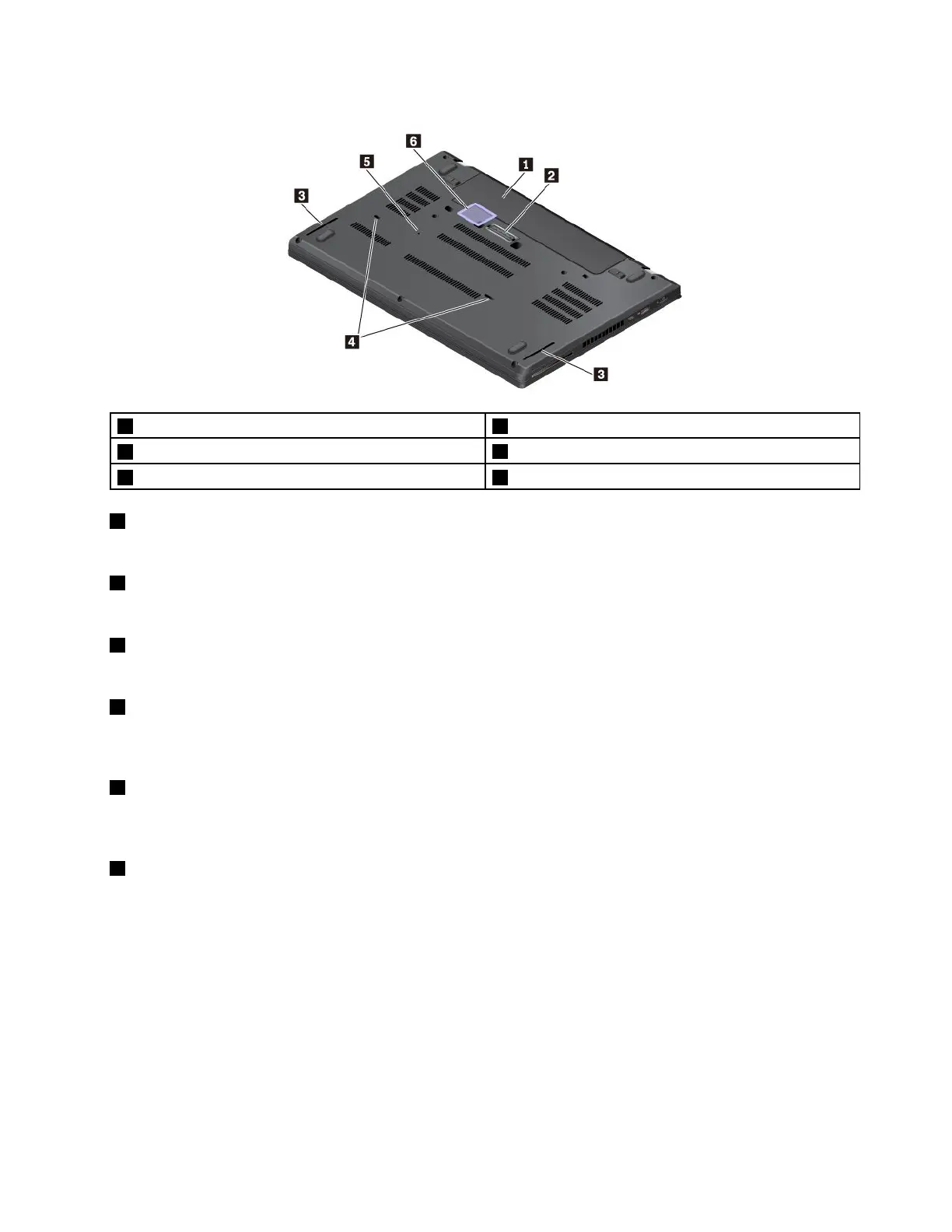
Bottomview
1Removablebattery2Docking-stationconnector
3Speakers
4Keyboarddrainageholes
5Emergency-resethole
6Micro-SIM-cardslot(availableonsomemodels)
1Removablebattery
Youcanusethecomputerwithbatterypowerwheneveracpowerisunavailable.
2Docking-stationconnector
Youcanconnectthecomputertoasupporteddockingstationtoextendthecomputercapabilities.
3Speakers
Yourcomputerisequippedwithapairofstereospeakers.
4Keyboarddrainageholes
Ifyouaccidentallyspillwaterordrinkoverthekeyboard,thekeyboarddrainageholescanhelpdrainout
liquidfromyourcomputer.
5Emergency-resethole
Ifthecomputerstopsrespondingandyoucannotturnitoffbypressingthepowerbutton,removetheac
poweradapter.Then,insertastraightenedpaperclipintotheemergency-resetholetoresetthecomputer.
6Micro-SIM-cardslot(availableonsomemodels)
Themicro-SIM-cardslotisinthebatterycompartment.Ifthecomputersupportsthewirelesswidearea
network(WWAN),amicroSubscriberIdentificationModule(SIM)cardmightberequiredtoestablish
connections.ForinformationaboutreplacingorinstallingthemicroSIMcard,see“Replacingthemicro
SIMcard”onpage109
.
Statusindicators
Thistopicprovidesinformationaboutlocatingandidentifyingthevariousstatusindicatorsonyourcomputer.
Note:Dependingonthemodel,yourcomputermightlookdifferentfromthefollowingillustrations.
Chapter1.Productoverview5



 To Next Page