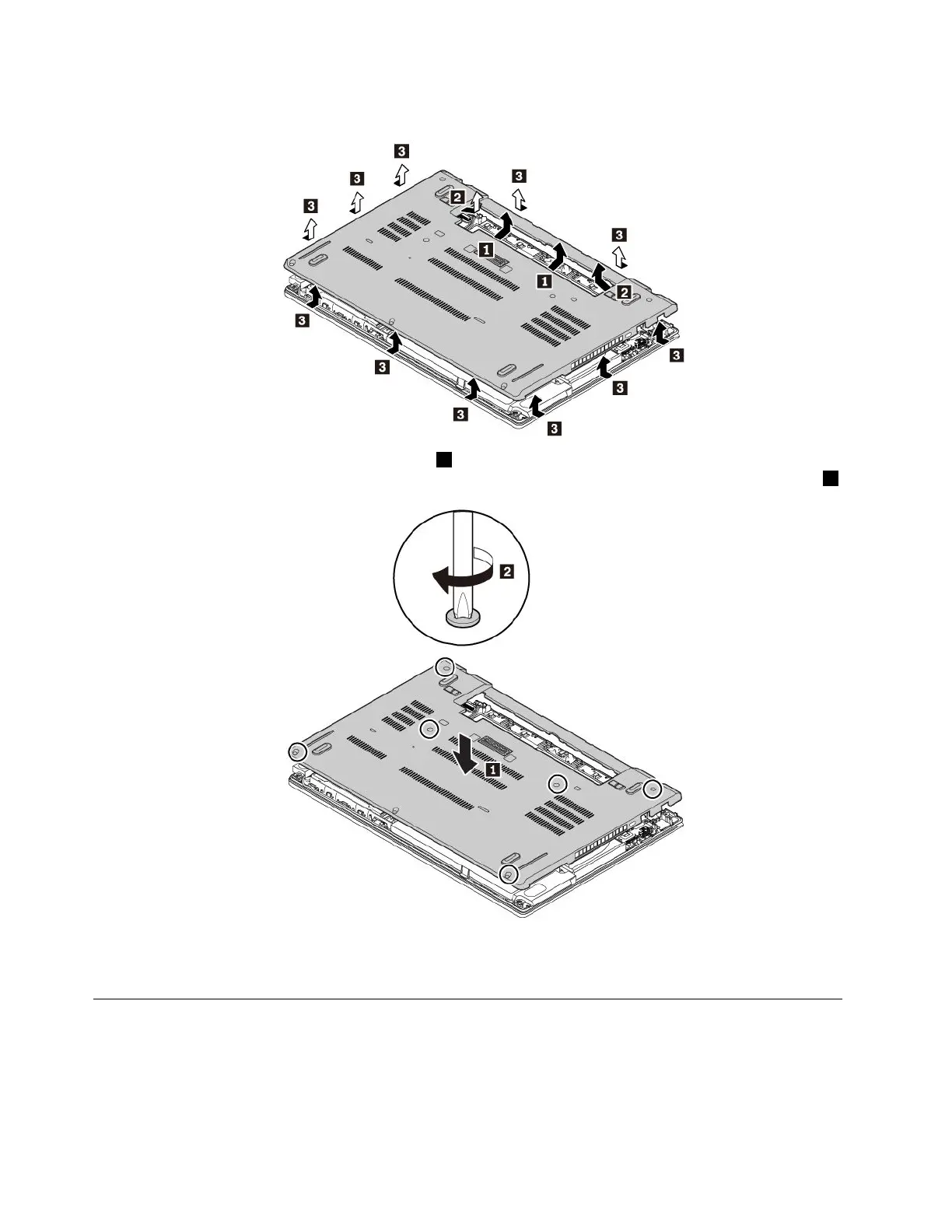
6.Removethebasecoverassemblyinthenumericorderasshown.
7.Installthenewbasecoverassemblyinplace1.Ensurethatthelatchesofthebasecoverassemblyare
securedunderthebasecoverassembly.Thentightenthescrewstosecurethebasecoverassembly2.
8.Reinstalltheremovablebattery.
9.Turnthecomputerover.Connecttheacpoweradapterandallcablestothecomputer.
Replacingamemorymodule
Beforeyoustart,read“Importantsafetyinformation”onpagevandprintthefollowinginstructions.
Increasingmemorycapacityisaneffectivewaytomakeprogramsrunfaster.Youcanincreasememory
capacitybyreplacingoraddingamemorymodule.
112T470UserGuide



 To Next Page