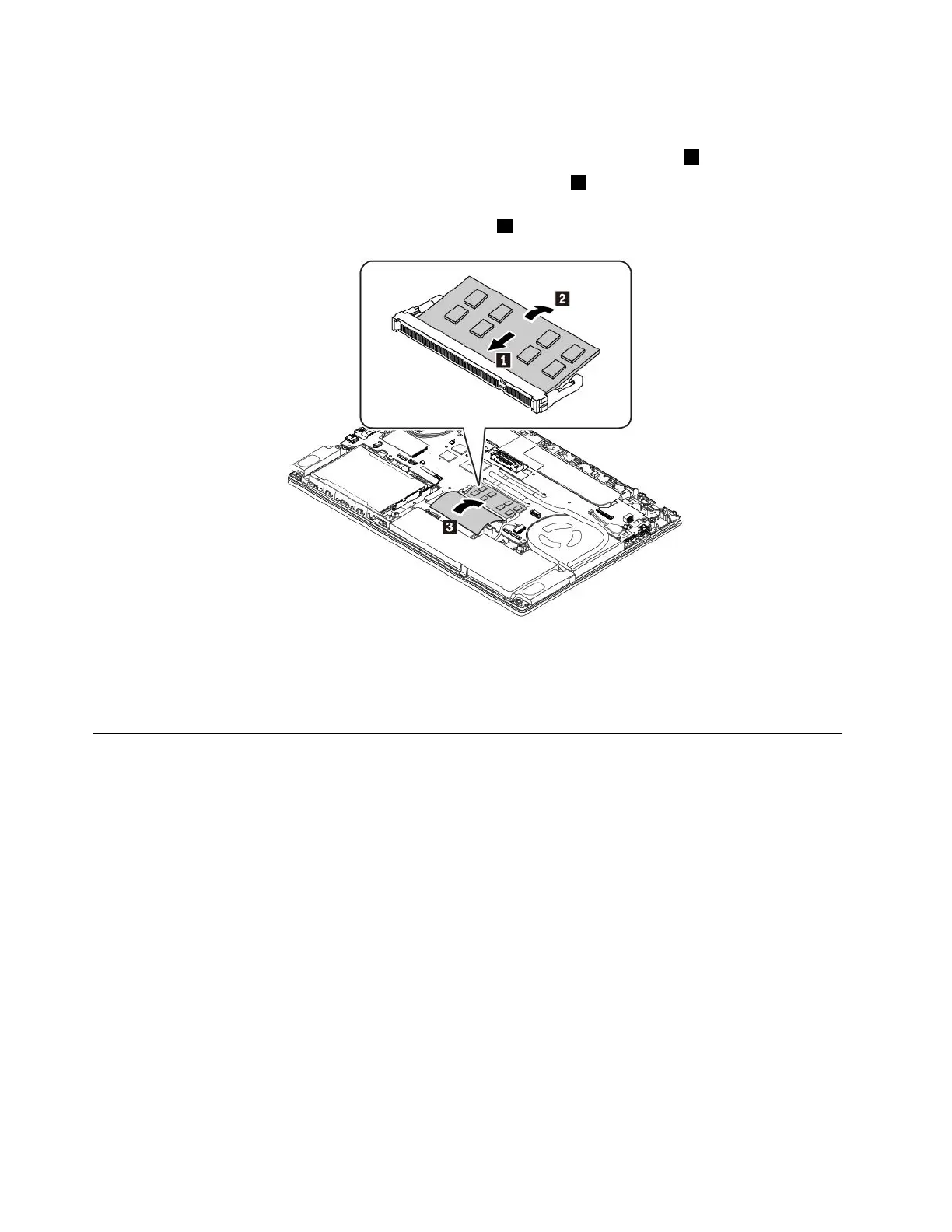
7.Toinstallanewmemorymodule,dothefollowing:
a.Placethenotchedendofthenewmemorymoduletowardthecontactedgesideofthememoryslot.
Theninsertthememorymoduleintotheslotatanangleofabout20degrees1.
b.Pivotthememorymoduledownwarduntilitsnapsintoplace2.Ensurethatthememorymoduleis
firmlyinstalledintheslotandcannotbemovedeasily.
c.Closethefilmtoprotectthenewmemorymodule3.
8.Reinstallthebasecoverassemblyandtheremovablebattery.
9.Turnthecomputerover.Connecttheacpoweradapterandallcablestothecomputer.
Replacingtheinternalstoragedrive
Beforeyoustart,read“Importantsafetyinformation”onpagevandprintthefollowinginstructions.
Attention:Theinternalstoragedrive(suchasharddiskdrive,solid-statedrive,orhybriddrive)issensitive.
Inappropriatehandlingmightcausedamageandpermanentlossofdata.
Whenhandlingtheinternalstoragedrive,observethefollowingguidelines:
•Replacetheinternalstoragedriveonlyforupgradeorrepair.Theinternalstoragedriveisnotdesigned
forfrequentchangesorreplacement.
•Beforereplacingtheinternalstoragedrive,makeabackupcopyofallthedatathatyouwanttokeep.
•Donottouchthecontactedgeoftheinternalstoragedrive.Otherwisetheinternalstoragedrivemightget
damaged.
•Donotapplypressuretotheinternalstoragedrive.
•Donotmaketheinternalstoragedrivesubjecttophysicalshocksorvibration.Puttheinternalstorage
driveonasoftmaterial,suchascloth,toabsorbphysicalshocks.
Note:Dependingonyourcomputermodel,a2.5-inchharddiskdrive,a2.5-inchsolid-statedrive,oranM.2
solid-statedrivemightcomewithyourcomputer.
114T470UserGuide



 To Next Page